1
Introduction
M203
Switching between stations using the Revox wall-mounted keypad
The M203 offers the option of
selecting specific stations using
the skip keys (<>) on an M218
wall-mounted keypad, once the
TV tuner has been selected.
This comfort function requires
two settings:
1/2
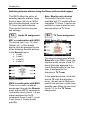
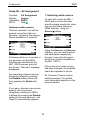
Audio IN assignment
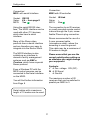
M51 in combination with M203
The sound input, e.g. TV, Aux1,
Optical, etc., of the remote
device must be assigned to one
of the following Remote buttons
in the Remote menu:
• Local
• Local 1
• Local 2
• Local 3
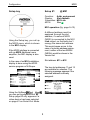
Assignment example
M219 in combination with M203
There is no need to make an
assignment through the Remote
menu with an M219, because its
local audio inputs (Local 1-3) are
always assigned to the IR
commands Local, Local 1, Local
2 and Local 3. Continue with
point 2/2
Note: Monitor-only devices
This comfort function is only
available with TV models with an
integrated TV tuner. It cannot be
selected in case of monitor-only
devices without a TV tuner.
2/2
TV Tuner assignment
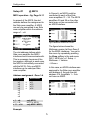
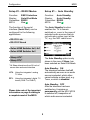
M203 Setup #2 - Input
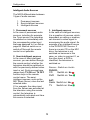
The second assignment affects
Setup #2 in the M203. Here, the
physical audio source of the TV
sound that was assigned to a
Local Remote button in the first
step, is assigned to the
television's TV Tuner.
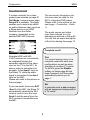
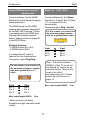
In the example above, the audio
source TV calls the television
tuner. As well as the Multiroom
central unit sources, a side room
amplifier also offers its own local
Inputs 1-3 for the TV Tuner
assignment.