1
Troubleshooting
Chapter 9
Operating Instructions
CLV63x Bar Code Scanner
9.2.2
System information
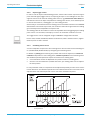
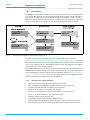
The bar code scanner displays errors in various ways. The error output is hierarchised and
always allows a detailed analysis:
•
Communication errors can occur while transferring telegrams to the bar code scanner.
In this case, the bar code scanner returns an error code.
•
Error codes are written into a status protocol for errors which occur during a reading
(chapter 9.3 Status protocol, page 76).
9.3
Important
Status protocol
The status protocol remains even after switching the bar code scanner off and on again.
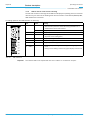
The bar code scanner differentiates between four error types:
•
Information
•
Warning
•
Error
•
Fatal error
The bar code scanner only saves the last five entries for each of the error types.
9.3.1
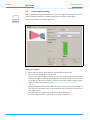
Displaying the status protocol using the SOPAS-ET configuration software
In order to display the status protocol, the SOPAS-ET configuration software has to be online
and connected to the bar code scanner.
1.
Connect the SOPAS-ET configuration software with the device.
2.
Open the project tree CLV63X, SERVICE, SYSTEMSTATUS, register tab SYSTEMINFORMATION.
9.4
SICK Support
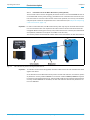
If an error cannot be eliminated, it is possible that the bar code scanner is defective. The
bar code scanner cannot be repaired by the user, meaning that it is not possible to re-establish functions after a failure. However, the bar code scanner can be rapidly replaced by
the user. See chapter 8.5 Replacing a bar code scanner, page 74.
¾
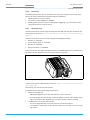
If an error occurs which cannot be eliminated, please contact SICK Service:
•
International: Competent SICK branch office or SICK subsidiary
– Telephone numbers and e-mail addresses on the reverse side of these operating instructions
– For the postal address please visit www.sick.com
¾
Important
76
Only return devices after consultation with the SICK Service.
Repairs to the bar code scanner should only be performed by qualified and authorised SICK
AG service staff.
© SICK AG · Division Auto Ident · Germany · All rights reserved
8011970/S345/2008-04-16