1
Resetting the System
1
Software Reset
You can reset the software if you encounter software problems which lock up the
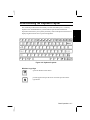
notebook. To reset the system or “reboot,” press the Ctrl+Alt+Del keys
simultaneously. Then, follow the instructions on the screen: press the Ctrl+Alt+Del
keys again. The notebook restarts. This is known as a “warm boot.”
Resetting may cause data loss. Use the software reset only if the normal
Windows 95 Shut Down does not work because of software malfunction.
Although resetting will not damage the system, you may lose the data
you are processing.
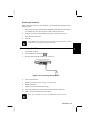
Power Switch
You can turn off the notebook with the power switch if you encounter hardware or
software problems which lock up the system. Press the power switch for more than
five seconds. The notebook will shut down.
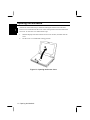
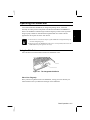
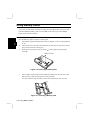
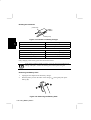
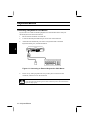
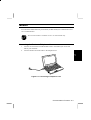
Hardware Reset
You should use the hardware reset switch only if the power switch does not turn off
the notebook. The switch is in the small hole at the bottom of the notebook. Press
this switch with the tip of a pencil or ballpoint pen. The notebook will shut down.
Before turning it back on, wait at least 10 seconds after turning off the
notebook. Turning the power off and on in rapid succession can damage
the notebook’s electrical circuitry.
1-12 Resetting the System