1
Chapter 2: Installation
9
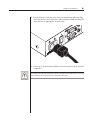
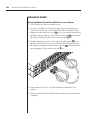
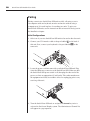
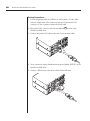
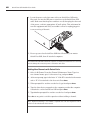
7. Locate the power cord that came with your SwitchView OSD unit. Plug
it into the power socket on the rear of the SwitchView OSD unit. Plug the
other end into an appropriate AC wall outlet.
8. Power-up your SwitchView OSD unit first, then power-up all attached
computers.
The SwitchView OSD and all attached computers should be powered-down before servicing
the unit. Always disconnect the power cord from the wall outlet.