1
JBoss Enterprise Application Platform 5 HTTP Connectors Load Balancing Guide
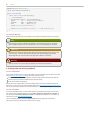
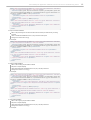
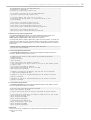
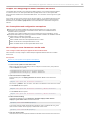
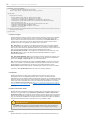
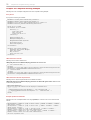
<context-param>
<param-name>service-name</param-name>
<param-value>Catalina</param-value>
</context-param>
4. Deploy Demo Web Archive to Worker Node
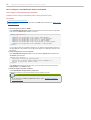
Copy load-demo.war from JBOSS-EAP_DIST/mod_cluster/demo/server into one of the
following directories:
For JBoss Enterprise Web Server:
JBOSS_EWS_DIST/tomcat6/webapps
For JBoss Enterprise Application Platform:
JBOSS_EAP_DIST/jboss-as/server/PROFILE/deploy
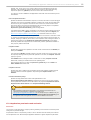
5. Start the Demonstration
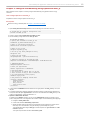
Navigate to JBOSS_EAP_DIST/mod_cluster/demo/client/, and start the demonstration.
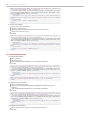
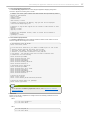
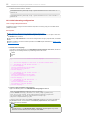
[client]$ ./run-demo.sh
Result
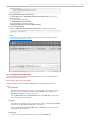
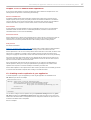
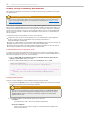
T he demonstration starts, and the Load Balancing Demonstration window opens. Proceed to
T ask: Configure Client Control T ab Fields
12.2. Configure the demo client
You must configure the demonstration's Client Control parameters to ensure the client operates as
expected throughout the demonstration.
T ask: Configure Client Control T ab Fields
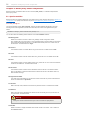
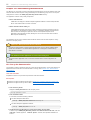
Complete this task to configure the Client Control tab of the Load Balancing Demonstration.
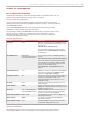
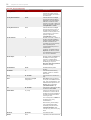
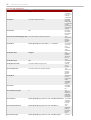
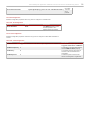
T erms
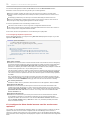
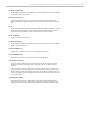
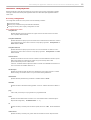
Proxy Hostname
Hostname of the load-balancing proxy server, or the IP address on which the proxy server is
listening for requests. T he default value for this field is localhost, or determined by the
mod_cluster.proxy.host system property, if set.
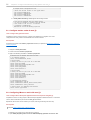
Edit the -Dmod_cluster.proxy.host=localhost value in run-demo.sh to avoid re-setting
this value each time you use the demo.
Proxy Port
Port on which the load-balancing proxy server listens for requests. T he default value is 8000, or
determined by the mod_cluster.proxy.port property, if set.
Edit the -Dmod_cluster.proxy.port=8000 value in run-demo.sh to avoid re-setting this
value each time you use the demo.
Context Path
T he part of the request URL that specifies the request is for load-demo.war.
45