1
COPYING FROM THE DOCUMENT GLASS
●
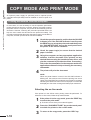
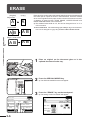
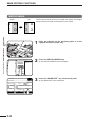
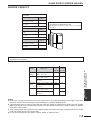
Image loss (max. 13/64" (5 mm)) can occur along
the leading edge of the copies. Image loss (max. 9/
32" (7mm)) can occur along the trailing edge of the
copies. Also image loss (max. 1/4" (6 mm) in total)
can occur along the other edges of the copies.
2
CHAPTER
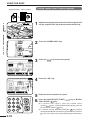
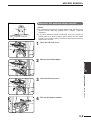
1-sided copies of 1-sided originals
1
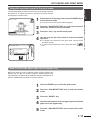
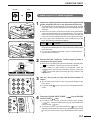
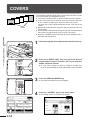
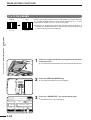
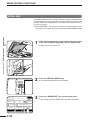
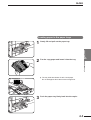
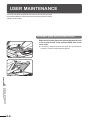
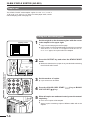
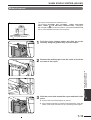
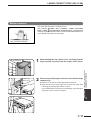
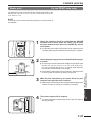
Original size detector
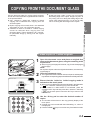
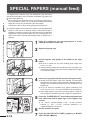
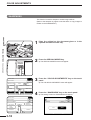
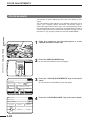
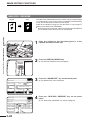
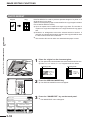
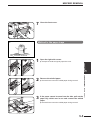
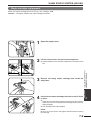
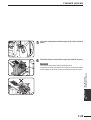
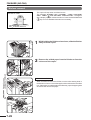
Open the document cover and place an original face
down on the document glass, using the centering scale
to position it.
When copying multi-page documents, copy from the last page to
the first page.
NOTE:
Do not place objects under the original size detector, because they
may damage it.
●
Centering scale
2
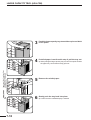
Close the document cover.
3
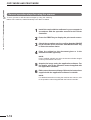
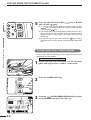
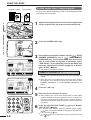
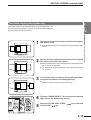
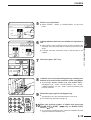
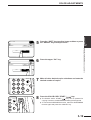
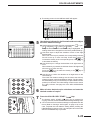
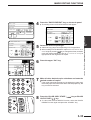
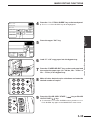
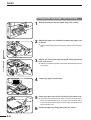
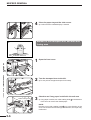
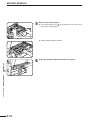
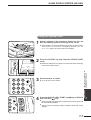
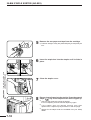
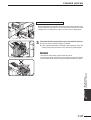
Ensure that the 1-sided to 1-sided copying mode is
selected on the touch panel.
●
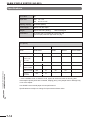
The original size will be indicated on the touch panel, and the paper
tray with the corresponding paper size will be automatically selected.
READY TO COPY.
ORIGINAL
812 11
1.812 11
2.11 17
3.812 14
AUTO
EXPOSURE
●
AUTO
8/12 11
PAPER SELECT
100%
COPY RATIO
N
1
4
2
5
3
INTERRUPT
7
8
0
4
9
PROGRAM
C
P
CLEAR
CA
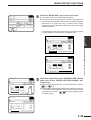
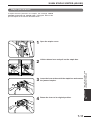
When no icon is displayed in the area indicated in the illustration
(
), the 1-sided to 1-sided copying mode is selected.
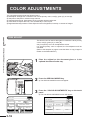
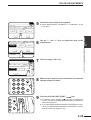
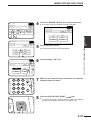
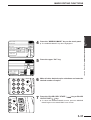
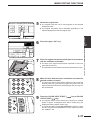
If the 1-sided to 1-sided mode is not selected, press the
2-SIDED COPY key and then press the 1-sided to 1-sided key
(
) on the touch panel. Press the “OK” key to return to the
basic screen.
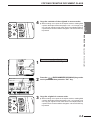
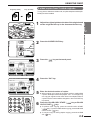
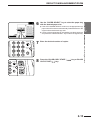
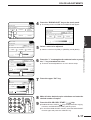
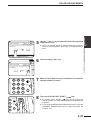
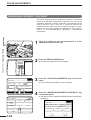
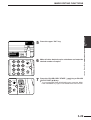
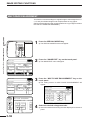
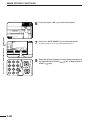
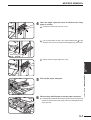
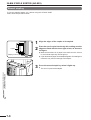
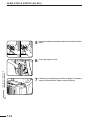
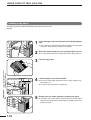
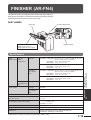
Use the 10-key pad to enter the desired number of
copies.
●
6
CLEAR
ALL
AUDIT
●
●
●
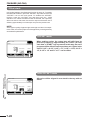
The number will be shown in the copy quantity display of the
touch panel.
A single copy can be made with the initial setting, i.e., when “0”
is displayed.
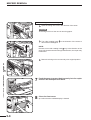
Use the CLEAR ( C ) key to cancel an entry if a mistake is made.
2-3
MAKING COPIES Copying from the document glass
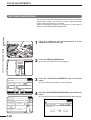
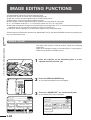
Use the document glass for copying single originals,
bound documents, and other originals that cannot be set
in the optional RADF.
● Only 1-sided to 1-sided and 1-sided to 2-sided
copying can be selected when copying from the
document glass.
● Duplex copying will not work when a non-standard
sized paper or 5-1/2" x 8-1/2"R paper is used.
● 2-sided to 2-sided or 2-sided to 1-sided copying
cannot be selected when copying from the
document glass. These operations can, however,
be performed simply by turning over the original
manually.