1
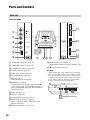
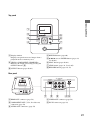
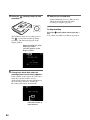
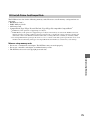
Top panel
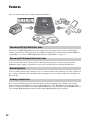
Introducing DVDirect
1
2
VIDEO COMPONENT HDMI
5
OUTPUT
3
6
ENTER
RETURN
7
4
8
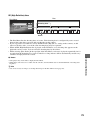
A Display window
Displays an operation screen, images from a
playback device or memory card.
D RETURN button (page 66)
B VIDEO / COMPONENT / HDMI LEDs
Indicates the output selected by pressing the
OUTPUT button (3).
F PLAY button (pages 60, 63)
C OUTPUT button (pages 60, 63)
H RECORD button (pages 38, 53)
E V/v/B/b cursor / ENTER button (pages 38,
53, 60, 63)
G STOP button (pages 38, 53, 62, 65)
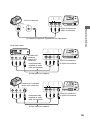
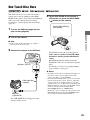
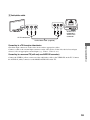
Rear panel
A/V OUT
COMPONENT OUT
PB
PR
L
VIDEO
DC 16V IN
HDMI OUT
Y
HDMI
R
1
2
AUDIO
3
45
A HDMI OUT connector (page 58)
D VIDEO OUT connector (page 59)
B COMPONENT OUT (Y, PB, PR video out)
connectors (page 58)
E DC IN connector (page 29)
C AUDIO OUT connectors (page 59)
27