1
Chapter 1: HP Clustered File System Commands
7
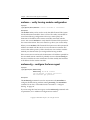
mxconfig – configure the cluster
Synopsis
/opt/hpcfs/bin/mxconfig [--import] [--help]
Description
The mxconfig utility performs the initial configuration of HP Clustered
File System. mxconfig invokes a dialog-based interface that allows you to
install the HP Clustered File System license file, to select a cluster
password and a Network Authentication Secret password, to select a
fencing method and optionally configure the FibreChannel switches to be
used in the cluster, and to select the SAN disk partitions to be used as HP
Clustered File System membership partitions.
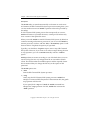
You can run mxconfig on one server and then export the resulting
configuration to the other servers. You must be root to run this utility.
The options are:
--help
Display a usage message.
--import
Import a HP Clustered File System configuration from an existing
cluster server to a new server.
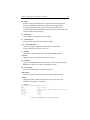
See the HP StorageWorks Clustered File System Setup Guide for more
information about mxconfig.
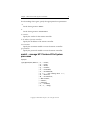
mxconsole – start the Management Console
Synopsis
/opt/hpcfs/bin/mxconsole
Description
The mxconsole command starts the Management Console, which is used
to configure and monitor the cluster. The Management Console can be
run from either a cluster server or a local machine outside the cluster. See
the HP StorageWorks Clustered File System Administration Guide for
information about using the Management Console.
Copyright © 1999-2005 PolyServe, Inc. All rights reserved.