1
4.20.
Plate setup
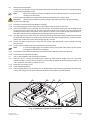
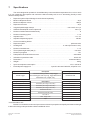
When installing a plate for the first time or when a plate of different type is used, set up the manifold
needles lowering depth.
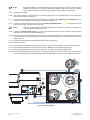
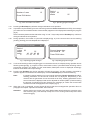
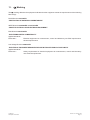
4.20.1. Pressing the Enter key in the start mode, the following message appears on the display (fig.9).
4.20.2. To confirm calibration, press the Run/Stop key.
The manifold will measure the depth of the plate well by touching the plate surface first and then the
bottom of the well. Then it will save the difference of the values measured.
WASHING PROGRAM
01
Plate setup
Press RUN button
Fig. 9. Manifold lowering depth identification
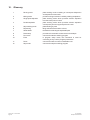
Despense
Aspirate
Shake
Dispense rate
Aspirate rate
Soak limit, s
Shake limit, s
Double aspiration
Dispensed volume*
Aspirate time, ms
Final aspirate, ms
First aspirate
Wash by rows
On two channels
Num.of wash cycles
The channel
Second chan. cycles
Second channel
YES
YES
YES
03
03
00
30
YES
300
1000
2000
YES
YES
YES
03
01
01
02
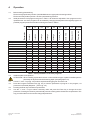
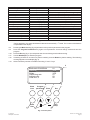
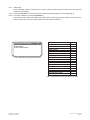
Table 3. All parameters of programs with two channels
5. Operation closedown
Intelispeed washer IW-8
Version 3.01 – March 2014
Page 13