1
Acc-54E
ETHERNET SOFTWARE SETUP
Accessory 54E IP Setup
Using the Acc-54E ethernet option requires Pewin Pro with at least Service Pack 3. Earlier revisions of
software are not capable of communicating with the ethernet option. Ethernet devices are configured by
launching the application EthConfigure.EXE, provided by Delta Tau as a part of the Pewin32PRO Suite
or any other Delta Tau standard installation. Installation and configuration of Ethernet devices is
independent of the operating system. Therefore, Ethernet devices are compatible with Windows NT 4.0 in
addition to Windows 98/ME/2000 and Windows XP.
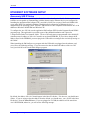
To configure the Acc-54E side, run the application EthConfigure.EXE from the Programs\Pewin32PRO\
program group. This application is provided as part of the standard installation and is placed in
c:\Program files\Delta Tau\Common\ folder. The Acc-54E card comes preprogrammed with a default IP
(internet protocol) address of 192.6.94.5 stored in an on-board EEPROM. If you wish to change the IP
address stored in the EEPROM, you must plug in the USB cable to reconfigure the card after powering on
the UMAC.
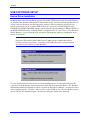
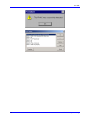
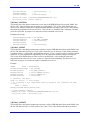
When launching the EthConfigure.exe program with the USB cable not plugged into the ethernet card,
you will see the following message. If you do not need to alter the default IP address of the Acc 54E
card, just click OK to the run the EthConfigure program.
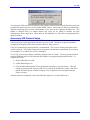
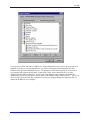
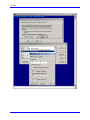
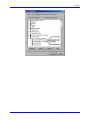
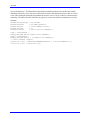
By default, the address 192.6.94.5 should appear in the Store IP edit box. If it does not, you should enter
it there. If you are trying to alter the address from the default, you should enter your own IP in the Store
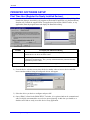
IP edit box. Press the Store IP button. If you are plugged in via USB, the addresss will be stored into
Acc-54E EEPROM; otherwise, you will see the following message.
Ethernet Software Setup
7