1
PPA55xx “KinetiQ” user manual
5
Special functions
5.1 Display zoom
KinetiQ normally displays many results on the screen in a
combination of small font size (no zoom) and up to 4
values in a larger font size (first zoom level). There is also
an even larger font for up to 4 selected values (second
zoom level).
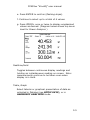
The second zoom level with the largest font has the option
of increasing the displayed data resolution via the SYSTEM
OPTIONS menu.
To set the data values for the larger font size, first return
to no zoom by pressing ZOOM-, twice if necessary. Press
ZOOM+ key to view the presently selected data, and press
DELETE to clear the selection.
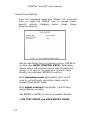
A flashing box surrounds the first available result. The
flashing box is moved around the available results using
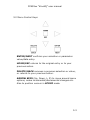
the cursor keys, UP, DOWN, LEFT and RIGHT. Pressing the
ENTER key selects the result for zoom and the box ceases
to flash. Further results (up to four in total) can then be
selected using the cursor keys in the same way – a solid
box remains around the already selected item, and a new
flashing box appears.
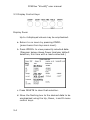
Having selected the desired results, pressing the ZOOM+
key invokes the first zoom level, pressing it again selects
the higher level. Pressing ZOOM-, steps back down one
level each time.
Note that any of the parameters selected for the zoom
function can be used as the input for the alarm monitoring,
and datalog.
5-1