1
1.3 How to control modes
and features
Each time you quick-press a button, you
will change the mode and the remote
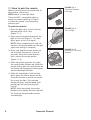
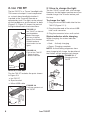
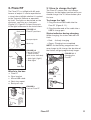
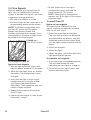
buttons (Figure 1.3.1) will provide an
indication of the mode and battery power
of the light.
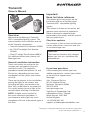
Center button
FIGURE 1.3.1
Buttons on
Transmitr Remote
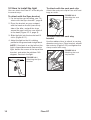
To turn on and turn off high beam
1. While the headlight(s) are turned on,
quick-press the center button on the
remote to change the light to High
mode.
2. To return to the previous mode, quickpress the center button.
If the headlights are already in High mode,
quick-press the center button to return to
the previous setting.
To configure a turn signal
Configure a turn signal according to
the light’s user manual. For the Flare RT,
see page 14.
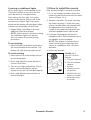
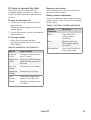
Corner buttons
To activate a turn signal
To turn on and turn off all lights
1. Quick-press the center button.
All lights will turn on.
2. To turn off all lights, press-and-hold the
center button.
NOTE: When you press a button that is
paired to a light, the button will glow.
1. Quick-press the corresponding button.
The activated button will flash,
indicating the turn signal is turned on.
2. To turn off the turn signal, press-andrelease the button again.
To turn on and turn off
an individual light
1. Quick-press the corner button that
controls the light.
2. To turn off the light, press-and-hold the
corner button that controls the light.
To change modes of
an individual light
1. Quick-press the paired button to select
the desired mode of the corresponding
light.
NOTE: The modes will select in the
same order as the manual operation of
the light.
4
Transmitr Remote