1
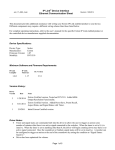
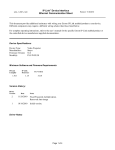
shrp_10_7856_1.pkn IP Link® Device Interface Ethernet Communication Sheet Revision: 9/21/2015 This document provides additional assistance with wiring your Extron IP Link enabled product to your device. Different components may require a different wiring scheme than those listed below. For complete operating instructions, refer to the user’s manual for the specific Extron IP Link enabled product or the controlled device manufacturer supplied documentation. Device Specifications: Device Type: Manufacturer: Firmware Version: Model(s): Display Sharp N/A PN-E603, PN-E703 Minimum Software and Firmware Requirements: IP Link Compiler IP Link Firmware 1.6.0 1.17 GC Version 3.5.2 Version History: Driver Version Date 1 9/18/2015 Notes Initial version. Driver Notes: Driver has been optimized for Volume. Page 1 of 4 IP Link® Device Interface Ethernet Communication Sheet shrp_10_7856_1.pkn Revision: 9/21/2015 Control Commands & States: Aspect Ratio Wide Zoom 1 Normal Dot by Dot Zoom 2 Auto Image Execute Input Toggle DVI DSUB (RGB) DSUB (Component) DSUB (Video) HDMI 1 (AV) HDMI 1 (PC) HDMI 2 (AV) HDMI 2 (PC) DisplayPort Mute On Off On Screen Display On Off PIP Input DVI DSUB (RGB) DSUB (Component) DSUB (Video) HDMI 1 (AV) HDMI 1 (PC) HDMI 2 (AV) HDMI 2 (PC) DisplayPort Mode 1 Mode 2 Mode 3 Position 2 Position 3 PIP Mode* Off PIP Position Position 1 PIP Size 1 to 64 in steps of 1 Position Position 1 Position 2 Power Control On Off Volume (Discrete) 0 to 31 in steps of 1 *Mode 1 – Displays a sub screen inside a main screen *Mode 2 – Displays a main screen and a sub screen in a line *Mode 3 – Displays a main screen which measures 1280 pixels in the longest direction and a sub screen in a line. Page 2 of 4 IP Link® Device Interface Ethernet Communication Sheet shrp_10_7856_1.pkn Revision: 9/21/2015 Status Available: Wide Zoom 1 Normal Dot by Dot Connection Status Connected Disconnected Input DisplayPort DVI DSUB (RGB) DSUB (Component) DSUB (Video) HDMI 1 (AV) HDMI 1 (PC) HDMI 2 (AV) HDMI 2 (PC) Mute On Off On Screen Display On Off PIP Input DVI DSUB (RGB) DSUB (Component) DSUB (Video) HDMI 1 (AV) HDMI 1 (PC) HDMI 2 (AV) HDMI 2 (PC) DisplayPort Mode 1 Mode 2 Mode 3 Position 2 Position 3 Aspect Ratio PIP Mode* Zoom 2 Off PIP Position Position 1 PIP Size 1 to 64 in steps of 1 Position Position 1 Position 2 Power Control On Off Power Status On Off Waiting for Input Status Unavailable Volume (Discrete) 0 to 31 in steps of 1 *Mode 1 – Displays a sub screen inside a main screen *Mode 2 – Displays a main screen and a sub screen in a line *Mode 3 – Displays a main screen which measures 1280 pixels in the longest direction and a sub screen in a line. Page 3 of 4 IP Link® Device Interface Ethernet Communication Sheet shrp_10_7856_1.pkn Revision: 9/21/2015 Network communication: When configuring the Ethernet driver, be sure device settings match that of the GC configuration. Port Type: Ethernet Logon Credentials Supported: Default Port: Yes Multi-Connection Capable: Port Changeable: Undetermined 1025 Yes Ethernet Driver Configuration Description: Please refer to user manual for settings and changes to the network communication parameters such as: Port Number. Notes for the Device: Display ID must be set to 0 for driver to work properly. Page 4 of 4