1
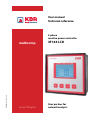
KBR multicomp 3F144 LCD
Table of contents
1Introduction........................................... 4
1.1
User manual........................................... 4
1.2Explanation of safety relevant
symbols.................................................... 5
1.3
Safety notes............................................ 6
1.4
Product liability..................................... 7
1.5Disposal................................................... 7
1.6 Overvoltage and lightning
protection............................................... 7
2 Functional description
of the multicomp 3F144.................... 8
EDEBDA0212-3413-2_EN
3
Connecting the multicomp............10
3.1 Installation and assembly...............10
3.2Connecting the current
transformer:..........................................11
3.3
Connection diagram.........................12
3.4
Terminal assignment.........................13
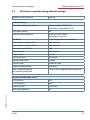
3.5multicomp 3F144
basic controller settings
(default settings):...............................15
4
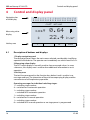
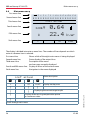
Control and display panel...............18
4.1 Description of buttons
and displays.........................................18
4.2
Description of general settings:....19
4.3Start-up guidelines
for the multicomp 5D6.....................20
4.4
Basic device programming: ...........22
4.5
Setting transformer ratio.................23
4.6
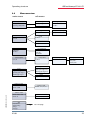
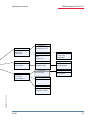
Menu overview...................................25
4.6 Main menu cos φ................................28
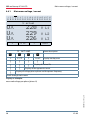
4.6.1 Main menu voltage / current.........30
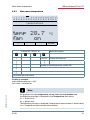
4.6.2 Main menu temperature.................31
4.6.3 Main menu power..............................32
V1.00
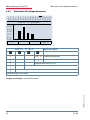
4.6.4 Main menu stages..............................33
4.6.5 Main menu
Uh voltage harmonics......................34
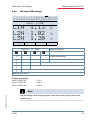
4.6.6 Sub menu THD voltage....................35
4.6.7 Main menu Ih current harmonics.36
4.6.8 Sub menu ID current.........................37
4.6.9 Main menu Extra................................38
4.7 Sub menus............................................39
4.7.1 The Methods of measurement
submenu contains
the following items:...........................39
4.7.2 The Commissioning submenu
contains the following items:........39
4.7.3 The Settings submenu contains the
following items:..................................41
4.7.4The Messages submenu contains
the following items:...........................44
5. Notes on detecting errors:..............45
6. System and safety devices
maintenance........................................46
7. Technical data multicomp 3F144.47
7.1
Measuring and display values.......47
7.2
Measuring accuracy..........................48
7.3
Measuring principle..........................48
7.4
Device memory..................................48
7.5
Power supply.......................................48
7.6
Hardware inputs and outputs
7.6.1Inputs.....................................................49
7.6.2Outputs..................................................49
7.7
Electrical connection........................50
7.8
Mechanical data.................................50
7.9
Standards and miscellaneous........51
7.10 Setting ranges:....................................52
3