1
10/10 MN05003003Z-EN
Contents
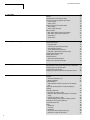
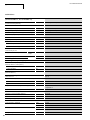
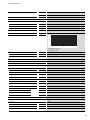
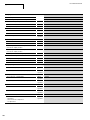
13 Defining system parameters via the STARTUP.INI file
67
68
68
Prerequisites
Routing features of the controller
Routing through XC200
Notes on routing
Setting the node ID/routing ID
Setting the master station
Setting the device station
PLC combinations for routing
69
69
69
69
70
70
71
71
72
14 Programming:via a CANopen network (Routing)
15 RS232 interface in Transparent mode
73
16 Interactive display
Display form
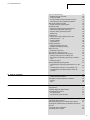
– Switching between Status display and Entry/output
mode
– Function/function block overview
Description of important functions / function blocks
– FUNCTION Disp_EnableDisplay: BOOL (*Changing
Status display <-> Entry/output mode*)
– General programming procedure
– Example of text and values output
– Example of a screen output with texts and value
entries
Multifunction display MFD-CP4 on the EC4-200
– MFD setup
17 EC4-200 network modules
EASY205-ASI
– Cyclic data exchange
– Configuration
– Setting the station address
EASY221-CO, EASY204-DP, EASY222-DN
– Cyclic data exchange
– Configuration
– Setting the station address
– Acyclic data exchange
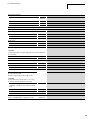
4
67
67
67
67
Overview
Structure of the INI file
Creating the Startup.INI file
Switching on the PLC with the fitted memory card
containing the Startup.INI file
Changing settings
Deleting the Startup.INI file
75
75
75
76
77
77
80
81
83
86
86
87
87
87
88
88
88
88
89
89
89