1
easily see the true profit on all transactions. Note, some companies prefer to add different types of
items/catalogs instead of using additional charges.
These charges have to be defined first in the Create Charges Option.
The charges are very flexible and allow you to do almost anything, but if they are not setup correctly or
used correctly, you will not get the desired results.
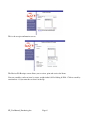
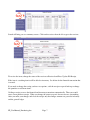
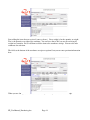
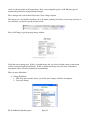
Press Add Charge to get the pop up charge window.
Select the correct charge type. If this is a freight charge and you select a freight vendor, a transaction
will be created in freight reconciliation. If this a commission charge and you select a Salesman, a
transaction will be created in commission reconciliation.
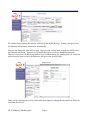
Here are some definitions :
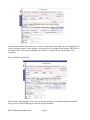
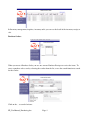
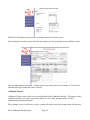
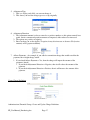
4. Charge Definition
1. This drop down window shows you all the active charges and their descriptions.
2. Select one charge
FP_UserManual_Purchasing.doc
Page 16