1
Chapter 27: Dired, the Directory Editor
319
**
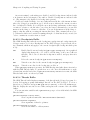
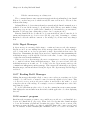
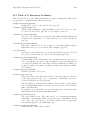
Mark all executable files with ‘*’ (dired-mark-executables). With a numeric
argument, unmark all those files.
*@
Mark all symbolic links with ‘*’ (dired-mark-symlinks). With a numeric
argument, unmark all those files.
*/
Mark with ‘*’ all files which are directories, except for . and .. (dired-markdirectories). With a numeric argument, unmark all those files.
*s
Mark all the files in the current subdirectory, aside from . and .. (dired-marksubdir-files).
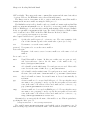
u
*u
DEL
* DEL
*!
U
Remove any mark on this line (dired-unmark). If the region is active, unmark
all files in the region instead; otherwise, if a numeric argument n is supplied,
unmark the next n files instead, starting with the current file (if n is negative,
unmark the previous −n files).
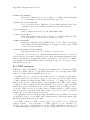
Move point to previous line and remove any mark on that line (dired-unmarkbackward). If the region is active, unmark all files in the region instead; otherwise, if a numeric argument n is supplied, unmark the n preceding files instead,
starting with the current file (if n is negative, unmark the next −n files).
Remove all marks from all the files in this Dired buffer (dired-unmark-allmarks).
* ? markchar
M-DEL
Remove all marks that use the character markchar (dired-unmark-allfiles). The argument is a single character—do not use RET to terminate it.
See the description of the * c command below, which lets you replace one
mark character with another.
With a numeric argument, this command queries about each marked file, asking
whether to remove its mark. You can answer y meaning yes, n meaning no, or
! to remove the marks from the remaining files without asking about them.
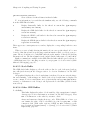
* C-n
M-}
* C-p
M-{
t
*t
Move down to the next marked file (dired-next-marked-file) A file is
“marked” if it has any kind of mark.
Move up to the previous marked file (dired-prev-marked-file)
Toggle all marks (dired-toggle-marks): files marked with ‘*’ become unmarked, and unmarked files are marked with ‘*’. Files marked in any other
way are not affected.
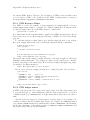
* c old-markchar new-markchar
Replace all marks that use the character old-markchar with marks that use
the character new-markchar (dired-change-marks). This command is the