1
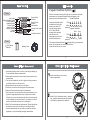
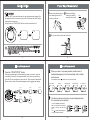
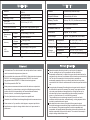
Battery Installation / Replacement
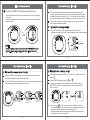
Adjusting Settings
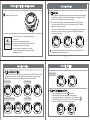
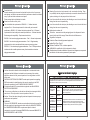
1. To set year
3 Replace the battery cover.
1.1 All information will appear on the display when the batteries are installed
at the first time. After 2 seconds the year flashes on the display. Finally,
press the “SET” button and continue with step 2.
1.2 The mark of year appears and flashes after press the “SET” button
for 3~4 seconds, while the unit is off.Finally, press the “SET” button
again and continue with step 2.
BW2119
Then press the “MEM” button one time for increasing one year, twice for
two years, so on and so forth. Long press the “MEM” button and the
value quickly increases.
Caution!
Use two identical 1.5V alkaline batteries type
AAA/LR03.
Do not use rechargeable batteries.
Replace both of the batteries if the symbol of
low battery appears on the display.
BW2119
Never leave any low battery in the battery
compartment since they may leak and cause
damage to the unit.
BW2119
The year can be set between 2011 and 2030, and it will return to 2011
when the display of year up to 2030.
10
9
Adjusting Settings
Adjusting Settings
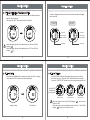
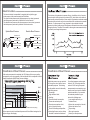
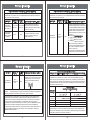
2. To set date and time
Press the “MEM” button to change the month and press the “SET” button and
continue with next step. Then set the day, the time system conversion, the
hour and the minute by using the same way. Continue with step 3.
Month Setting
BW2119
Minute Setting
Day Setting
BW2119
BW2119
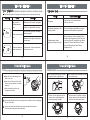
3. To set positioning sensor
BW2119
BW2119
BW2119
Hour Setting
time system conversion
BW2119
BW2119
BW2119
BW2119
The Positioning Sensor symbol “ ” will appear.
Press the “MEM” button to change the current setting.
If the positioning system is turned on, the LCD will display "
If the positioning system is turned off, the LCD will display "
Press the “SET” button and continue with step 4.
BW2119
BW2119
11
BW2119
12
".
".