1
11. Operating Procedures
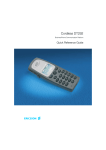
Two modes of operation are provided; normal handset mode where the handset is lifted
and replaced in the normal manner and headset mode where the caller or called party is
heard through the headset.
When making or receiving a telephone call, you can alternate between the two modes of
operation.
11.1
handset operation
Pick up the handset and if making a call, await dial tone and dial the
required
telephone number. On completion of the call, replace handset in cradle.
11.2
LAST NUMBER REDIAL
If the telephone number you have called is engaged or if you want to repeat
the call to the number you dialled previously, lift the handset or use the
handsfree mode, await dial tone and press the REDIAL LNR button. The
previously dialled number will be AUTOMATICALLY RE-DIALLED. Up to 32
digits can be stored in the REDIAL LNR memory.
11.3
HEADSET OPERATION
HEADSET BUTTON
Using the headset button, you can make calls via the headset without
having to move the handset to do so. By pressing the headset button you
can obtain a line, answer an incoming call or disconnect the current call.
IMPORTANT
Calls can be transferred from the handset to the headset only if a headset is
connected to the telephone.
HEADSET ‘ON’ LED
While calls are being made using the headset, the headset ‘ON’ LED lights
up to indicate that a call is in progress. The light goes out if no calls, or calls
using the handset, are being made.
HEADSET VOLUME CONTROL
A headset volume control on the right hand side of the telephone allows you
to select the most comfortable listening volume for the headset. The volume
can be set or changed at any time.
TRANSFERRING CALL FROM HANDSET TO HEADSET
To transfer a call from Handset to Headset, firstly lift the handset then press
headset. The LED on the headset button will illuminate. The handset can
now be placed back in its original position
9