1
To Set Square Signals
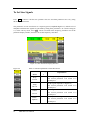
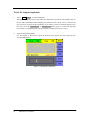
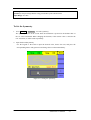
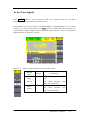
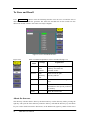
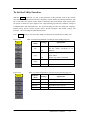
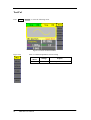
Press Square button to call the Square operation. The square waveform parameters are set by
using the Square operation menu.
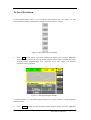
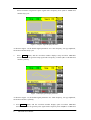
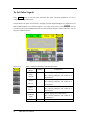
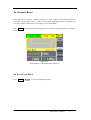
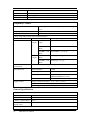
The parameters of Square waveforms are: frequency/period, amplitude/high level, offset/low
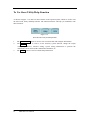
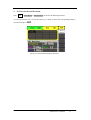
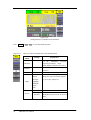
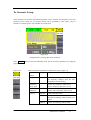
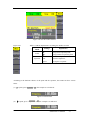
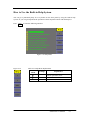
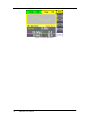
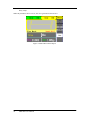
level, phase and duty cycle. As is shown in Figure 2-6, in the soft key menu, select Duty. Cursor
is located in the duty parameter area in the parameter display window, and users can set the duty
value here.
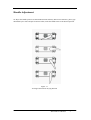
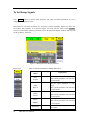
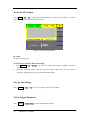
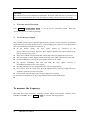
Figure 2-6 Square Parameter Display Interface
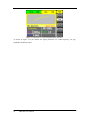
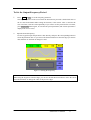
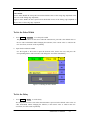
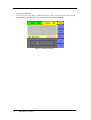
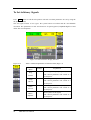
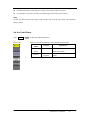
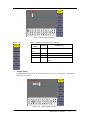
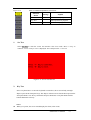
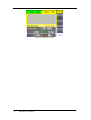
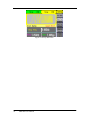
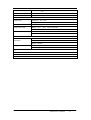
Figure 2-7
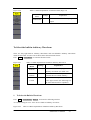
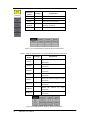
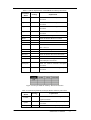
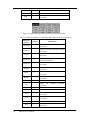
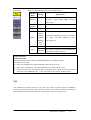
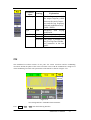
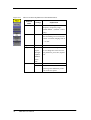
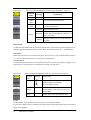
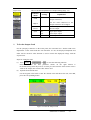
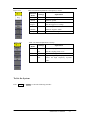
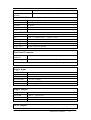
Table 2-2 Menu Explanations of Square Waveform
Function
Menu
Explanation
Freq/
Period
Set the signal frequency or period;
The current parameter will switch at a second
press.
Ampl/
HLevel
Set the signal amplitude or high level;
The current parameter will switch at a second
press.
Offset/
LLevel
Set the signal offset or low level;
The current parameter will switch at a second
press.
Phase/
EqPhase
Set the phase of the signal;
The current parameter will switch at a second
press.
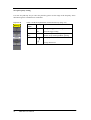
Duty
20
Settings
SDG1000 User Manual
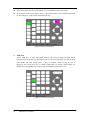
Set the duty cycle for square waveform.