1
2
Contents
Contents
Getting started
Inside the box
8
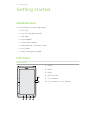
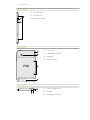
HTC Flyer
8
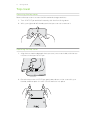
Top cover
10
Storage card
11
Battery
12
Switching the power on or off
12
Finger gestures
13
Setting up HTC Flyer for the first time
13
Ways of getting contacts into HTC Flyer
14
Home screen
15
Basics
Adjusting the volume
17
Sleep mode
17
Status and notifications
19
Notifications panel
21
Connecting HTC Flyer to a computer
23
Copying files to or from the tablet storage or storage card
23
Copying text, looking up information, and sharing
24
Printing
25
Personalizing
Making HTC Flyer truly yours
27
Personalizing HTC Flyer with scenes
27
Changing your wallpaper
28
Applying a new skin
28
Personalizing your Home screen with widgets
29
Adding icons and other shortcuts on your Home screen
31
Adding folders on your Home screen
31
Rearranging or removing widgets and icons on your Home screen
32
Customizing the launch bar
33
Rearranging the Home screen
34
Using sound sets
34
Rearranging or hiding application tabs
36
Search and Web browser
Searching HTC Flyer and the Web
38
Using the web browser
39
Downloading from the Web
41
Viewing bookmarks and previously visited pages
42
Setting browser options
43