1
User Manual of SDI Dome Camera
2.5 White Balance
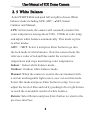
Select WHITE BAL and push left or right to choose White
balance mode including ATW, AWC
SET, Indoor
Outdoor and Manual ,
ATW: In this mode, the camera will constantly monitor the
color temperature among about 2500~ 9500K of color temp
and adjust white balance automatically. This mode is prior
to other modes.
AWC → SET: Select it and press Enter button to go into
the lock mode of white balance. Now the camera locks the
reference value of red and blue under the current color
temperature and stops monitoring color temperature.
Indoor: Indoor white balance mode.
Outdoor: Outdoor white balance mode.
Manual: When the camera is used in the environment with
a certain unchangeable light source, user can use this mode.
Select this mode and press Enter button to setup. User can
adjust the level of blue and red by pushing left or right button
to reach the reasonable results of white balance.
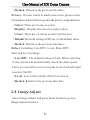
Return: Select Return and press Enter button to return to the
previous interface.