1
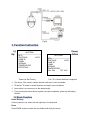
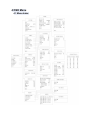
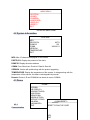
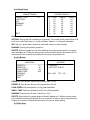
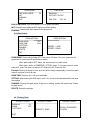
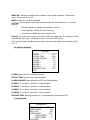
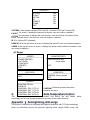
Angle Display: XXX.XX(pan)/XXX.XX(tilt) IR Display: Display on the lower right corner of the screen. Remark: 1. Items with“< >” mean they have sub menu. 2. “→”means the cursor selecting some option. 3. “※” means editing the content of some option selected. 4. When entering the setting page in menu, it is useless to call preset 94 to exit the menu directly. Such as the submenu <SET> in menu <GUARD TOUR SET>.