1
Function Operation
14 Steering Wheel Calibration
According to the different model
:
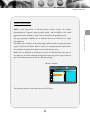
Function implemented qualification
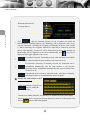
1、Steering wheel learning function is the same with the original steering wheel which
not bus-mastering.
2、 Key-press of original steering wheel must adopt the control way of voltage
inputting. (when you operate each Key-press, enter each voltage into original sounder
port )
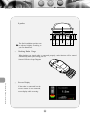
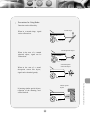
3、When installation, find the three sorts of wires of original car steering wheel keys,
one is its ground wire, one is its keys controlling wire(2 strips for some cars) and the
last is its battary wire(+5V or +10V),then connect them to corresponding steering
wheel wires of our host.
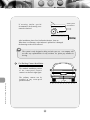
(When pull out the connector of audio host of original car, and original car steering
wheel keys still power on, there is no need to connect extra battery; otherwise, you
need to connect them to the output(+5V or +10V) of our host steering wires. Use the
“Key control wire 1”first when connecting the keys controlling wire, if normal control,
please choose the “Key control wire 2” and relearn for use.)
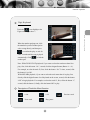
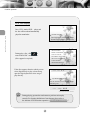
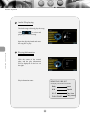
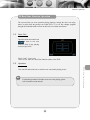
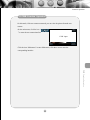
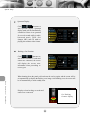
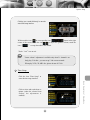
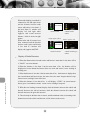
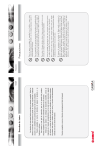
Mode test
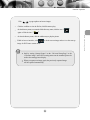
Release the buttons in the steering wheel,
click the icon“Mode Test” to test.
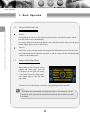
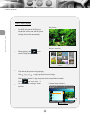
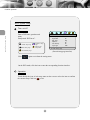
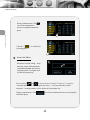
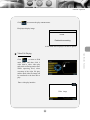
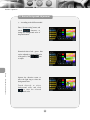
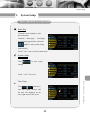
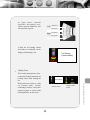
While in setting menu, click
“Control calibration” icon and
click
to enter steering
wheel calibration.
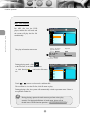
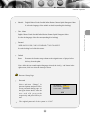
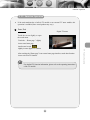
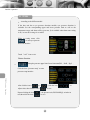
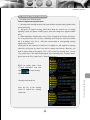
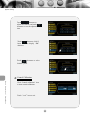
Mode test
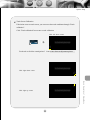
Press any button in the steering wheel for
more than 3 seconds
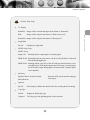
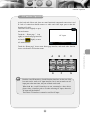
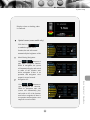
按键学习
请在屏上选择所要学习的功能
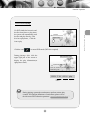
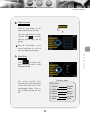
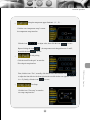
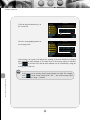
Select the icon to be identified
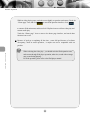
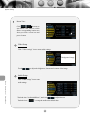
Steering wheel mode test
Press any key of the steering
wheel to confirm the steering
wheel state.
Identify Button
46
Steering Wheel Calibration
模式测试
模式测试
请按压方向盘任一按钮三秒钟
请按压方向盘任一按钮三秒钟