1
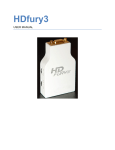
HDfury3
USER MANUAL
June 17, 2010
2
HDfury3 User Manual
Table of Contents
Table of Contents .......................................................................................................... 2
Overview ........................................................................................................................ 3
Connecting Cables ........................................................................................................ 4
Power/Status LED ......................................................................................................... 5
HDMI Input Selection .................................................................................................... 6
RGB Shift (Image Centering) ........................................................................................ 7
DIP Switch Settings....................................................................................................... 8
RGB/Component Output............................................................................................ 10
RGB Sync .................................................................................................................. 11
Enhanced Colour Depth ............................................................................................ 13
RGB Shift................................................................................................................... 14
Power/Status LED ..................................................................................................... 15
Limiting Resolution Support (EDID) ........................................................................... 16
Frequently Asked Questions (FAQ) ........................................................................... 18
General ...................................................................................................................... 18
Sound ........................................................................................................................ 18
Inputs and Switching.................................................................................................. 20
Video ......................................................................................................................... 20
Image Shifting ............................................................................................................ 24
RGB Image Sync ....................................................................................................... 25
Colour Depth Upscaling ............................................................................................. 25
Limiting Resolution Support (EDID) ........................................................................... 26
Power ........................................................................................................................ 27
Miscellaneous ............................................................................................................ 27
Specifications .............................................................................................................. 29
HDfury3.com
Support: http://HDfury.CurtPalme.com
3
HDfury3 User Manual
Overview
Thank you for purchasing the HDfury3!
This unique HDMI converter will allow you to connect newer HDMI devices to HD ready
displays and projectors that do not have HDMI inputs.
The HDfury3 upgrades your HD-ready TV or projector allowing you to watch highdefinition at up to FULL HD 1080p resolution.
The HDfury3 is the world’s most powerful HDCP deciphering converter ever built. It
includes advanced features such as:
•
•
•
•
•
•
Two HDMI 1.3 inputs with Deep ColorTM support
Auto/Manual input switching
5.1 Dolby Digital/DTS sound
Perfect image centering in both Component and RGB modes
Output resolution limiting
User customizable options via DIP switches
HDfury3.com
Support: http://HDfury.CurtPalme.com
4
HDfury3 User Manual
Connecting Cables
To use your HDfury3:
•
•
•
•
Connect up to two HDMI input cables to the HDMI inputs.
Connect a video output cable to the analog video output.
Connect the HDfury3 power supply.
Connect an audio output cable (optional).
As shipped, the HDfury3 defaults to Component (Y/Pb/Pr) video output and will convert
all resolutions up to and including FULL HD 1080p. In most cases no further
adjustments are required. For displays with RGB (VGA) inputs or special requirements,
please see the DIP Switch Settings section further below to customize your HDfury3.
HDfury3.com
Support: http://HDfury.CurtPalme.com
5
HDfury3 User Manual
Power/Status LED
The HDfury3 logo will glow blue when in use. When the HDfury3 first receives an HDMI
signal the logo will quickly turn on, then off, and then on permanently to indicate that the
HDCP handshake has been completed.
The status of the blue logo may be used for troubleshooting:
Logo OFF: Insufficient power. Use the HDfury3 power supply.
Logo BLINKING (on for split second, off for 5 seconds): The HDfury3 is
receiving power and is ready to accept an HDMI signal.
Logo ON: The HDfury3 is powered and receiving and decoding the HDMI signal.
HDfury3.com
Support: http://HDfury.CurtPalme.com
6
HDfury3 User Manual
HDMI Input Selection
The HDfury3 has two HDMI-inputs. The “1A / AUTO / 2B” switch may be used to select
the active HDMI input as follows:
1A:
AUTO:
2B:
Input 1A is always active.
The input that is provided a signal first will remain active.
To switch to the other input, turn off the active input device.
Input 2B is always active.
You may switch between HDMI inputs at any time without first powering off the HDfury3.
HDfury3.com
Support: http://HDfury.CurtPalme.com
7
HDfury3 User Manual
RGB Shift (Image Centering)
The HDfury3 perfectly centers the image automatically when Component video output is
used.
If RGB video output is required, some fine tuning of the image centering may be
required. The “L/R” switch may be pushed up or down to shift the image until it is
perfectly centered.
Hold the switch in either direction to shift the image faster. To reset back to the default
settings, hold the switch in either direction for 15 seconds.
The HDfury3 automatically saves the setting and will remember it the next time the
resolution is used.
HDfury3.com
Support: http://HDfury.CurtPalme.com
8
HDfury3 User Manual
DIP Switch Settings
To customize your HDfury3, a bank of eight (8) DIP switches are provided. Remove the
small cover on the back of the HDfury3 to access the DIP switches:
The HDfury3 ships with the following factory default DIP switch settings:
HDfury3.com
Support: http://HDfury.CurtPalme.com
9
HDfury3 User Manual
For convenience, the default factory settings and DIP switch features are printed on the
back of the HDfury3:
The factory defaults result in the following setup:
DIP 1: OFF = Component output
DIP 2: ON = Sync passed
DIP 3: OFF = Sync not forced positive (passthrough)
DIP 4: ON = RGB color depth 0-255
DIP 5: ON = RGB shift enabled
DIP 6: ON = Power LED ON
DIP 7: ON = 1080p allowed on Port 2
DIP 8: ON = 1080p allowed on Port 1
These settings are explained in the sections that follow.
HDfury3.com
Support: http://HDfury.CurtPalme.com
10
HDfury3 User Manual
RGB/Component Output
For displays with an RGB (VGA) input set DIP switch #1 to ON:
For displays with a Component (Y/Pb/Pr, Y/Cb/Cr, YUV) input set DIP switch #1 to OFF:
HDfury3.com
Support: http://HDfury.CurtPalme.com
11
HDfury3 User Manual
RGB Sync
When the HDfury3 is set to RGB output mode the sync signals may be passed through
as is, forced positive, forced negative, or inverted. Check your owners manual to see if
your RGB display has any special sync requirements. RGB sync is not used when the
HDfury3 is set to Component output mode.
To pass the RGB sync signals through as is, set DIP switch #2 to ON and DIP switch #3
to OFF:
To force the RGB sync signals positive, set DIP switch #2 to ON and DIP switch #3 to
ON:
HDfury3.com
Support: http://HDfury.CurtPalme.com
12
HDfury3 User Manual
To force the RGB sync signals negative, set DIP switch #2 to OFF and DIP switch #3 to
ON:
To invert the RGB sync signals, set DIP switch #2 to OFF and DIP switch #3 to OFF:
HDfury3.com
Support: http://HDfury.CurtPalme.com
13
HDfury3 User Manual
Enhanced Colour Depth
The HDfury3 expands colour depth from the standard 16-235 range to 0-255 in order to
provide a more dynamic picture. Some users may choose to disable this feature.
To use normal colour depth (16-235), set DIP switch #4 to ON:
To use enhanced colour depth (0-255), set DIP switch #4 to OFF:
HDfury3.com
Support: http://HDfury.CurtPalme.com
14
HDfury3 User Manual
RGB Shift
Some users may choose to disable the RGB Shift button if they choose to shift the
image in a video processor or in the display.
To disable the RGB Shift button, set DIP switch #5 to OFF:
To enable the RGB Shift button, set DIP switch #5 to ON:
HDfury3.com
Support: http://HDfury.CurtPalme.com
15
HDfury3 User Manual
Power/Status LED
Some users may choose to disable the blue power/status LED on the front of the
HDfury3. When powered, the HDfury3 logo will glow blue. For troubleshooting purposes
we recommend that you leave the power/status LED enabled.
To disable the Power/Status LED, set DIP switch #6 to OFF:
To enable the Power/Status LED, set DIP switch #6 to ON:
HDfury3.com
Support: http://HDfury.CurtPalme.com
16
HDfury3 User Manual
Limiting Resolution Support (EDID)
Some users may find it useful to disable FULL HD 1080p resolution support on the
HDfury3 for older displays or Blu-ray players that automatically reset to 1080p when
turned on.
To disable 1080p support for Port 2B, set DIP switch #7 to OFF:
To enable 1080p support for Port 2B, set DIP switch #7 to ON:
HDfury3.com
Support: http://HDfury.CurtPalme.com
17
HDfury3 User Manual
To disable 1080p support for Port 1A, set DIP switch #8 to OFF:
To enable 1080p support for Port 1A, set DIP switch #8 to ON:
Custom EDID programming files and other tips may be found at the HDfury support
forum at: http://HDfury.CurtPalme.com
HDfury3.com
Support: http://HDfury.CurtPalme.com
18
HDfury3 User Manual
Frequently Asked Questions (FAQ)
General
Why do I need HD (720p) or Full HD (1080p)?
Blu-ray players, HDMI graphic cards, PS3, Xbox 360 Elite are all able to unleash their
true potential (720p/1080p mode) only through the HDMI output. If you want a valid
ticket to the Full HD world you either need a compatible display (with HDMI input) or an
HDfury3 for your existing display. 1080p FULLHD as found on Blu-ray and HD has over
6 times the resolution as standard DVD and TV. For the best movie and home theater
experience, you *need* Blu-ray/HD.
Why do I need an HDCP compliant display?
HDMI is a new standard that comes with a form of hardware protection called HDCP. If
your display doesn't have a HDMI input you won't be able to display a 720p/1080p
signal (from HDMI sources). Prior to exchanging video data, the HDMI source
exchanges HDCP keys with HDMI display. Both devices have a special HDCP chip
embedded. If your display doesn't include an HDCP chip, even if it's technically able to
display 720p or 1080p signal, it will display a BLACK SCREEN. On some devices (ex:
Playstation3, Xbox360) 1080p mode is only available through the HDMI output.
I use component cables to connect my Blu-ray or DVD player to my display
device and it works just fine! Why do I need HDfury3?
Blu-ray and many DVD players can also up-convert standard definition DVDs to higher
resolutions (720p, 1080i, 1080p), but they only do this via the HDMI outputs (not
component). So if you want to get the higher resolution benefits of your player's upconversion circuitry, you're forced to use HDMI. As well, in the future it may not be
possible to pass certain high definition content over component video cables. A content
flag called the ICT (Image Constraint Token) allows broadcasters and movie studios to
limit or "down-res" the HD video signal to standard definition 480P resolution over
component video cables. Hollywood has reportedly agreed to not activate this flag until
2011-2012. And the most important reason to use HDfury3: The picture quality is
substantially better! (Sharper/cleaner/less noise/less ringing/etc). Talk to someone who
uses one or read the reviews on this order page:
http://www.curtpalme.com/HDfury3.shtm
Sound
Do I need to use the sound output on the HDfury3?
Likely not. The audio output of the HDfury3 is a convenience feature if you do not have
a home theater receiver. The HDfury3 supports stereo analog output as well as 5.1
Dolby/DTS digital SPDIF output. If all you have are the speakers in your TV you can use
the 2-channel analog audio output of the HDfury3 as a convenient way to feed audio
directly into your TV without having to run separate (possibly long) audio cables from
the source to your TV as in many setups the HDfury3 will be plugged right into the TV.
This way you only need to run one HDMI cable to the TV and then use a short audio
HDfury3.com
Support: http://HDfury.CurtPalme.com
19
HDfury3 User Manual
cable from the HDfury3 to the TV sound input. Anyone with a home theater receiver/preamp and separate speakers should instead connect their source devices directly to the
receiver/pre-amp and not use the HDfury3 sound output. You may use the 5.1
Dolby/DTS digital audio output of course if the positioning of your HDfury3 makes this
more convenient. The choice is up to you! Typically there is no need to use the audio
features of the HDfury3 with a home theater setup.
How do I hook up the audio from the HDfury3?
The HDfury3 has both analog and digital (TOSLINK) audio output in one connector
located on the bottom of the unit labelled "D/A" along with a headphone symbol. It's a 2in-1 connector meaning that you can plug in either a 3.5mm stereo analog jack or a
digital mini-TOLINK (3.5mm mini-jack) cable and get stereo analog sound or 5.1
Dolby/DTS digital sound out of the HDfury3. See further below for pictures of both types
of connectors/cables.
HDfury3 3.5mm mini-TOSLINK digital audio cable:
If you'd like to use a "regular" TOSLINK cable, use a 3.5mm Mini-TOSLINK to regular
TOSLINK adapter:
A 3.5mm stereo audio cable can be used for connecting the HDfury3 to a TV if you do
HDfury3.com
Support: http://HDfury.CurtPalme.com
20
HDfury3 User Manual
not have a home theater setup (you only have 2 speakers in your TV):
Inputs and Switching
How many inputs does the HDfury 3 have?
Two inputs, both HDMI 1.3 compliant with HDCP with support for Deep Color(TM). The
HDfury3 is the first HDfury to support Deep Colour(TM).
How do I switch between the two inputs?
The switch on the side of the HDfury3 labelled "1A AUTO 2B" is used to switch inputs or
to set the HDfury3 to switch automatically. To always use input 1A, set the switch to 1A.
To always use input 2B, set the switch to 2B. To have the HDfury3 autoswitch, set the
switch to AUTO.
How does the HDfury3 auto switching work?
The AUTO position will cause the HDfury3 to switch automatically to the source device
with an active video signal. In the case of two active video signals whichever became
active first will be chosen. The HDfury3 will then remain locked on that input until that
source is turned off. In order words: If two sources are active and you wish to switch to
the other, turn off the currently active one in order to switch to the other.
Video
What resolutions does the HDfury3 support?
The HDfury3 supports any resolution/refresh rate combination (interlaced or
progressive) up to 1080p/72Hz in RGB output mode including 1080p/24. All standard
definition (SD) and high definition (HD) resolutions are supported in component
(Y/Pb/Pr) output mode, including 1080p/60 and 1080p/24.
Does the HDfury3 change the resolution? Up-convert or down-covert?
The HDfury3 does not change the resolution or refresh rate in any way. It converts the
HDMI 1.3 digital input signal to an analog RGBHV (VGA) or Component (Y/Pb/Pr)
signal. It also provides HDCP decryption if needed. The HDfury3 outputs whatever
resolution you feed it. Feed 1080p in and you'll get 1080p out. Feed 480i in and you'll
HDfury3.com
Support: http://HDfury.CurtPalme.com
21
HDfury3 User Manual
get 480i out.
Does the HDfury3 support both Component and RGB video output? I thought they
were the same?
The HDfury3 supports both component (Y/Pb/Pr or YUV) and RGBHV (sometimes
called VGA) signal types on the output. They are not the same at all and cannot be
used interchangeably (More information can be found at:
http://www.curtpalme.com/CRTPrimer_17.shtm). Some displays have component
inputs, some displays have RGB, some have both. The HDfury3 lets you choose
between the two to best match your display's requirements.
My picture is all green! What's going on?
You likely have a display that only accepts RGB and you have the HDfury3 set to
component output (Y/Pb/Pr). Switch it to RGB.
I want to use the component input on my display. How do I set the HDfury3 to
output component (Y/Pb/Pr) video?
Lift the little panel found on the back of the HDfury3 and set DIP switch 1 to OFF. Make
sure to use the HDfury3 component breakout cable to connect the HDfury3 to your
display's component (Y/Pb/Pr) input. It is the cable with 3 RCA (phono) style connectors
coloured red, green, and blue and looks like this:
I want to use the RGB (VGA) input on my display. How do I set the HDfury3 to
output RGB (VGA) video?
Lift the little panel found on the back of the HDfury3 and set DIP switch 1 to ON. Make
sure to use one of HDfury3 RGB cables to connect the HDfury3 to your display's RGB
(VGA) input. Three RGB cables are available: A VGA (D-Sub15) cable, a 5-BNC cable,
and a special Barco CRT projector port 3 cable. Do not use the component 3 RCA
(phono) style connector cable (shown above) as it will not work.
I have a scaler or doubler with DVI/HDMI inputs and an RGB or Component output
connected to my display device. I don't need an HDfury3 right?
Not true. You still need the HDfury3 if you want to use HDMI sources such as Blu-ray or
HDfury3.com
Support: http://HDfury.CurtPalme.com
22
HDfury3 User Manual
DVD players as they use HDCP (high definition copy protection). The scaler is not
allowed to output an analog RGB or Component signal. The scaler will simply TURN
OFF its analog output or limit it to 480i resolution. Only the digital DVI/HDMI outputs will
remain on. To solve this, connect the HDfury3 to the DVI/HDMI output of your scaler,
and then connect the HDfury3 to your display device using the analog RGB or
Component input. Simple!
I have a scaler or doubler with DVI/HDMI inputs and a DVI/HDMI output connected
to my display device's DVI/HDMI input. I don't need an HDfury3 right?
Maybe. You still need the HDfury3 if you want to use HDMI sources such as Blu-ray or
DVD players that have HDCP-protected content *and* your display device only has a
DVI input. The scaler, must pass the HDCP-protected content all the way to your
display device. The display device must decrypt the content. If your display device only
has a DVI input and it does not support HDCP, it will not be sent a signal. To solve this,
connect the HDfury3 to the DVI/HDMI output of your scaler, and then connect the
HDfury3 to your display device using the analog RGB or Component input. Simple!
I want to connect a longer cable to the output of the HDfury3. Can I do that?
Yes. The HDfury3 supports analog output cables up to 40-50 feet in length. The
HDfury1 did not allow for longer output cables while the HDfury2 supports cables up to
25-35 feet in length.
Does the HDfury3 support 24fps found in next generation Blu-ray and HD DVD
players?
Yes! The HDfury3 supports 24fps. With cathodic displays such as CRT projectors or
CRT based RPTVs or tube TVs, 24fps is too low of a frequency for the display to use.
The image will flicker like crazy and will not be watchable. You must turn off 24fps
support in the source when using a CRT based display. You can however use 24fps on
a plasma or LCD display and it will be displayed nicely using the HDfury3! Note
however that most displays that do not have HDMI inputs will not work at 24 Hz as 24
Hz support was generally added to displays after HDMI was invented. To turn off 24 Hz,
set your source devices to 50 or 60 Hz output and not 24 frames (Hz) or "Automatic".
I can only get lower resolutions to work. When I set my source to high resolutions
like 1080p I don't get an image!
(1) Make sure to use the included HDfury3 power supply at all times. It is required at all
times.
(2) Many TVs do not support 1080p and must be fed a 1080i or 720p signal instead.
Make sure to set your source to 1080i or 720p unless your display's manual specifically
states that it supports 1080p.
(3) Make sure to turn off 24fps (24p) support in the source (see last question).
The picture is blank! I don't get an image at all from my PS3, Blu-ray player, or
other source!
(1) Make sure your display supports the resolution the source is feeding it. If your TV
does not support 1080p, set your sources to 1080i or 720p. Some sources will
HDfury3.com
Support: http://HDfury.CurtPalme.com
23
HDfury3 User Manual
automatically use the highest resolution available to them based on what they see
connected, and since they see the HDfury3 which supports 1080p FULL HD, the source
will 'think' you have a 1080p capable TV and is most likely feeding the HDfury3 a 1080p
signal. You need to lower this to 1080i or 720p in the source device.
(2) Make sure that the 24fps output option in the source device is set to OFF or
DISABLED and not AUTOMATIC unless your TV specifically supports 24fps. Most do
not, especially older TVs that do not have HDMI inputs.
(3) Make sure you're using the HDfury3 power supply at all times.
I'm still getting a black screen from my PS3 when using the HDfury3. How can I fix
this?
The problem is that you likely connected the HDfury3 to the HDMI port while the PS3
was still setup to output by another port (component or composite). The result is no
picture over HDMI. The PS3 will output low resolution on every output when you reset
the display settings this way: PS3 in stand by mode, hold on power for 5 sec until you
heard 3 beeps.
The PS3 restarts and you can than access low resolution through both HDMI and/or
other ports and perform the display test to choose your preferred resolution. For more
information see the HDfury/PS3 Setup Guide:
http://www.curtpalme.com/forum/viewtopic.php?t=14904
On my PS3 I can see the menu, play games and Blu-ray discs, but I get a blank
screen or an out of range error message when I play a DVD.
You need to change a setting in your PS3: In addition to setting up the HDMI resolution
on the PS3 as outlined above, you also have to go under the Blu-ray playback settings
and adjust the DVD upscale feature because by default it will also be 1080p. Another
hint: When you first connect an HDfury device to the PS3 the PS3 will ask: "A new
HDMI device has been detected, do you want to use it?" Answer 'YES' only if your TV is
1080p capable. Otherwise answer 'NO', and you will be presented with another screen
where you will be able to change the resolution settings and set them manually to
whatever your TV supports. For more information see the HDfury/PS3 Setup Guide:
http://www.curtpalme.com/forum/viewtopic.php?t=14904
My picture is blank when I play back Blu-ray discs but not when I play DVDs.
What's going on?
Blu-ray discs are natively 1080p/24Hz. You likely have your Blu-ray player set to 24Hz
or "Automatic" frame rate output so that it is outputting a 24 Hz (fps) signal. Most
displays that do not have HDMI inputs do not work at 24 Hz so you need to turn this off.
Either set your Blu-ray player to 50 or 60Hz or set 'Automatic Frame Rate' to off. See
your Blu-ray player manual. If you're using a PS3, see the HDfury/PS3 Setup Guide:
http://www.curtpalme.com/forum/viewtopic.php?t=14904
My Sony G90 CRT projector looks funny when I use the HDfury3.
Go into the G90 service menu "Input Setting" with the fury installed and set the "Clamp"
to HP or H/C from auto. This should straighten out the picture if it is varying in
brightness and getting weird bands of dark as scenes change.
HDfury3.com
Support: http://HDfury.CurtPalme.com
24
HDfury3 User Manual
I can't get past 1080p on my PC while hooked up from my DVI port to the HDfury3
even when using PowerStrip. Why not?
In order to go beyond the 165Mhz pixel clock barrier of 1080p/60 from your PC you will
need a DUAL LINK DVI to HDMI cable. That's the cable that has all the pins filled in on
the DVI end and had an HDMI plug on the other.
Image Shifting
Will the HDfury3 shift the image to the left or cropped (cut off) in any way like
some other converters?
No. The HDfury3 includes advanced features to ensure that the image stays perfectly
centered when component (Y/Pb/Pr) output mode is used. The HDfury3 also adds a
new feature to allow for manual centering of the image when RGB output mode is used.
Does the HDfury3 automatically center the image?
In component (Y/Pb/Pr) output mode the HDfury3 always automatically centers the
image. Nothing else needs to be done. In RGB (VGA) output mode the L/R image shift
control on the side of the HDfury3 may be used to manually center the image after
turning DIP switch number 5 to ON.
The picture is not centered when I use the HDfury3 in RGB (VGA) output mode.
How do I fix it?
Open the DIP switch cover and turn DIP number 5 to ON. Then use the L/R momentary
contact switch on the side of the HDfury3 to shift the image left or right until it is
centered. This only needs to be done when you use a new resolution for the first time.
The HDfury3 will then remember the setting for that resolution for the next time you use
it. The "theoretical" correct RGB center values are already programmed into the
HDfury3 core so in many cases no shifting will be required, but testing has shown that
some TVs do need a slight adjustment. The HDfury3 is the first HDfury to give you this
flexibility.
The L/R image shift doesn't work!
Make sure the HDfury3 is set to RGB output mode (set DIP switch 1 to ON) and that the
L/R image shift feature is enabled (set DIP switch 5 to ON).
Can I disable the L/R image shift feature?
Yes. While the L/R image shifting in RGB mode is enabled by default, some people may
choose to disable this feature and do their image shifting in the display or in a video
processor instead. To turn off the L/R image shifting feature lift the little panel found on
the back of the HDfury3 and set DIP switch 5 to OFF.
I used the L/R image shifting push button and now I don't have an image
anymore!
You have shifted the image too far resulting in a loss of sync on the display. Hold the
HDfury3.com
Support: http://HDfury.CurtPalme.com
25
HDfury3 User Manual
shift push button in either direction for approximately 15 seconds and the image will
reset to the default center value. Then re-adjust slowly/carefully.
RGB Image Sync
My display has composite (combined) sync with only 4 BNC connectors, not 5.
(Examples: Barco 7xx/Cine7 or Ampro CRT projectors). What cable do I order?
How do I hook it up?
Order the GREEN (5-BNC breakout cable) and combine the H/V sync lines using a $2
BNC T-connector:
You could also use an Extron 109 or 202 box to combine the two sync lines.
The image rolls, is unstable, or doesn't always lock on. What do I do?
Some displays such as early Electrohome ECP and Barco CRT projectors have fussy
sync circuitry. You need to combine the H/V sync lines using a $2 BNC T-connector
(see picture in last question). You could also use an Extron 109 or 202 box to combine
the two sync lines.
My display requires the RGB signal to always include negative or positive sync to
work. How do I set this?
The HDfury3 allows you to force the output sync to either positive or negative, or invert
it. Previous HDfury models did not alter the sync signal in any way requiring extra
hardware if your display has special sync requirements.. To set sync lift the little panel
found on the back of the HDfury3 and set DIP switches 2 and 3 as follows:
- Always invert sync: Set DIP switch 2 to OFF, DIP switch 3 to OFF
- Always positive (high) sync: Set DIP switch 2 to ON, DIP switch 3 to ON
- Always negative (low) sync: Set DIP switch 2 to OFF, DIP switch 3 to ON
- Always pass sync through as is: Set DIP switch 2 to ON, DIP switch 3 to OFF
How do the two sync DIP switches work?
For those people who want all the details, the two sync DIP switches control RGB
image sync as follows:
DIP switch 2: ON=Sync Passed, OFF=Sync inverted (operates after DIP3 selection, so
it is possible to invert a forced sync too)
DIP switch 3: ON=Force sync positive (high), OFF=Sync not forced, simply passed.
Colour Depth Upscaling
Can I turn the colour depth upscaling feature off?
Yes. Like the HDfury2, the HDfury3 expands the regular 16-235 image range to 0-255
HDfury3.com
Support: http://HDfury.CurtPalme.com
26
HDfury3 User Manual
for greater contrast ratio. Some people may want to turn off this feature. To turn colour
depth upscaling off, lift the little panel found on the back of the HDfury3 and set DIP
switch 4 to OFF.
Limiting Resolution Support (EDID)
Do I need to limit the maximum output resolution that my HDfury3 supports to
1080i instead of 1080p?
Usually not. If your display supports 1080i but not 1080p simply set your source device
to the maximum resolution that your display supports. In other words, if your display
supports 1080i but not 1080p, in your source set up menus choose 1080i or uncheck
1080p from the list of supported resolutions. If you're using a PS3, see the HDfury/PS3
Setup Guide: http://www.curtpalme.com/forum/viewtopic.php?t=14904.
So why would I want to limit the HDfury3 resolution to 1080i instead of 1080p?
Two reasons:
(1) Some source devices (such as some Samsung Blu-ray players) auto-detect the
maximum resolution that the display can support every time the player is turned on and
reset their resolution to that maximum. The source "sees" the 1080p capable HDfury3
and therefore sets its resolution to 1080p, requiring you to manually change the
resolution every time you want to use that source if your TV doesn't support 1080p.
Very annoying!
(2) Some displays may run hot or even malfunction if feed a resolution that is too high
such as 1080p. If you know your display doesn't like 1080p, turning it off in the HDfury3
adds some piece of mind and assurance that you'll never accidentally feed it too high a
resolution.
How do I limit the HDfury3 to only allow 1080i?
You can limit one or both of the HDMI inputs on the HDfury3 to only allow 1080i. Lift the
little panel found on the back of the HDfury3. To turn off 1080p and 24Hz (24p) support
for input 1A, set DIP switch 7 to OFF. To turn off 1080p and 24Hz (24p) support for
input 2B, set DIP switch 8 to OFF.
How do I re-enable 1080p support in the HDfury3?
Lift the little panel found on the back of the HDfury3. To turn on 1080p and 24Hz (24p)
support for input 1A, set DIP switch 7 to ON. To turn on 1080p and 24Hz (24p) support
for input 2B, set DIP switch 8 to ON.
How many EDID banks does the HDfury3 have?
4 EDID banks (2 per input). They are user programmable. By default EDID 0 supports
1080p FULLHD and 24p refresh rate, and EDID 1 supports up to 1080i with 24p refresh
rate disabled.
How do I tell the HDfury3 which EDID bank to use?
Lift the little panel found on the back of the HDfury3 and set DIP switches 7 and 8 as
follows:
HDfury3.com
Support: http://HDfury.CurtPalme.com
27
HDfury3 User Manual
- To use EDID 0 (1080p, 24p refresh): Set DIP 7 and 8 to ON.
- To use EDID 1 (1080i max, no 24p refresh): Set DIP 7 and 8 to OFF.
Power
Do I need to use the HDfury3 power supply?
Yes. Due to the advanced features, the HDfury3 draws more power than previous
HDfury models. The HDfury3 power supply must be used at all times. An extra power
supply may also be ordered on here: http://www.curtpalme.com/HDfury3.shtm
Is the HDfury3 power supply the same as that used by the HDfury1, HDfury2, and
GammaX?
No. The power supply for the HDfury1, HDfury2, and GammaX kits are 0.5A max
current. The HDfury3 power supply can supply up to 1.0A. Do not use an HDfury1,
HDfury2, or GammaX power supplies with the HDfury3.
What sort of power supply does the HDfury3 use?
The HDfury3 power supply adheres to these requirements:
- Provides REGULATED (+/- 5%) 5VDC power with 1.0A min DC current
- Delivers the power through a small 0.65mm diameter center pin / 2.6mm outer
diameter DC plug (like the one often used in cellular phone AC adaptor)
- Provides the correct polarity with 'plus' on the OUTER part of the plug and 'minus'
(ground) on the small center pin of the DC jack.
Trying to use an AC/DC adaptor that doesn't adhere to these three requirements may
destroy the HDfury3. Do not use the power supply from the HDfury1, HDfury2, or
GammaX with the HDfury3.
My picture 'blanks out' from time to time when using the HDfury3. Why is this
happening?
If the HDfury3 blue LED is OFF during the picture blanking, the problem is with the
HDfury3 or the power supply. If the HDfury3 blue LED is ON during the picture blanking,
the problem is with the component cable, RGB cable or the display.
Lift the little panel found on the back of the HDfury3 and make sure that DIP switch 6 is
set to ON. DIP switch 6 is used to turn the blue LED on/off, make sure it is set to ON if
you are experiencing problems with your HDfury3. The blue LED will never come on if
you have DIP switch 6 set to off.
Miscellaneous
The blue LED power light on the HDfury3 is too bright in my light controlled Home
Theater! Can I turn it off?
The easiest way to turn off the blue LED power light on the HDfury3 is to simply place a
piece of tape over it. Quick and simple. However, if you would like to deactivate it here's
how: Lift the little panel found on the back of the HDfury3 and turn DIP switch 6 to OFF.
To re-enable the blue LED power light, turn DIP switch 6 to ON.
HDfury3.com
Support: http://HDfury.CurtPalme.com
28
HDfury3 User Manual
For more information and FAQs, please visit the HDfury support forum at
http://HDfury.CurtPalme.com
HDfury3.com
Support: http://HDfury.CurtPalme.com
29
HDfury3 User Manual
Specifications
Overview
•
•
•
•
•
•
•
•
•
•
•
•
•
•
2x HDMI 1.3 input with Deep Colour support (Manual or Auto switch mode
available, user selectable)
Component (YPbPr/YCbCr) and VGA (RGBHV) video output
Sound output in both Analog and Digital Optical (S/PDIF 5.1 Dolby/DTS) through
an innovative 3.5mm combo jack
4x EDID banks (2 per channel)
Built-in user selectable output resolution limit settings
Customization settings available through DIP SWITCH
Perfectly and automatically center image in all standard NTSC/PAL component
modes
Manually adjust horizontal screen position in all NTSC/PAL RGBHV modes
Performs Colour Depth Upscaling in all modes (ON/OFF user selectable)
Sync Polarity Inverter included
Automatic SD/HD color-space selection
Accept third party accessories on its output
Improved output cable driver for driving long cable runs (40-50')
Software upgradeable (firmware and EDID)
Details
•
Input: 2 x HDMI v1.3 (DVI 1.0 compatible)
- Switch: Auto / PortA / PortB
•
•
•
10-bit deep color HDMI native support
Output: VGA FEMALE output connector, 10 bit analog resolution.
HDCP supported (Integrated HDCP decipher engine, Pre-programmed HDCP
key)
Horizontal shift capability for RGB output mode
- Enabled with a dip-switch, applied with push-buttons
•
•
•
Output sync polarity selector for RGB modes (dip switch)
Output format: Either RGB or YPbPr, dip-switch selectable
- YPbPr requires VGA->3RCA breakout cable
•
All HD/SDTV formats from 1080p down to 480i, NTSC and PAL
- Including 1080p @ 72Hz PAL and NTSC (for RGB output only)
- Including 1080p @ 24Hz PAL and NTSC
•
•
11-bit 225MHz DAC processing (for true 10-bit analog output)
Two separate Internal EDID EEPROM with complete CEA861 extension block
HDfury3.com
Support: http://HDfury.CurtPalme.com
30
HDfury3 User Manual
-
Dip-switch selectable
One EDID supports all formats
The other EDID is up to 1080i, and no 24Hz support (by default,
reprogrammable)
•
•
•
•
Automatic Input Format Detection: Digital YCbCr and RGB
Full BTB and WTW support in YPbPb output
Automatically switches color-spaces for both HDTV and SDTV
Precise black levels - no black crush in any standard mode
•
Dual purpose audio output connector
- SPDIF digital output for 5.1 Dolby/DTS
- Analog L/R 2-channel stereo
•
Industry-Standard Compliance
- HDMI 1.3
- EIA/CEA-861D
- DVI 1.0
- HDCP 1.1
•
Digital Video Input / Output
- Dual integrated HDMI 1.3 cores
- Supports DTV resolutions up to 1080p @ 72Hz or 720p/1080i @ 120Hz
with 36-bit color depth.
- Flexible digital video interface:
24/30/36-bit RGB/YCbCr 4:4:4
16/20/24-bit YCbCr 4:2:2
8/10/12-bit YCbCr 4:2:2 (ITU-R BT.656)
•
Integrated RGB Color Space Converter for both RGB-to-YCbCr and YCbCr-toRGB (both 601 and 709) with true 12-bit accurate data using 14-bit processing
4:2:2 <> 4:4:4 converter with 12-bit accurate data using 14-bit processing
•
•
Digital Audio Output
- Industry-standard S/PDIF output
- Supports 2-channel 32-192kHz stereo audio
- Supports IEC60958 2-channel PCM
- Capable of passing IEC61937 compressed audio (5.1 Dolby® Digital,
DTS, etc.)
HDfury3.com
Support: http://HDfury.CurtPalme.com