1
Stock Parameter
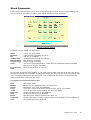
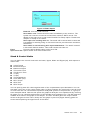
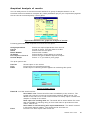
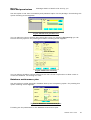
Every stock record is kept in this stock detail f orm with a unique serial number starting with
one. As soon as you select or add a stock detail following screen appears:
Figure 13 Stock details
Following record is kept f or each stock.
Stock
Remarks
Arc
Temperature
Run Duration
Torque range
Units
Last revision
Date
This is the stock name .
Type remarks regarding the stock
The arc of oscillation
Temperature of testing the sample
Run duration of testing
Torque range of testing
This is unit of measurements. Three units of measurements are allowed
namely lb in, KgCm, and dNM.
Date of last revision as record
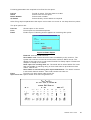
This screen shows the stock details. If you click select button from the stock list it will show
the selected stock with its details. Clicking Add button will show a blank format. You have to fill
in the required parameters of the new stock. This screen also shows the control limits, QC
gates and pass/fail criteria of the stock.
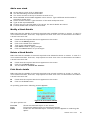
The functions of various buttons are:
Add
Modify
Delete
Copy
Jump
Previous
Next
Close
Comment
Print
Add a new stock
Modif y the stock details shown on the screen
Delete the stock from the database
Copy the current stock shown on the screen with a new number
Go to a particular serial number and show its details
shows prev ious stock in the database
shows next stock in the database
Quit the option and go to stock list Figure.12
Shows a text box for typing special comments required for future reference.
This option prints the stock list.
Rheosoft User’s Guide
21