1
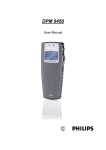
DPM 9360 - User Manual
Table of Contents
Chapter 1: Introduction......................................................................................................................... 1
DPM features ..................................................................................................................................................... 1
Package contents .............................................................................................................................................. 1
Chapter 2: Introducing the DPM .......................................................................................................... 2
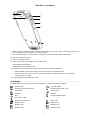
DPM graphic ...................................................................................................................................................... 2
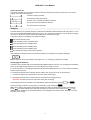
LCD display ....................................................................................................................................................... 3
Batteries............................................................................................................................................................. 4
Recharging the batteries .............................................................................................................................. 4
Chapter 3: Getting Started.................................................................................................................... 5
Activating the DPM ............................................................................................................................................ 5
Memory card ...................................................................................................................................................... 5
Formatting the memory card ........................................................................................................................ 5
Full memory card.......................................................................................................................................... 6
Start screen ....................................................................................................................................................... 6
Display appearance ........................................................................................................................................... 7
DPM menu ......................................................................................................................................................... 7
Accessing the DPM menu ............................................................................................................................ 7
User-defined labels ...................................................................................................................................... 8
Assigning Keywords ..................................................................................................................................... 8
Setting the date and time (DPM 9360/00) .................................................................................................... 8
Setting the date and time (DPM 9360/52) .................................................................................................... 9
Setting the recording format ....................................................................................................................... 10
DPM device beep ....................................................................................................................................... 10
Setting the microphone sensitivity .............................................................................................................. 10
Voice-activated recording........................................................................................................................... 10
Backlight on/off........................................................................................................................................... 11
Changing the contrast ................................................................................................................................ 11
Displaying the recording time ..................................................................................................................... 11
Reformatting the memory card ................................................................................................................... 11
Power Save mode............................................................................................................................................ 12
Chapter 4: Basic Operations .............................................................................................................. 13
Recording - DPM 9360/00 ............................................................................................................................... 13
Recording - DPM 9360/52 ............................................................................................................................... 14
Finishing a dictation (EOL)............................................................................................................................... 14
Recording mode (Insert/Overwrite) .................................................................................................................. 15
Playback .......................................................................................................................................................... 15
Adjusting the volume .................................................................................................................................. 15
Fast Forward and Fast Rewind ........................................................................................................................ 16
DPM 9360/00 ............................................................................................................................................. 16
DPM 9360/52 ............................................................................................................................................. 16
Deleting............................................................................................................................................................ 16
Deleting a section....................................................................................................................................... 16
Deleting a file ............................................................................................................................................. 17
Recording format (Standard Play/Long Play mobile) ....................................................................................... 17
Voice-activated recording ................................................................................................................................ 17
DPM 9360/00 ............................................................................................................................................. 17
DPM 9360/52 ............................................................................................................................................. 18
Skip Forward and Skip Back ............................................................................................................................ 18
Chapter 5: Advanced Operations ...................................................................................................... 19
Inserting index marks....................................................................................................................................... 19
Deleting index marks.................................................................................................................................. 19
Entering user-defined labels ............................................................................................................................ 19
Assigning Keywords......................................................................................................................................... 20
Example: Assigning Keywords ................................................................................................................... 21
Transferring data between DPM and PC ......................................................................................................... 21
Appendix: Troubleshooting the DPM ................................................................................................ 23
Index ..................................................................................................................................................... 25
iii