1
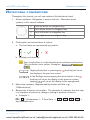
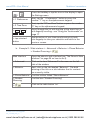
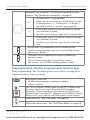
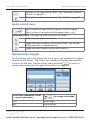
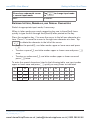
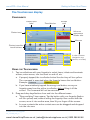
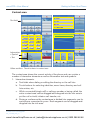
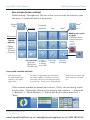
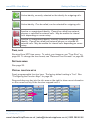
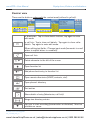
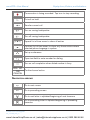
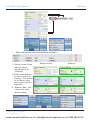
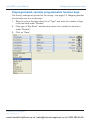
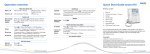
snom 870 User Manual Getting to Know Your Phone Active identity, currently selected as the identity for outgoing calls. Active identity. Can be called, can be selected for outgoing calls. Inactive or unregistered identity. Cannot be called from external phones or selected for external calls. May be avaible for internal calls depending on server setup Inactive or unregistered identity, currently selected as outgoing identity. Cannot be called from external phones or selected for external calls. May be avaible for internal calls depending on server setup Time, date Received from NTP time server. To select your timezone, see "Time Zone" on page 68. To change the time format, see "Date and Time Formats" on page 69. Settings menu See page 25. Virtual function keys Freely programmable function keys. The factory default setting is "line". See "Configuring the Function Keys" on page 59. Drag-and-drop any key into the info area on the right to show more information on the current activity of the function mapped onto it. © 2009 snom technology AG 23 man_snom870_v101_en www.InternetVoipPhone.co.uk | [email protected] | 0800 088 48 46