1
Reference Information
Help Menu
The S7-PLCSIM Help menu contains the following commands:
Contents Command
The menu command Help > Contents... opens the Contents screen of the S7-PLCSIM Help. From the
table of contents, you can expand any book and click any topic to view help on S7-PLCSIM.
Introduction Command
The menu command Help > Introduction opens a Help topic that gives a general overview of S7-PLCSIM
and the tasks you can perform with it.
Getting Started Command
The menu command Help > Getting Started opens a Help topic that helps you get started when you begin
working with S7-PLCSIM for the first time.
Using Help Command
The menu command Help > Using Help provides information on using the online Help system.
About Command
The menu command Help > About gives you information on the version of the software and on the
copyright.
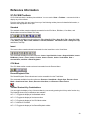
"What's This?" Help Button
To get information about S7-PLCSIM toolbars and features, follow these steps:
1. Click
. The mouse pointer changes to a question-mark pointer
.
2. Click the part of the screen about which you want more information. S7-PLCSIM displays the help
topic on that item.
54