1
Page 11
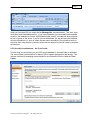
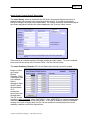
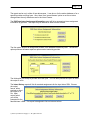
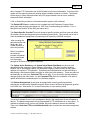
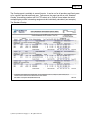
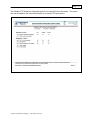
Client, you will see the intermediate screen confirming (with an X) that the Full Client option is
disabled. Click „Next‟ to continue.
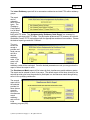
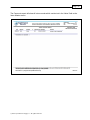
After some initialization the install process will begin. An HFS IRIS icon will be created on your
desktop once the installation process is completed. Once you confirm the completion message
the install will be complete.
2.1.2 IRIS Application Structure
Although the full IRIS installation contains many files for the Microsoft Access Runtime module,
various system files and others, the core of the HFS IRIS system consists of these three files:
1. The application or „engine‟ file (HFSIRIS40.accdr) – this contains all the reports,
screens, logic and data manipulation routines required to run the system. No HIPAA
data resides in this file. The engine file requires the support table and source database
files to operate.
2. The common or „support‟ file (HFSSUPData40.mda) – this contains external data, such
as medical school codes, residency codes and error codes. No HIPAA data resides in
this file. The support file also keeps statistics about the source database. Therefore if
you have or plan to build multiple IRIS databases, each database „set‟ would consist of
two files; one support file and one data file (described below) which must reside in the
same folder with appropriate permissions.
3. The IRIS source database file (HFSIRISData40.mda) – this file contains HIPAA data
(interns and rotations) and is the source data for the entire system. This file is not
installed if the „Thin Client‟ option is chosen. The source database file is paired with a
support file to make a complete IRIS database.
2.1.3 Access 2007 Run Time Environment
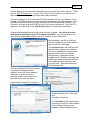
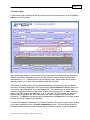
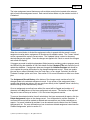
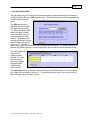
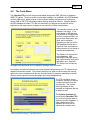
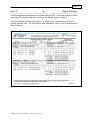
HFS IRIS runs under the Microsoft Access 2007® database engine. If your PC already has
Access 2007®
installed then IRIS
will not install the
bundled Access
2007® runtime
software. If
however you do
not have Access
2007® software
already installed,
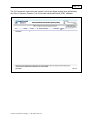
when IRIS starts it
will prompt you to
install the Access
2007 Run Time
environment.
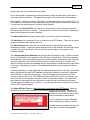
Click the checkbox
to access
Microsoft‟s
© 2010 by Charles H. Briggs, Jr. All rights reserved