1
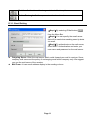
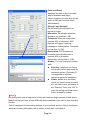
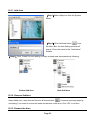
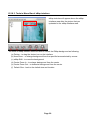
【Step1】By selecting DNS Setting button
from the Menu Bar, you may specify
the Domain Name Server.
【Step2】If your computer gets IP from
DHCP service or its IP changes periodically
due to the policy of your network
administrator, please check “Enable DNS
resolution”, so any alert message could be
delivered to SVP Express from camera no
matter what IP your server is assigned.
Enter the Domain Name your computer
registered to “DNS of this PC” field.
【Note】Please request a DNS for SVP
Express from your MIS.
D.3.4. Storage
By selecting Storage button
from the Menu Bar, you may configure the storage and
recycling rule. There is two different areas, namely area 1 (include path1 and storage1) and area 2
(include path2 and storage2):
Area 1: is assigned the disk to store recorded data.
Area 2: is assigned for the backup purpose, it is an optional service.
Page 13