1
2.2
Software
Tacuna Systems’ data collection, storage and visualization software is based on the LabVIEW
software suite developed by National Instruments. Although a full LabVIEW installation is
not required to run the Tacuna Systems software, the LabVIEW 2011 runtime environment
is required. The LabVIEW run-time environment can be downloaded from National Instruments’ website free of charge. Follow the links below to download the run time environment.
• LabVIEW 2011 Run-Time Environment download for Windows Server 2008, XP, Vista
and 7 (32-bit): Click here.
Install the 32-bit runtime environment for both 32 and 64-bit operating systems. The
Tacuna Systems software will only run if the 32-bit version is installed.
The Tacuna Systems software consists of two files. The first is the .exe file which is the
main program that is ran to launch the software. The second file is a .dll file which contains
libraries necessary for the executable to run. It is necessary for both the .dll and the .exe
files to be in the same directory on your hard drive.
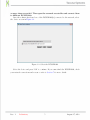
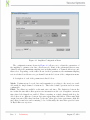
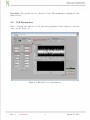
Double click on the .exe file to launch the Tacuna Systems software. Software and
hardware installation is now complete. Please refer to the instructions outlined in the configuration section to set up the software.
Rev. 1
Preliminary
3
August 17, 2012