1
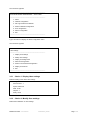
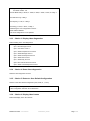
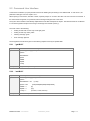
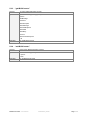
5.2 Command Line Interface Command Line Interface (CLI) API provides functions for building and processing a user-defined HMI. To use the CLI, the parameter “HMI type” has to be equal to “CLI”. When opening a new session, TELNET or SSH, a specific prompt “#>” is sent to the client. The user can enter a command. If the command is recognized, it is processed, else a warning message is sent to the client. The syntax used is based on that already implemented for the XML description of objects. The blank character is not allowed in command arguments except for the strings. The strings are in double quotes (“”). The code colour is the following: Setting in read-write or write-only mode: light green Setting in read-only mode: yellow Warning message: green Error message: light red The recognized commands are given in the following chapters and may be updated later. 5.2.1 “getJBUS” Purpose To read a JBUS network setting Syntax getJBUS [option1] [option2]... options : SlaveAddress Speed DataBit StopBit Parity Examples 5.2.2 #> getJBUS Speed Parity “setJBUS” Purpose To modify a JBUS network setting Syntax setJBUS [option1] [option2]... options : SlaveAddress = xxx Speed = xxxx (1200|2400|4800|9600|19200|38400) DataBit = x (8) StopBit = x (1|2) Parity = x Examples (1..255) (0=None, 1=Odd, 2=Even) #> setJBUS Speed = 19200 Parity = 2 Modbus MS Card – User Manual 34009048XT_EN/AD Page 21/55