1
Chapter 3
Compex WLP54G Installation
Chapter 3
Compex WLP54G Installation
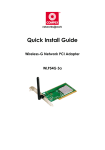
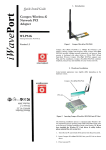
Compex WLP54G is a plug-and-play device. You can plug it into the PCI slot of
your PC for auto-detection.
3.1
Hardware Installation
1.
Turn off your PC and switch off the power from the main power
supply.
2.
Remove the back cover of the PC.
3.
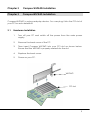
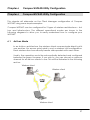
Then insert Compex WLP54G into your PCI slot as shown below.
Ensure that the WLP54G is properly seated into the slot.
4.
Replace the back cover.
5.
Power on your PC.
WLP54G
PCI slot
5