1
DeepSweep™ “Secure Buffered Delivery” Tutorial
IP Fabrics
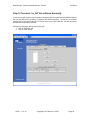
Step 1: Point browser to configuration screens
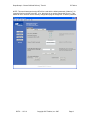
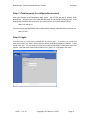
Point your browser to the DeepSweep login screen. Use HTTPS with the IP address of the
DeepSweep. Systems have been tested with Microsoft IE and Mozilla Firefox browsers. If the
DeepSweep IP address has been set to 192.168.43.50 then one would enter the URL as:
https://192.168.43.50
If you are running the DeepSweep with a locally attached display, keyboard and mouse then use:
http://127.0.0.1
Step 2: Login
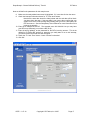
If you have set up a user account already then do use it to log in. If you have not yet set up a
user account then use ‘admin’ account with the default (as shipped) password ‘ipfabrics’. These
are all lower case. You can set up your own account later by following the instructions in the user
manual. Note that some screens may be different for “admin” vs. a non-admin user name.
DSTC – 1.47-16
Copyright © IP Fabrics, Inc. 2007
Page 12