1
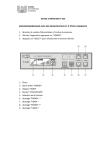
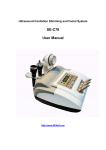
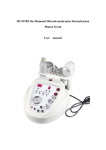
Control Panel
(1) Power Switch
(2) Time Display
(3) Ultrasound Heads Selection
(4) Ultrasound Intensity Adjustment
(5) Ultrasonic Waveform Selection
(6) Ultrasound Selection
(7) Microdermabrasion Selection
(8) Hot & Cold Massager Selection
(9) Vacuum Intensity Display
(10) Hot & Cold Massager Intensity Display
(11) Vacuum Intensity Adjustment
(12) Body Ultrasound Probe Connection
(13) Eye Ultrasound Probe Connection
(14) Face Ultrasound Probe Connection
(15) Hot & Cold Massager Connection
(16) Microdermabrasion Hose Connection
Operation Control
To use the machine, please firstly connect the power cord to the power supply and then turn
on the switch at the back. You will hear a short “beep” which means the machine is in
powered. Press the Button (1) on the control panel to turn it on and press the buttons in (2) to
select a treatment time. Now the machine is ready for the function you are going to select.
-Diamond Tips Microdermabrasion
Choose a suitable diamond tip and screw on the dermabrasion wand with a piece of cotton
filter padding in, connect it to the vacuum hose and connect the other end of the hose to the
vacuum inlet at (16) on the panel. Press button (7) to start the vacuum pump and turn the
knob at (11) to adjust the vacuum strength. Now it is ready to use on the target area. If you
want to pause or stop, press button (7) again.