1
im Vertrieb von
CAMBOARD
Electronics
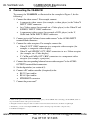
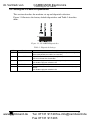
Connecting the VS-88HCB
6.2 Controlling via RS-232 (for example, using a PC)
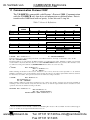
To connect a PC to the VS-88HCB unit1, using the Null-modem adapter
provided with the machine (recommended):
Connect the RS-232 9-pin D-sub rear panel port on the VS-88HCB unit to
the Null-modem adapter and connect the Null-modem adapter with a
9-wire flat cable2 to the RS-232 9-pin D-sub port on your PC
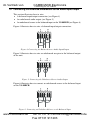
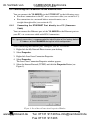
To connect a PC to the VS-88HCB unit1, without using a Null-modem adapter:
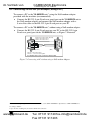
Connect the RS-232 9-pin D-sub port on your PC to the RS-232 9-pin
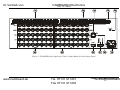
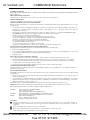
D-sub rear panel port on the VS-88HCB unit, as Figure 7 illustrates2
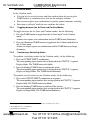
PIN 5 Connected to PIN 5 (Ground)
PIN 3 Connected to PIN 2
PIN 2 Connected to PIN 3
9-pin D-sub
(From PC)
9-pin D-sub
(Male)
PIN 4 is connected to PIN 6
PINs 8, 7, 1 are connected together
If a shielded cable is used, connect the shield to PIN 5
Figure 7: Connecting a PC without using a Null-modem Adapter
1 When connecting a single VS-88HCB unit via RS-232, set the SELF ADDRESS # dipswitches to SELF ADDRESS # 1,
according to Table 4
2 Up to 50 feet of cabling may be used for the RS-232 connection
www.camboard.de
13
Tel. 07131 [email protected]
Fax 07131 911203