1
Stellar Phoenix Update Wizard
The Stellar Phoenix Update Wizard keeps your Stellar Phoenix applications updated.
Update option in the application is capable of checking the latest updates. This will check
for both latest minor and major version available online. You can easily download minor
version through the update wizard. However, the major version, if available, has to be
purchased. While updating the software, it’s recommended to close all the running
programs.
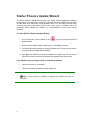
To start Stellar Phoenix Update Wizard:
1. On the Help menu, select Updates or click
Update Wizard.
icon to start the Stellar Phoenix
2. Stellar Phoenix Update Wizard window pops up. Click Next to proceed.
3. The wizard will start searching for the latest updates and if it finds any new version,
a window pops up indicating the availability.
4. Click Next, the software will start downloading the update files from the server.
When the process is complete, the software will upgrade to the latest version.
Live Update may not happen due to following reasons:
•
Internet connection is not available
•
There are no updates available from the update site
Note: If major version is available, to upgrade the software you have to
purchase it.
4