1
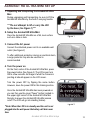
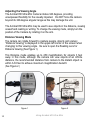
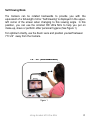
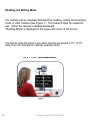
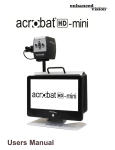
Important Safety Precautions For your safety and to obtain the most benefit and life from the Acrobat HD Ultra Mini, please read these safety precautions very carefully. The Acrobat HD Ultra Mini is designed to enlarge and enhance images in order to improve the quality of life for people who are visually impaired. The extent to which this product can improve the ability to see images depends on a person’s individual condition and level of visual impairment. The Acrobat HD Ultra Mini is not designed to restore vision, correct eye conditions or halt degenerative vision loss. An eyecare professional can determine the usefulness and suitability of the Acrobat HD Ultra Mini for a patient’s individual condition. Please follow these safety precautions: Use the Acrobat HD Ultra Mini on a stable, level surface such as a solid desk or table, according to its intended design specifications. Avoid placing the Acrobat HD Ultra Mini on an unstable table, cart or stand. It may fall causing serious damage to the unit or bodily injury to the user. Use the Acrobat HD Ultra Mini indoors only – it should NOT be exposed to extreme or rapid changes in temperature or humidity. Do not place the Acrobat HD near a radiator, heater or areas exposed to long hours of direct sunlight. Always place the power cord away from traffic areas to avoid damage of power supply. Prevent the risk of electrical shock by NOT attempting to disassemble the unit. Please refer all service to an authorized repair facility. Important Safety Precautions 5