Download Dialogic® CX 2000C CompactPCI Station Interface Board

Transcript
Configuring the board
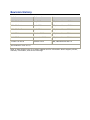
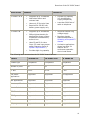
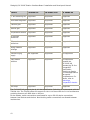
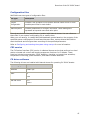
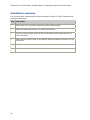
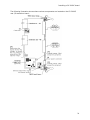
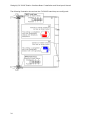
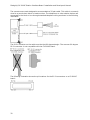
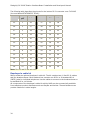
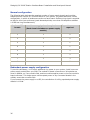
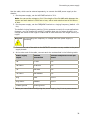
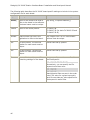
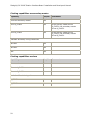
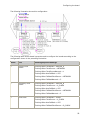
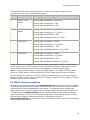
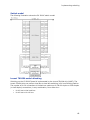
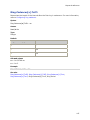
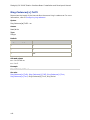
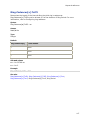
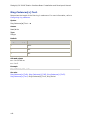
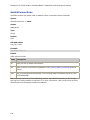
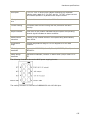
The following table shows keywords used to configure the boards according to the
configuration shown in the preceding illustration:
Board
Role
Clocking keyword settings
0
Primary clock
master
Clocking.HBus.ClockMode = MASTER_A
Clocking.HBus.ClockSource = OSC
Clocking.HBus.AutoFallBack = NO
1
Secondary clock
master
Clocking.HBus.ClockMode = MASTER_B
Clocking.HBus.ClockSource = A_CLOCK
Clocking.HBus.AutoFallBack = YES
Clocking.HBus.FallBackClockSource = OSC
2
Clock slave
Clocking.HBus.ClockMode = SLAVE
Clocking.HBus.ClockSource = A_CLOCK
Clocking.HBus.AutoFallBack = YES
Clocking.HBus.FallBackClockSource = B_CLOCK
3
Clock slave
Clocking.HBus.ClockMode = SLAVE
Clocking.HBus.ClockSource = A_CLOCK
Clocking.HBus.AutoFallBack = YES
Clocking.HBus.FallBackClockSource = B_CLOCK
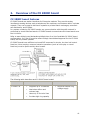
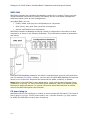
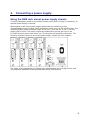
In this configuration, Board 0 is the primary master and drives A_CLOCK. All slave boards
on the system use A_CLOCK as their first timing reference. Board 0 references its timing
from a signal derived from its oscillator. Auto-fallback is disabled for this board.
Board 1 is the secondary master, driving B_CLOCK based on A_CLOCK. If Board 0 stops
driving A_CLOCK, Board 1 continues driving B_CLOCK based upon its internal oscillator.
All other boards are slaves to A_CLOCK. If Board 0 stops driving the clock, all boards fall
back to B_CLOCK, which is driven by Board 1. If Board 1 stops driving B_CLOCK, all boards
fall back to their internal oscillators.
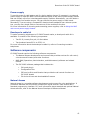
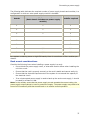
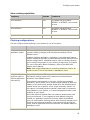
CX 2000C clocking exceptions
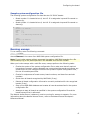
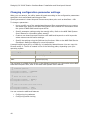
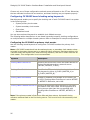
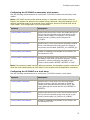
Applications can poll clock status with swiGetBoardClock periodically to capture snapshots
of the board clock status and to detect clocking events, such as the loss of a source. While
most boards provide an instantaneous clock status, CX boards provide a latched clock
status, which locks in the clock status until it is cleared. When polling the clock status on a
CX 2000C board, swiGetBoardClock reports a status of BAD on each clock source that
experienced an error any time since the last configuration command was issued. To clear
the errors and refresh the status information, an application must call
swiConfigBoardClock. For information about using these functions, refer to the Switching
Service Developer's Manual.
61