1
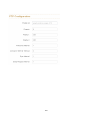
Management VLAN ID: This will set which VLAN group can access the switch, the default “0” means all VLAN group, this limitation will not support port based VLAN. Link Type: There are 3 types of link type. 1. Access Link: A segment which provides the link path for one or more stations to the VLAN-aware device. An Access Port (untagged port), connected to the access link, has an untagged VID (also called PVID). After an untagged frame gets into the access port, the switch will insert a four-byte tag in the frame. The contents of the last 12-bit of the tag is untagged VID. When this frame is sent out through any of the access port of the same PVID, the switch will remove the tag from the frame to recover it to what it was. Those ports of the same untagged VID are regarded as the same VLAN group members. Note: Because the access port doesn’t have an understanding of tagged frame, the column field of Tagged VID is not available. 2. Trunk Link: A segment which provides the link path for one or more VLANaware devices (switches). A Trunk Port, connected to the trunk link, has an understanding of tagged frame, which is used for the communication among VLANs across switches. Which frames of the specified VIDs will be forwarded depends on the values filled in the Tagged VID column field. Please insert a comma between two VIDs. Note: A trunk port doesn’t insert tag into an untagged frame, and therefore the untagged VID column field is not available. It’s not necessary to type ‘1’ in the tagged VID. The trunk port will forward the frames of VLAN 1. The trunk port has to be connected to a trunk/hybrid port of the other switch. Both the tagged VID of the two ports have to be the same. 3. Hybrid Link: A segment which consists of Access and Trunk links. The hybrid port has both the features of access and trunk ports. A hybrid port has a PVID belonging to a particular VLAN, and it also forwards the specified tagged-frames 78























































![[Proxyview]User`s Manual (5.1.4.0)](http://vs1.manualzilla.com/store/data/005658349_1-e7f841297d622d23913e7f3fcabf599d-150x150.png)