1
8 – Settings and Information
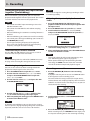
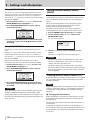
Confirm that the replaced battery is installed properly
before changing the unit setting to make it the main
battery.
NOTE
If the backup battery charge becomes less than a certain
level, the Current Main: AA popup message appears, and
even if you change the MAIN battery setting, the power
source will not change while the unit is operating.
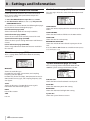
You can make the following settings with the items on this
screen.
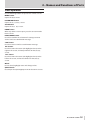
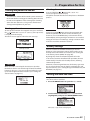
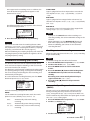
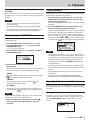
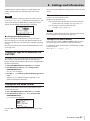
File name format
Set the TYPE item to WORD or DATE.
Options: WORD (default), DATE
WORD: Six characters set with the WORD item are used as
the file name, for example "DR-100_0000.wav".
Date: The date is used as the file name, for
example,"110912_0000.wav".
NOTE
8 Changing the backup battery
You can change the backup battery at any time when
the main battery is in use, but you should confirm on the
Home Screen that the main battery has enough remaining
charge.
The unit turns OFF if you remove the backup battery while
it is being used.
The date is determined by the unit’s internal clock setting.
(See “Setting the date and time” on page 23.)
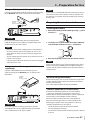
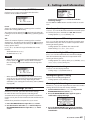
Setting the file name (WORD)
In the WORD item, use the . and / buttons to move
the cursor, and use the wheel to select the characters.
In addition to letters and numbers, the following symbols
can also be used.
!#$%&'()+,-.;=@[]^_`{}~
Setting the type of AA batteries (AA
BATTERY)
You should set the type of AA batteries that you are using.
This setting is used to show the amount of remaining
battery charge and determine if the unit has enough power
for normal operation.
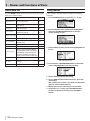
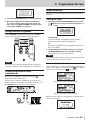
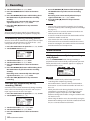
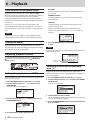
1 Press the MENU button to open the MENU screen.
2 Use the wheel to select BATTERY, and press the
ENTER/MARK button.
BATTERY screen appears.
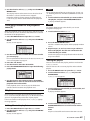
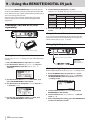
3 Use the AA TYPE item to set the AA battery type to be
used.
Options: ALKALI (Alkaline batteries, default), Ni-MH
(Nickel metal hydride batteries)
Setting the file name format
You can set the format of the names given to files when
recorded by this unit.
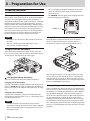
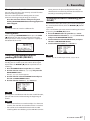
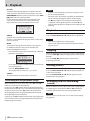
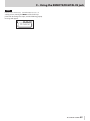
1 Press the MENU button to open the MENU screen.
2 Use the wheel to select FILE NAME, and press the
ENTER/MARK button.
FILE NAME screen appears.
Use the . and / buttons and the wheel to set each
item.
TASCAM DR-100MKII 51