1
Application
To connect the USB peripherals, Ethernet, speaker and
microphone, follow the illustrations below to connect the
corresponding connectors.
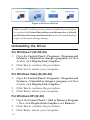
Figure2: Connections
Driver Installation
Caution: DO NOT connect the docking station to the
computer before installing the provided driver.
Note that the following strings and screen shots shown on
this user's manual may vary slightly from each operation.
Windows 7 (32-/64-bit) / Vista (32-/64bit)
1.
2.
3.
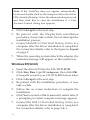
Insert the driver CD into the CD/DVD-ROM.
At the CD AutoPlay box, click Open folder to view
files.
Double click Setup, then
For Windows Vista: Click Allow to continue.
For Windows 7: Click Yes to continue.
3