1
129-7 r5 VER 2
G Code Controller Version 2
Copyright 1996-2009, Ability Systems Corporation. All rights reserved.
Except as authorized by Ability Systems, no part of this publication may be
reproduced in any form, by any method, for any purpose.
Ability Systems Corporation makes no warranty, except as specifically
provided in the Program License Agreement, either expressed or implied,
including but not limited to any implied warranties of merchantability or fitness
for a particular purpose, regarding these materials and makes such materials
available solely on an as is basis.
READ AND UNDERSTAND THE TERMS OF THE PROGRAM
LICENSE AGREEMENT LOCATED ON THE DISKETTE PACKAGE!
SEND THE MATERIALS BACK TO THE PLACE OF PURCHASE FOR
A REFUND IF YOU DO NOT AGREE.
UNDERSTAND THE HAZARDS OF MOTION CONTROL SYSTEMS
BEFORE USING THIS SOFTWARE!
By breaking the seal of the disk package or by using these materials
you agree to be bound by the conditions of the Program License
Agreement.
As per the Program License Agreement, Ability Systems Corporation disclaims liability to anyone for special, collateral, incidental, or consequential
damages in connection with or arising out of the use of these materials. The
sole and exclusive liability to Ability Systems Corporation, regardless of the
form of action, shall be limited to the purchase price of the materials giving
rise to the claim.
The entire risk as to the performance of these materials is with the purchaser. Ability Systems Corporation assumes no responsibility of any kind for
errors in the package, the documentation or for the consequences of such
errors. This allocation of risk is reflected in the purchase price of the product.
Ability Systems Corporation reserves the right to make changes to and
improve its products as it sees fit.
Indexer LPT is a trademark of Ability Systems Corporation.
G CODE CONTROLLER
table of contents
Chapter 1
INTRODUCTION . . . . . . . . . . . . . . . . . . . . . . . . . . . . . .1
What “G Code” is . . . . . . . . . . . . . . . . . . . . . . . .1
What the G Code Controller is . . . . . . . . . . . . . . .2
What Kind of Machine is Controlled . . . . . . . . . .3
How the Machine is Controlled . . . . . . . . . . . . . .3
Who Uses this Manual . . . . . . . . . . . . . . . . . . . . .4
How to Use this Manual . . . . . . . . . . . . . . . . . . .5
Chapter 2
IMPORTANT FILES . . . . . . . . . . . . . . . . . . . . . . . . . . . .9
The G Code Controller Program . . . . . . . . . . . . .9
The Indexer LPT Device Driver . . . . . . . . . . . . . .9
The System Configuration File . . . . . . . . . . . . . . .9
CAM Files . . . . . . . . . . . . . . . . . . . . . . . . . . . . . .10
Tool Offset Table Files . . . . . . . . . . . . . . . . . . . . .11
Part Program Files . . . . . . . . . . . . . . . . . . . . . . . .12
Chapter 3
MOTOR CONTROL OUTPUTS . . . . . . . . . . . . . . . . . . .15
Discrete Digital Outputs . . . . . . . . . . . . . . . . . . . .15
Limit Switch Inputs . . . . . . . . . . . . . . . . . . . . . . .16
Input Query . . . . . . . . . . . . . . . . . . . . . . . . . . . . .16
Feed-Hold Input . . . . . . . . . . . . . . . . . . . . . . . . . .17
The Stages of Motion . . . . . . . . . . . . . . . . . . . . . .17
Chapter 4
MENU USAGE . . . . . . . . . . . . . . . . . . . . . . . . . . . . . . . .19
Table of Contents
i
General . . . . . . . . . . . . . . . . . . . . . . . . . . . . . . . .19
Context Sensitive . . . . . . . . . . . . . . . . . . . . . . . . .19
Keyboard Navigation . . . . . . . . . . . . . . . . . . . . . .20
The System Setup Menu . . . . . . . . . . . . . . . . . . .20
The Job Setup Menu . . . . . . . . . . . . . . . . . . . . . .21
Tool Motion . . . . . . . . . . . . . . . . . . . . . . . . . . . . .22
Chapter 5
LIST DIALOGS . . . . . . . . . . . . . . . . . . . . . . . . . . . . . . .25
Command Lists . . . . . . . . . . . . . . . . . . . . . . . . . .25
Indexer LPT Commands . . . . . . . . . . . . . . . . . . .26
List Directives . . . . . . . . . . . . . . . . . . . . . . . . . . .26
Chapter 6
SYSTEM SET-UPS . . . . . . . . . . . . . . . . . . . . . . . . . . . . .31
Stage Configuration . . . . . . . . . . . . . . . . . . . . . . .32
Limit Switch Seek Configuration . . . . . . . . . . . .36
Cycle Start Configuration . . . . . . . . . . . . . . . . . . .40
Feed Hold Configuration . . . . . . . . . . . . . . . . . . .41
Feed Rate Override . . . . . . . . . . . . . . . . . . . . . . .43
Joystick . . . . . . . . . . . . . . . . . . . . . . . . . . . . . . . .44
Startup Commands . . . . . . . . . . . . . . . . . . . . . . . .46
S Code . . . . . . . . . . . . . . . . . . . . . . . . . . . . . . . . .47
M Codes . . . . . . . . . . . . . . . . . . . . . . . . . . . . . . .48
“On the Fly” Switching . . . . . . . . . . . . . . . . . . . .49
Special M Codes . . . . . . . . . . . . . . . . . . . . . . . . .51
T Codes . . . . . . . . . . . . . . . . . . . . . . . . . . . . . . . .55
Display . . . . . . . . . . . . . . . . . . . . . . . . . . . . . . . .56
Passwords . . . . . . . . . . . . . . . . . . . . . . . . . . . . . .57
Save Setup File . . . . . . . . . . . . . . . . . . . . . . . . . .59
Diagnostics . . . . . . . . . . . . . . . . . . . . . . . . . . . . .59
ii
Table of Contents
Chapter 7
JOB SET-UPS . . . . . . . . . . . . . . . . . . . . . . . . . . . . . . . . .61
Programs . . . . . . . . . . . . . . . . . . . . . . . . . . . . . . .62
Tool Offset Table . . . . . . . . . . . . . . . . . . . . . . . . .65
Contour Tool Feed . . . . . . . . . . . . . . . . . . . . . . . .68
Block Skip . . . . . . . . . . . . . . . . . . . . . . . . . . . . . .69
Arc Translation (G02, G03) . . . . . . . . . . . . . . . . .69
Reference Plane Selection (G17, G18, G19) . . . . .71
Chip Break Cycle (G87) . . . . . . . . . . . . . . . . . . .72
Positioning Mode (G90, G91) . . . . . . . . . . . . . . .72
Feed Rates . . . . . . . . . . . . . . . . . . . . . . . . . . . . . .72
Fixture Offsets (G54, G55, G56, G57, G58, G59) 74
Simulate and Reload . . . . . . . . . . . . . . . . . . . . . .76
Chapter 8
JOB SIMULATION . . . . . . . . . . . . . . . . . . . . . . . . . . . .77
The Main Window . . . . . . . . . . . . . . . . . . . . . . . . . . . . . .78
The 3D Window . . . . . . . . . . . . . . . . . . . . . . . . . .81
Errors . . . . . . . . . . . . . . . . . . . . . . . . . . . . . . . . . .83
Simulation Control . . . . . . . . . . . . . . . . . . . . . . . .84
Resuming a Job . . . . . . . . . . . . . . . . . . . . . . . . . .88
Chapter 9
PRODUCTION OPERATIONS . . . . . . . . . . . . . . . . . . . .91
Context Sensitive . . . . . . . . . . . . . . . . . . . . . . . . .91
Physically Setting up a Job . . . . . . . . . . . . . . . . .93
Limit Switch Seek . . . . . . . . . . . . . . . . . . . . . . . .94
Set Home . . . . . . . . . . . . . . . . . . . . . . . . . . . . . . .95
Move by . . . . . . . . . . . . . . . . . . . . . . . . . . . . . . .96
Position to . . . . . . . . . . . . . . . . . . . . . . . . . . . . . .97
Jog . . . . . . . . . . . . . . . . . . . . . . . . . . . . . . . . . . . .98
Table of Contents
iii
Position Readout . . . . . . . . . . . . . . . . . . . . . . . . .99
Instant Block . . . . . . . . . . . . . . . . . . . . . . . . . . . .100
Dry Run and Run Tool Path . . . . . . . . . . . . . . . . .101
Starting from a Resuming Location . . . . . . . . . . .106
Stopping . . . . . . . . . . . . . . . . . . . . . . . . . . . . . . .107
Resume to . . . . . . . . . . . . . . . . . . . . . . . . . . . . . .109
Chapter 10
PART PROGRAMMING . . . . . . . . . . . . . . . . . . . . . . . .111
The Programming Environment . . . . . . . . . . . . . .111
Composing a Job . . . . . . . . . . . . . . . . . . . . . . . . .111
Line Numbers . . . . . . . . . . . . . . . . . . . . . . . . . . .112
Comments . . . . . . . . . . . . . . . . . . . . . . . . . . . . . .113
Optional Block Skip . . . . . . . . . . . . . . . . . . . . . . .114
Command Word Arguments . . . . . . . . . . . . . . . . .114
G00 - Rapid Traverse . . . . . . . . . . . . . . . . . . . . . .115
G01 - Linear Feed . . . . . . . . . . . . . . . . . . . . . . . .116
F - Change Feed Rate . . . . . . . . . . . . . . . . . . . . .119
G02, G03 - Circular Feed . . . . . . . . . . . . . . . . . . .120
G17, G18, G19 - Reference Plane Select . . . . . . .124
G04 - Set Dwell Time . . . . . . . . . . . . . . . . . . . . .124
G40, G41, G42 - Radius Offset Compensation . . .124
G43, G49 - Tool Length Compensation . . . . . . . .128
G54, G55, G56, G57, G58, G59 - Fixture Offsets
129
Canned Cycles . . . . . . . . . . . . . . . . . . . . . . . . . . .130
G98, G99 Canned Cycle Return Point Level . . . .132
G80 - Cancel Canned Cycle . . . . . . . . . . . . . . . . .133
G81 - Canned Drill Cycle . . . . . . . . . . . . . . . . . .133
G82 - Canned Spotfacing (Drilling with Dwell) . .134
iv
Table of Contents
G86 - Canned Drilling with Operator Interaction .134
G85 - Canned Boring . . . . . . . . . . . . . . . . . . . . . .134
G88 - Canned Punch Press . . . . . . . . . . . . . . . . . .135
G89 - Canned Boring with Dwell . . . . . . . . . . . . .135
G84 - Canned Tapping . . . . . . . . . . . . . . . . . . . . .135
G83 - Canned Deep Hole . . . . . . . . . . . . . . . . . . .135
G87 - Canned Chip Breaking . . . . . . . . . . . . . . . .136
M00 - Program Stop . . . . . . . . . . . . . . . . . . . . . .136
M01 - Optional Stop . . . . . . . . . . . . . . . . . . . . . .137
M30 - End of Program Stop and Rewind . . . . . . .137
M03, M04, M05- Spindle Control . . . . . . . . . . . .137
M07, M08, M09 - Coolant Control . . . . . . . . . . .138
M98, M99 - Subroutine Call/Return . . . . . . . . . . .138
Chapter 11
GETTING STARTED . . . . . . . . . . . . . . . . . . . . . . . . . . .143
Before Starting . . . . . . . . . . . . . . . . . . . . . . . . . . .143
System Settings . . . . . . . . . . . . . . . . . . . . . . . . . .143
Upgrading . . . . . . . . . . . . . . . . . . . . . . . . . . . . . .145
Setting the Look-Ahead Queue Buffer . . . . . . . . .148
CAM File Settings . . . . . . . . . . . . . . . . . . . . . . . .149
Table of Contents
v
vi
Table of Contents
INTRODUCTION
What G Code is
Chapter 1
INTRODUCTION
What “G Code” is
The command language commonly referred to as “G Code”
is used to control automated machinery such as milling machines,
lathes and other devices that typically move a cutting tool over a
prescribed path. In the Electronic Industries Association standard
RS-274, this language is entitled “Interchangeable Variable Block
Data Format for Positioning, Contouring, and
Contouring/Positioning Numerically Controlled Machines”.
Understandably a shorter reference would evolve, and so most
technicians involved with numerical controlled machinery refer to
control languages which have evolved from the RS-274 specification as “G Code”, since the letter “G” is used as a prefix to the
most fundamental commands.
The commands for the earliest numerical controlled machines
used a method of storing characters as numbers on punched tape.
The system of converting numbers to characters, known as ASCII,
is still used today. Older machines are programmed by punching
tape with ASCII characters via a teletype terminal, and the tape
was used as the means of transferring the commands to the
machine’s controller. More modern machines still use ASCII characters to represent machine commands. However, these characters
are stored by means of more efficient electronic media, accessible
G Code Controller - Design Reference
Page 1
What the G Code Controller is
INTRODUCTION
to the controller by means of disk drive or network access. Also,
the commands are more readily generated, viewed and changed
by means of text editors, such as Window’s Notepad, word
processors or versatile graphics based CAD/CAM programs.
In short, the collection of machine commands (called the
Part Program) that is used to control the machine consists of
ASCII “text”, stored in “text” type files typically located on the
computer’s hard drive, and accessible by text editors and word
processors capable of reading and writing in ASCII characters.
The types of commands contained in the G Code text not
only define the desired paths of motion for the machine’s motor
controlled Stages, but also order other features relating to the
machine, such as control over peripheral elements including spindles and coolants etc. The Part Program defines the procedure
for dispensing these commands and interacts with the controller’s
front panel. In the case of this software based controller, the front
panel consists of the program’s user interface.
Although the EIA RS-274 has provided a basis for a numerically controlled machine language, and the EIA RS-267 has
defined a standard of nomenclature for referring to axes of motion
on various types of machine tools, individual manufacturers of
controls have generated different dialects of the control language
to suit particular purposes and to accommodate advances in technology. Fortunately, the dialects are similar enough so that a technician familiar with one should have little trouble working with
others. Similar to other controllers, the Ability Systems G Code
Controller shares many common elements of industry wide control language. It can also be customized to emulate various other
controllers.
What the G Code Controller is
The G Code Controller uses the commands contained text
files containing G code to control motors for milling, routing,
engraving, plasma cutting, water jet cutting, laser etching, glue
dispensing, flame cutting, large scale template plotting, or other
operations where the motion of a tool must be directed over a
specified path.
The G Code Controller program also provides a convenient
Page 2
G Code Controller - Design Reference
INTRODUCTION
How the Machine is Controlled
operator interface, and includes features especially useful in managing production operations. Pop-up menus and easy-to-use manual positioning options allow the operator to conveniently load
and graphically verify Part Programs, as well as set up and control manufacturing operations.
Tool programming is quickly stored and retrieved for each
Job. Job set-ups include such things as the names of the Part
Program text files, as well as other pertinent information relating
to the manufacturing of the part, such as an optional tool tray
table (list of H and D offsets), arc accuracy, fixture offsets, peck
plunge retract distance etc. Many of these values will not change
from Job to Job.
Job setup values are entered via dialog boxes, and are easily
duplicated, modified, and stored under descriptive names for later
use. Consequently, when a Job is retrieved, all of the set-ups pertinent to the manufacturing of the particular part are restored.
What Kind of Machine is Controlled
This program is especially suitable for milling operations in
three or more axes, where the primary geometric control contours
in three orthogonal dimensions: X , Y and Z. However, it is also
suitable for simpler two dimensional machines where G code part
programming is preferred - as well as some more complex specialty machines.
The motorized Stages are moved by either step motors or
step/direction controlled servo motors. Other actuators, which can
be effected by means of a digital (on/off) signal, such as solenoids
for coolants, tool changers, laser controls, vacuum or clamping
can also be incorporated. All of the output signals that this program uses are generated through the Ability Systems Indexer
LPT device driver.
How the Machine is Controlled
The part program, defining the geometry of tool motion as
well as other operations pertinent to the manufacturing of the part,
can be generated manually by means of a text editor such as
Window’s Notepad or Word (in ASCII mode), which can be
G Code Controller - Design Reference
Page 3
Who Uses this Manual
INTRODUCTION
launched from within this program. The Part Program can be
graphically viewed and simulated. Three dimensional views that
can be rotated in real time, and orthogonal (front, end and side)
views assist in the process. The Part Programs can be incrementally edited, saved and reloaded by the G Code Controller - making Part Program composition convenient and efficient .
Alternately, the Part Program can be automatically generated by third party CAD/CAM software.
Subsequent to generating and verifying the Part Program,
the technician may wish to do a Dry Run. During a Dry Run, the
machine traverses the geometry of operation at a rate specified
(for this purpose) in the Job set up, and disables operations (such
as activation of coolant or vacuum solenoids) that are not pertinent to a testing the tool path.
Finally, with material in place, the part is manufactured under
control of the Job set up (for Production Run) and the Part
Program(s). The operator interface menu offers numerous control
and display options. Control options include such things as manual motion, feed hold, feed rate override, joystick and “instant
block” execution. Also included are block skip, and several break
point stop methods. Display options include position readouts,
machine state and a graphical display that highlights the progress
of the tool across a picture of the tool path in multiple dimensions.
Who Uses this Manual
The G Code Controller is a design engineers tool. It provides a powerful and convenient operator interface for OEM's and
machine tool retrofitters. It requires a working knowledge of
Indexer LPT and a knowledge of machine design. Since this
product can be used on machines varying from small educational
devices to powerful and dangerous cutting tools, the depth of
knowledge required will depend on the nature of the design.
Safety should be your primary concern. Due to the complex
nature of software in general, safety features must be designed
into machine wiring and mechanical hardware.
Of course, all machines should be designed for safety, but
special considerations for safety must be incorporated by design-
Page 4
G Code Controller - Design Reference
INTRODUCTION
How to Use this Manual
ers and OEM’s in anticipation of potential users who may lack
some of the detailed technical knowledge involved in the particular machine’s design. These considerations may include shields,
lock-outs, placards, specialized training and clear written documentation.
The design and setup routines incorporated in this product
should ONLY be used by technicians who have an acceptable
understanding of the safety issues involved. Likewise, end use of
this product should ONLY include those who are familiar with the
hazards involved in operating automated equipment and necessary
precautions.
WARNING
ALWAYS PLAN FOR THE UNEXPECTED WHEN USING
SOFTWARE! If you cannot build appropriate safety features
into your hardware by virtue of cost, expertise or any other reason, you should not be using this product!
How to Use this Manual
An Engineers Guide
This manual is an engineer’s guide to implementing the G
Code Controller. This text presumes that the reader has a working knowledge of Indexer LPT. Details pertaining to the operation of Indexer LPT can be found in the Indexer LPT documentation.
This manual is not an instructional guide on CNC procedures
or G Code part programming. Instead, it is a guide to the particular performance of this product, and how it may be customized to
apply to the unique design of your automated machine.
Doesn’t Replace End User Manual
Since the G Code Controller is meant to be customized to
accommodate a large variety of machine designs, the manner in
which the program functions is highly dependent on the physical
nature of the machine and the software set-ups. An end users
guide is therefore necessary to describe the actual operation of the
machine. Consequently, although portions of this manual may be
referred to from within an end users guide, this manual was not
meant to be an end users guide. Documentation in the form of an
G Code Controller - Design Reference
Page 5
How to Use this Manual
INTRODUCTION
end users guide is the responsibility of the machine designer.
Getting Started
Ironically, the last chapter in this publication is devoted to
and entitled “Getting Started”. Unlike documentation associated
with software that does not absolutely require customizing, and
especially unlike software that doesn’t manipulate potentially dangerous equipment, this manual presumes its user will become reasonably familiar with is specifications before applying the software to actual machine hardware.
Obviously not every feature will be used in every design.
Some simplified applications only require configuring a Stage or
two, use the keyboard for Cycle Start, and require very little
wiring. Even so, it is important to become familiar with at least
the existence of features, and the reasons why they are available.
There will be a period of time while your machine is under
development before your machine is put into productive use.
During this time additional precautions apply. However, the collection of features was designed in a manner to accommodate
troubleshooting component parts. Dependencies can be isolated.
So, for example, you may first simply exercise motor motion
using Indexer LPT’s Diagnostic program. After you have verified that the motor is working correctly, you may configure it to a
Stage in G Code Controller, and exercise the motor with one of
the manual Stage control dialogs. After you know that the motor
is working and its associated Stage is configured correctly, you
may automatically move the Stage back and forth automatically
using a simplified Part Program. Perhaps finally you may import
a more sophisticated Part Program from another CAD/CAM
system.
The same development technique applies can be applied to
other portions of your machine’s design. In another example, you
may exercise control over manual and automatic operations at
first using the keyboard for Cycle Start. You can add wiring for
an external Cycle Start switch later, but in the mean time, if for
example a motor is not yet operation, you are relieved of the task
of determining whether the problem is with the Stage or the
Cycle Start configuration. Isolating each functional component
not only speeds prototype development, but also greatly aids find-
Page 6
G Code Controller - Design Reference
INTRODUCTION
How to Use this Manual
ing and correcting problems that may occur in the field.
G Code Controller - Design Reference
Page 7
INTRODUCTION
Page 8
G Code Controller - Design Reference
IMPORTANT FILES
The G Code Controller Program
Chapter 2
IMPORTANT FILES
The G Code Controller Program
The file name of the G Code Controller program is
GIXA.EXE. It is run by snapping over its icon from the Windows
Start > Programs menu.
The Indexer LPT Device Driver
The G Code Controller communicates directly with the
Indexer LPT motion control software and takes advantage of
many of its advanced features. Indexer LPT is a Windows
device driver which is accessed by the G Code Controller. All
reading from and writing to external control signals is accomplished through the Indexer LPT device driver. Refer to the
Indexer LPT manual for instructions on the proper installation of
this software, and for effective use of its many unique features.
The System Configuration File
Information defining the characteristics of the machine which
you are designing is kept in a file entitled GIXA.INI, located in
the WINDOWS folder. G Code Controller reads this file when it
starts running. The GIXA.INI file is generated when the G Code
G Code Controller - Design Reference
Page 9
CAM Files
IMPORTANT FILES
Controller is run for the first time, and is accessed for set-up and
changes by means of menus and dialog boxes which are available
from its System menu. Since the GIXA.INI file contains information which is specific only to the design and configuration of the
machine (such as the step-to-distance ratio of the motorized
stages, axis designations, rapid traverse rates, etc.), it is not likely
to need changing after initial configuration. You can optionally
hide the System menu to simplify the user interface and minimize
the chances for the machine configuration to be accidentally
changed. OEM’s can copy a premade GIXA.INI file to the W I NDOWS folder to expedite the configuration process. It is also
good to keep a backup copy of this file to simplify the process of
duplicating the machine in case of hard drive failure.
CAM Files
The CAM File is NOT the file that contains the GCode Part
Program. Instead, the CAM File can be thought of as a file that
keeps all of the information relating to a particular Job together.
For example, though most Jobs may use only one Part
Program, some Jobs can consist of multiple Part Programs that
refer to each other. The way that part programs refer to each other
is by means of “O” (the letter “O”) designations. The Job associates each “O” designation (O1, O2, O3 etc.) with a unique file
name and location. These “O” files are the Part Program files,
described later in this chapter. The Job (and its associated CAM
File) contains the file NAMES of the Part Program(s), not the
Part Program itself.
CAM Files also contain other information relating to the
manufacturing of a part, such as default feed rates, arc accuracy,
fixture offsets and other setup values that relate specifically to
each Job.
As the name implies CAM Files have a file name extension
“.CAM”. The CAM Files are opened by means of the File >
Open Job menu, and are accessible for editing by means of the
dialogs available from the Job menu. (Menus are context sensitive, so the Job menu does not appear until a CAM File is
opened). Once you open a CAM File, it’s name appears in the
title bar.
Page 10
G Code Controller - Design Reference
IMPORTANT FILES
Tool Offset Table Files
CAM Files contain a large amount of information, but it is
not necessary for you to manually enter all of this information
into each field for each new Job. CAM Files are easily replicated
by means of the File > Save As menu. One convenient approach
is to save a CAM File for types of Jobs that are used often. To
generate a new Job, you would open the CAM File for that Job
type, then using the Job menu you would only change values pertinent to the Jobat hand. In some shop settings the only change
from Job to Job might be the name of the Part Program. You
don’t have to save modifications to the CAM File in order to use
modifications that you had made, so it is possible to open a Job,
modify it using the Job menu, run it, and then abandon the
changes. In other production environments it may be desirable to
save all of the information pertinent to manufacturing a particular
part. In this case you can save each Job under its own CAM File
name.
On a new or upgraded installation, the G Code Controller’s
Setup program installs a file entitled “SAMPLE.CAM” . You may
use this file as a template to construct your first Job. However, do
not permanently save Job setup information to this file, as this file
is over-written each time you may run Setup for upgrades.
Instead, after editing SAMPLE.CAM, save your work under
another file name using the File > Save As menu.
Tool Offset Table Files
Length and diameter offsets are changed from within an operating part program by means of “H” and “D” words respectively.
Arguments to these words (e.g. H3 has an argument of “3”) provide an index into a table of values that is stored in the Tool
Offset Table. The actual values associated with each index is
stored in a Tool Offset Table File.
The Tool Offset Table File has the file name extension
“.OFF”. The file name specification for this file is stored in each
CAM File, and loaded when the CAM File is loaded. Dialogs
within the Job menu allow you to edit and/or change Tool Offset
Files.
In most installations the same Tool Offset Table File will be
used for many Jobs. However, the ability to specify a different
Tool Offset Table File with each Job allows the flexibility for the
G Code Controller - Design Reference
Page 11
Part Program Files
IMPORTANT FILES
designer to build into the machine a removable tool tray system.
The Tool Offset Table File installed by the Setup program is
named “SAMPTOOL.OFF’. This file will be overwritten when
you re-install the G Code Controller, or when you install
upgrades. Consequently, you should use the editing features within the G Code Controller to “Save As” to another file name, such
as “TOOLS.OFF” before investing time in setting up the tool
table. Use the menu Job > Tool Offset Table > Save (Save As)...
Part Program Files
As mentioned, Part Program files contain the “G Code”
scripts, and are ordinary “text” type files. These files are stored
with the extension “.TXT”. Alternatively, the files may have the
extension “.TAP” or “.NC”, as these extensions are commonly
assigned by some CAD/CAM graphical tool path editing programs.
The .TXT extension is commonly used by text editing programs such as Window’s Notepad. It is also used by popular
word processing programs to designate files which are to be saved
in the ASCII (sometimes referred to as “Text” or “ANSI”) format.
Part Programs can refer to other Part Programs by means
of the “O” (the letter “O”) word followed by a numerical argument, indexed up starting from a numerical value of 0 (Zero),
“O0, O1, O2 etc.”. A Job can contain up to ten Part Programs,
“O0 through O9”. You must associate each “O<number>” Part
Program file with its associated system filename using the Job >
Programs dialog. These values are saved to the CAM File when
you save the contents of the Job.
The Part Program designated by “O0” will always run first.
For Jobs that contain only one Part Program, you only need to
use the Browse feature in the Job > Programs dialog to snap the
name of the Part Program file into the Job at location “O0”.
You can generate a simple Part Program file from scratch
by giving it a name in the Job > Programs dialog, and snapping
the dialog’s Edit button. A text editor will be launched in another
window (the default text editor is Notepad) using the file name
that you had assigned.
Page 12
G Code Controller - Design Reference
IMPORTANT FILES
Part Program Files
Each line of text in the Part Program is referred to as a
“Block”. This nomenclature comes from older CNC systems
where GCode was transcribed by hand to blocks on a form, and
subsequently copied from the form to paper tape by means of a
Teletype. Today “Blocks” are lines. In Notepad, for example, you
would add a Block of GCode by typing a line of text and pressing Return.
The initial Setup configures the G Code Controller to
invoke Notepad from within its own menu driven environment.
Notepad is convenient because it can only save files as ASCII
text. However, very large part programs may exceed the file size
capacity of Notepad, making a different editor (such as Wordpad
or other third party program) more desirable. The G Code
Controller set-ups can be modified to accommodate other word
processing programs.When using word processing programs other
than Notepad, the user must always be mindful to save the part
programs ONLY as ASCII (ANSI) text type files. Many word processing programs are capable of storing text in formats that cannot be used.
G Code Controller - Design Reference
Page 13
IMPORTANT FILES
Page 14
G Code Controller - Design Reference
MOTOR CONTROL OUTPUTS
Discrete Digital Outputs
Chapter 3
MOTOR CONTROL OUTPUTS
The electronic signals which are used to control the motors
are generated by the Indexer LPTdevice driver. G Code
Controller communicates appropriate commands to Indexer
LPT “in the background”, transparently to the user, and Indexer
LPT performs low level control over the motors via the outputs
located on the computer’s parallel port(s). Refer to the Indexer
LPT manual for technical information regarding the wiring and
use of stepper motors, translators (amplifiers), and limit switches.
Discrete Digital Outputs
All signal input and output between the G Code Controller
and the outside world occurs through the Indexer LPT device
driver using Indexer LPT commands. Two useful commands for
setting the voltage level on discrete output lines are reduced_current and winding_power. The associated output signals of these
commands can be used to control external devices such as optically isolated relays and solenoid actuators.
Set-up menus allow you to specify Indexer LPT output commands for different purposes. When configuring your system, it is
recommended that you first exercise whatever commands you
intend to specify using the Indexer LPT Diag program provided
with Indexer LPT, accessible from Windows using the Start >
G Code Controller - Design Reference
Page 15
Input Query
MOTOR CONTROL OUTPUTS
Programs > Indexer LPT Diag menu selection. The Diag program allows you to exercise Indexer LPT directly from its own
console, making it easier to troubleshoot your design. To rule out
typographical errors, you can Copy (highlight then press Ctrl and
C) and Paste (highlight then press Ctrl and V) Indexer LPT
commands from the Diag program to Notepad, then use the same
method to transfer the commands from Notepad to the setup
dialogs in G Code Controller.
Limit Switch Inputs
Limit switches are used to define the normal operational
boundaries of the motorized Stages. Operational limit switches
may be wired to the parallel port as per the instructions found in
the Indexer LPT manual. The Indexer LPT Diag program, as
well as G Code Controller’s Diagnostic menu, provide a means
to check the functioning of the limit switches.
In some systems, where Stage over-travel is likely to present
a hazard, an outer set of limit switches may be used for an emergency stop. The outer limit switches must not rely on software to
arrest motion. For example, in one design an outer set of limit
switches can be used to independently remove all power from the
system via a “drop out” relay. In a different design (where removing power may introduce other problems, such as a Stage falling
under its own weight) outer limit switches may be used in a circuit which interrupts the controlling step pulses. The actual implementation of your over-travel safety strategy depends on the characteristics of machine that you are designing.
Input Query
Indexer LPT commands which are capable of determining
the status of an input signal are used by G Code Controller to
query the state of certain controls, such as the Cycle Start switch.
Indexer LPT commands appropriate for query are -limit?,
+limit?, aux_input?, and scan. The feedback from any of these
query commands is either a 1 or a 0, depending on the logic level
or state of the input. G Code Controller set-up menus allow you
to assign query commands to different control functions. The
Indexer LPT manual explains the usage and syntax of these input
query commands.
Page 16
G Code Controller - Design Reference
MOTOR CONTROL OUTPUTS
The Stages of Motion
Input set-ups can be verified by means of the Diagnostic
menu. The display routines used by the Diagnostic displays continuously exercise the queries which you have specified in associated set-ups. The Diagnostic displays show a live view of the
results of these queries, so for example if you are monitoring a
switch you will be able to see its status, open or closed, as you
exercise the switch. You should verify all of your input query
commands using the Diagnostics menus before using them in
active machine operations.
Feed-Hold Input
The Indexer LPT feed hold feature must be installed in all
but the smallest and simplest machines.
When the motors are in motion, Indexer LPT occupies the
computer’s processor as a necessary requirement for fast and
accurate timing. As a result, keyboard and mouse input is suspended temporarily when the motors are moving. The feed hold
feature provides for immediate and controlled interruption of
motion. With the introduction of extensive look-ahead contouring
where Indexer LPT has continuous control over the tool path for
potentially long times, incorporation of the feed hold feature into
the machine design has become more important - and in most
cases absolutely necessary.
The feed hold feature is conceptually simple and easy to
install as per the documentation provided in the Indexer LPT
Users Guide. See the chapter in this manual entitled SYSTEM
SET-UPS for incorporating feed hold into G Code Controller.
The Stages of Motion
Stages consist of motor driven mechanical devices that either
translate motion along a linear path, or rotate about an axis.
The paths that the motorized Stages follow are controlled by
means of pulse(step)/direction signals generated by Indexer LPT.
Each pulse results in an incremental movement of its associated
Stage. The chapter entitled System Set-Ups will help you configure each Stage according to the step resolution of the motor that
you are using (the number of pulses per shaft revolution) and the
G Code Controller - Design Reference
Page 17
The Stages of Motion
MOTOR CONTROL OUTPUTS
mechanical coupling that converts the rotation of the motor shaft
to the actual motion of the Stage.
G Code Controller accommodates both linear and rotational
Stages, which may be used in the design of a broad range of
machines. However, this program is especially suited for
machines that incorporate linear motion in three orthogonal axes
(linear stages situated at right angles). Tool offset compensation
features accommodate a three dimensional profile mill configuration. Graphical preview and simulation, as well as the canned programming cycles, also assume this configuration. G Code
Controller is not limited in its use strictly to these types of
machines. There are many specialty machines other than profile
mills which are perfectly suitable for this program. However, the
designer must consider that the program was written with profile
cutting in mind, and the features and displays reflect this type of
application.
Page 18
G Code Controller - Design Reference
MENU USAGE
General
Chapter 4
MENU USAGE
General
G Code Controller is set up and controlled by means of
menus and dialog boxes. Most options are selected using the
mouse or keyboard according to conventions established for
Windows programs. Some options, such as those that may effect
machine motion, for reason of safety may require depressing two
keystrokes simultaneously or an external input.
The Main Menu appears across the title bar. Sub-menus drop
down in a list when a selection is made from the Main Menu.
The most commonly used menu selections can be alternatively
selected by snapping over its associated icon in the Toolbar.
Context Sensitive
Context sensitive menus and dialogs greatly simplify using G
Code Controller. You are only presented with menus and controls that are suitable to the particular task that you are performing, so for example when a control panel for running a Job is up
the Main Menu only presents items such as viewing and manual
positioning, and does not present selections that cannot or should
not be used, like setups or diagnostics. You can optionally hide
G Code Controller - Design Reference
Page 19
The System Setup Menu
MENU USAGE
Job and System setup menus to further simplify the user interface.
Dialogs are also context sensitive in the sense that they only
present information and selections that you have designed into
your machine. For example, G Code Controller can control up to
six Stages of motion, but if you only activate two of these Stages
the Position Readout and Manual Motion controls will only display the two Stages that you had made available, and sized
accordingly.
The size and position of the most used windows and dialogs
are saved to disk, so you can adjust them according to your needs,
and they will reappear in the same manner that you had left them
when you re-enter the Job or program. You can save the display
settings by snapping Job > Save. Zoom, pan and view (default
setting: Top, Front or Left view) are saved for the main, orthographic view. Zoom, pan and rotation are saved for the 3D view.
Keyboard Navigation
Some shop environments may require an alternative to the
mouse as a pointing device, such as a touch pad or mouse compatible touch screen. If you must only use a keyboard, you can
press and release the Alt shift to move the highlight to the Main
Menu bar. Use the cursor keys to navigate the menu or press the
character key corresponding to the underlined letter of the menu
item to select it. Use the cursor keys or character keys in a similar
manner to select the menu item from the drop down list. Drop
down menu selections which contain an ellipsis (three dots ...)
invoke another menu or a dialog box. You may navigate the dialog
boxes using the Tab key to change the highlight, and the Space
key to select an item, change a check box, or press a button. Use
the cursor keys to change Radio Button selections (these buttons
look like little radio dials), or to scroll through selections of a list
box. Press the Enter key to accept changes, or Escape to abandon
changes.
The System Setup Menu
Set-up features are broken down into two categories that are
accessible from the Main Menu: System, and Job.
Page 20
G Code Controller - Design Reference
MENU USAGE
The Job Setup Menu
The System category involves parameters relating to the
design of the machine. (These parameters are not likely to be
changed in normal production operations). These set-up values are
stored in a file named GIXA.INI (located in the WINDOWS
directory ) and are accessed by means of the System menu.
The System menu can be hidden and password protected.
The initial password to access this menu is “abc”, and the initial
setting is not password protected. You can access these settings
using the System > Passwords menu, where you may change the
password and enable password protection. Once you enable password protection, you will be prompted for the password when you
try to enter this menu again.
The password helps prevent inadvertent access to System
set-ups and is NOT an iron-clad access lock. If you forget your
password you can find it by printing the GIXA.INI file. The password will appear to the right of the keywords:
system password=
You can choose to show or hide the System menu at any time
by means of the File > Access menu. If the System menu is hidden and password protected, you will be prompted for the password when selecting it to be shown again. If you had saved the
option to password protect it (using System > Save System
Setup), the System menu will be hidden by default the next time
you run G Code Controller.
The Job Setup Menu
The other category of set-ups involves parameters relating to
the use of the machine at a particular time, and more unique to
manufacturing different parts. In other words, these parameters
are more likely to change from Job to Job, and include such
things as the name and location of the Part Program(s), tool offset file name, arc resolution, default cutting speeds, fixture offsets
etc. These set-ups are stored in files with “.CAM” as the filename
extension, which this manual refers to as CAM Files.
CAM Files are loaded using the File > Open Job menu. The
settings loaded by the CAM File can be changed using the Job
menu. You may use changes without saving the changes to disk.
G Code Controller - Design Reference
Page 21
Tool Motion
MENU USAGE
This is handy when you have a number of similar Jobs, but none
that needs all of the settings to be saved permanently. In this case
you would open the CAM File that has most of your settings,
then change only the setting that needs to be different (perhaps
only the name of a Part Program file). After you have run the
Job you need not save the changes, leaving that particular CAM
File intact as a template for other Jobs.
Alternatively, you may save the changes you had made using
the File > Save menu, or save changes to a CAM File of another
filename using File > Save As. This is handy when you want to
save all of the information relating to the manufacturing of a part
that you wish to duplicate later. Other CNC systems commonly
use the system setup for many of these values - but you may
require different settings depending upon the size and type of
parts that you are manufacturing from time to time. By separating
setups most pertinent to the Job at hand, G Code Controller
more ably manages this information. You can even save Jobs with
part numbering and descriptive text in long file names,
You can optionally restrict access to the Job set-up menu by
means of a password. Similar to the System password, the password protection for the Job set-up is only meant to prevent inadvertent changes, and not as an iron clad access lock. The initial
password to access Job set-ups is “def”. If you forget your password you can find it by printing the GIXA.INI file. The password
will appear to the right of the keywords :
camedit password=
Also similar to the System menu, you can choose to show or
hide the Job menu at any time by means of the File->Access
menu. If the Job menu is hidden and password protected, you will
be prompted for the password when selecting it to be shown
again. If you had saved the option to password protect it, the Job
menu will be hidden by default the next time you run G Code
Controller.
Tool Motion
Tool motion is controlled from dialogs that are launched from
the Production menu. Selections under this menu bring up a dialog boxes that present the user opportunity to proceed or cancel
Page 22
G Code Controller - Design Reference
MENU USAGE
Tool Motion
the operation. If the user selects Ok to proceed, a prompt appears
requiring the user to press Cycle Start (or Ctrl-F2 if the System
is set up for Keyboard Start). At this point the user can still abort
the operation by selecting Cancel. If at this time the user snaps
away from the controlling dialog, the Cycle Start prompt will be
removed and Ok must be selected again. Once the Cycle Start
signal is received, motion commences, or in the case of the
Instant Block control, the action is performed.
G Code Controller can be set up to accommodate three different Cycle Start options: Keyboard Start, Start Switch, or
Dual Start Switch.
G Code Controller - Design Reference
Page 23
MENU USAGE
Page 24
G Code Controller - Design Reference
LIST DIALOGS
Command Lists
Chapter 5
LIST DIALOGS
Command Lists
Command Lists are sequences of Indexer LPT commands
and List Directives that may be dispatched by G Code
Controller for a number purposes and from different parts of the
program, such as a sequence of operations that is automatically
performed when G Code Controller starts. (List Directives are
explained later in this chapter). Command Lists are used to customize M, T and S codes, and used for special sequences that
may be designed into initializing each Stage during the automatic
homing procedure. One command appears on each line of the list.
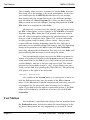
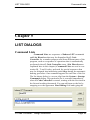
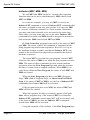
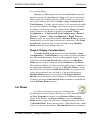
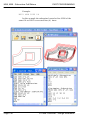
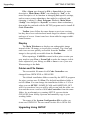
The list shown below is a screen clip from the System > Startup
Commands dialog. This particular list is executed immediately
when G Code Controller is started, starting with the first item in
the list and working downward. You can add items to the list by
snapping over the uppermost Line Editing field and typing the
G Code Controller - Design Reference
Page 25
List Directives
LIST DIALOGS
command. The Add button transfers the command that you had
typed to the bottom of the list. Scroll bars automatically appear
when the list grows larger than the display window. You can insert
a command by highlighting the command before which you want
the item inserted, and then snap Insert. Items can be deleted by
highlighting the command you want removed and snapping
Delete.
Indexer LPT Commands
Indexer LPT commands that control digital outputs (such as
reduced_current, winding_power and bit commands) are most
commonly used in Command Lists. The Indexer LPT dwell
command, as its name implies, can be used to introduce a time
delay where needed.
It is often handy to check out your hardware and the associated Indexer LPT commands used to control the hardware within a
list using the Command Motor feature in Indexer LPT’s Diag
program. You can transfer an Indexer LPT command from the
Diag program to Notepad by highlighting it, and pressing Ctrl-C
to transfer it to the Windows Clipboard, then snapping to
Notepad and pressing Ctrl-Vto transfer it from the Clipboard
into Notepad. You can transfer lines from Notepad to the Line
Editing field of the Command List dialog in a similar manner.
List Directives
A List Directive is a line of text in a Command List that
operates directly upon G Code Controller. It may require G
Code Controller to perform more complex and interactive tasks.
All List Directives begin with the “#’ character. Unlike the other
lines of text in the list, List Directives are not directly executed
by Indexer LPT. Instead, each List Directive defines an action
taken by the G Code Controller program.
No extraneous white spaces (tabs or space characters) are
permitted in the List Directive.
#save_num(#reference index)(number)
This List Directive saves a number that can be used later by
another List Directive. The reference index is an integer preceded by the # character. The number can be an integer or floating
Page 26
G Code Controller - Design Reference
Programs
LIST DIALOGS
List Directives
point value. The Diagnostic > Machine Variable menu can
always be used to view the numbers that are saved using this
method. In a concrete example, the following List Directive
stores the numeric value 10.123 to the reference index #10.
#save_num(#10)(10.123)
In this example, when the following #rapid_to List Directive
(described below) executes, the number 10.123 is accessed from
its index location #10, and the X Stage is moved to a location
10.123 inches from the Machine Home position.
#rapid_to(X)(#10)
#clear_num(#reference index)
This List Directive clears the entry for the system variable
saved under reference index. For example, the following List
Directive removes the variable saved under reference index #10.
#clear_num(#10)
#clear_nums
This List Directive removes all of the stored variables.
#wait_for_one(command query)(annotation)
This List Directive suspends operations until a qualifying
result of one (1) is obtained from the specified Indexer LPT
command query. Until such a result is obtained the specified
annotation, preceded by the words “Waiting for”, is displayed in
the Automatic Control prompt window of the control console
(Run Tool Path or Dry Run Tool Path dialogs).
A command query is an Indexer LPT command that forces
a response of either one (1) or zero (0), depending on the status of
an input signal. For example, the directive:
#wait_for_one(aux_input?:a)(Air Clamp)
... causes the G Code Controller to repeatedly send the
aux_input?:a command to Indexer LPT until Indexer LPT
responds with a one (1) in its mailbox. In this example all other
machine operation is suspended until the qualifying result of 1 is
received from Indexer LPT, and the annotation “Waiting for Air
G Code Controller - Design Reference
Page 27
List Directives
LIST DIALOGS
Clamp” is displayed in the Automatic Control prompt window.
#wait_for_zero(command query)(annotation)
This directive is similar to the #wait_for_one directive,
except this directive suspends operations until a qualifying result
of zero (0) is obtained.
#rapid_to(Stage)(position)
This directive moves the specified Stage at rapid rate to the
designated absolute position relative to Machine Home. The
Stage argument can be any installed stage: X, Y, Z, U, V, W, A, B
or C. Use only capital letters for Stage names. The position argument is a number representing the destination point of the motion.
For example, the directive:
#rapid_to(X)(2.125)
... causes the X stage to move at rapid rate from its current
position to a destination point which is located 2.125 inches from
Machine Home.
A Machine Variable reference index can be alternatively
used for the position argument. The following example moves the
Y Stage to a position 7.1875 inches from its Machine Home
position:
#save_num(#3)(7.1875)
#rapid_to(Y)(#3)
This command has no effect if position tracking is not in
effect. (The position argument has no meaning outside of position
tracking). Position tracking can be put into effect automatically by
means of the Production > Limit Switch Seek dialog, or manually via Production > Set Home. Position tracking is terminated
by sudden stopping due to collision with end limit switches.
Each #rapid_to directive stores its departure position (the
position before #rapid_to moved the stage) to the top of a list (the
Return Position List) that includes prior departure positions for
previous #rapid_to List Directives performed for that Stage.
When a departure position is saved to the Return Position List,
the number of positions stored to the list increases by one, and all
prior departure positions are moved down in the list.
Page 28
G Code Controller - Design Reference
LIST DIALOGS
List Directives
#rapid_return(Stage)
This directive moves the designated Stage back to the position that was before the last #rapid_to directive was performed
on that Stage.
The #rapid_to directive stores the departure position (the
position before #rapid_to moved the Stage) of the Stage to the
top of the Stage’s Return Position List. The #raid_return List
Directive returns the Stage to the last departure position, and
removes its entry from the top of the list. It is thereby possible to
return carriage positions over a complex path, for example, to
manipulate in and around obstacles when changing tools.
The #rapid_return directive has no effect if a #rapid_to
directive for the particular Stage has not previously been executed, if previous positions have been cleared, or if position tracking
is not in effect.
In a simplified example, suppose you wanted to construct a
list of commands that would move the carriage from its current
position to a tool pick-up position, release a clamp to deposit a
tool in the last open position on a tray, move a rotary stage to
position the tray for the desired tool, clamp the new tool, then
return the carriage to its current position in the Part Program. A
list to perform this might appear like this:
#rapid_to(Z)(0.0)
#rapid_to(X)(1.5)
#rapid_to(Y)(2.0)
reduced_current:a,1
#wait_for_zero(aux_input?:a)(Clamp Open)
#rapid_to(C)(90)
reduced_current:a,0
#wait_for_zero(aux_input?:b)(Clamp Closed)
#rapid_return(Y)
#rapid_return(X)
#rapid_return(Z)
This is a simplified example, and more commands may be
necessary to fully implement a tool changer, but the basic utility
of the directives is demonstrated. Here switches are installed to
auxiliary inputs to detect when the tool clamp is open and closed.
Operation is suspended until the clamp opens and closes at the
appropriate times. As the list completes, the carriage returns to its
G Code Controller - Design Reference
Page 29
List Directives
LIST DIALOGS
former, arbitrary position in the Part Program.
#clear_last_return(Stage)
This List Directive removes the last entry from top of the
Stage’s Position Return List. You can #clear_last_return if you
need to issue a #rapid_to List Directive without affecting the
existing return Position Return List. The #rapid_to List
Directive places the last position, which is to say its departure
position, at the top of the list. The #clear_last_return List
Directive removes that value from the top of the list.
#clear_all_returns(Stage)
This List Directive clears the entire Position Return List for
the designated Stage.
#disable_limit_report
In some designs use, such as machines that require squaring
parallel stages for initialization, limit switch interruption is intentionally effected as part of the automatic sequence. (See the subsection entitled Squaring Parallel Drives in the Limit Switch
Seek Configuration section of the chapter entitled System Setups). This List Directive suppresses the pop-up window that
alerts the operator when a limit switch interruption occurrs within
the list. This List Directive must appear as the first entry to the
list.
Page 30
G Code Controller - Design Reference
SYSTEM SET-UPS
System Set-ups
Chapter 6
SYSTEM SET-UPS
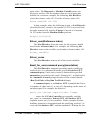
System set-up values reflect and constitute the design of your
machine. For this reason, though values may appear as placeholders when the software is run for the first time, there are NO
default values. Each System set-up value must be reviewed by the
machine designer and assigned a meaningful setting. System setup values can be edited by means of the System selection on the
G Code Controller - Design Reference
Page 31
Stage Configuration
INTRODUCTION
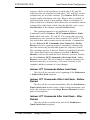
Main Menu. After changes have
been made the System > Save
System Setup menu option will
become accessible. Selecting this
menu will save changes that you had
made to a file entitled GIXA.INI file,
which is located in the WINDOWS
folder.
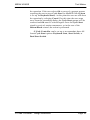
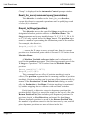
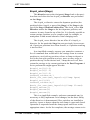
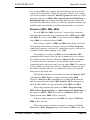
Stage Configuration
Motor controlled Stages are configured by means of dialogs
accessible from the fly-out menus that pop up when you select or
hover the cursor over the System > Stage Configuration menu,
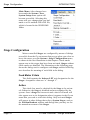
as shown in the first illustration in this chapter. Check marks
appear next to the stages that have been activated. Stages without
check marks are disabled. The illustration on the following page
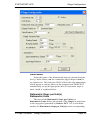
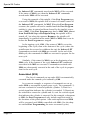
shows the dialog used to configure each Stage, and the following
text describes the meaning of each field in the dialog.
Feed Motor X Axis
This field contains the Indexer LPT axis designation for the
Stages. Acceptable values are “a” through “f”.
Active
This check box must be checked for the Stage to be activated. Otherwise, the Stage is disabled and not recognized by the
system. Once a Stage has been activated a check will mark will
also appear next to its designation where it appears in the fly-out
menu that you used to select this dialog. Only activated Stages
will appear in other dialogs that refer to System Stages, such as
the Position Readout window and dialogs that you may use for
the manual movement of the Stages.
Page 32
G Code Controller - Design Reference
SYSTEM SET-UPS
Stage Configuration
Units Name
Select the name of the dimensional units for motion from the
list e.g. in for inches, cm for centimeters, dg for degrees a m for
arc minutes etc. This selection ONLY affects the units annotations
which appear in various places in this program, and DOES NOT
automatically set up the appropriate ratio of step motor steps to
units, which is explained below.
Ratiometric Steps per Unit(s)
Ratiometric Units
The ratio of the Ratiometric Steps per Unit(s) to
Ratiometric Units defines the motion of the Stages in proportion
to the step pulses generated by Indexer LPT. Use a convenient
number for Ratiometric Steps per Units(s) and a corresponding
G Code Controller - Design Reference
Page 33
Stage Configuration
SYSTEM SET-UPS
number for Ratiometric Units.
For instance, assume you are directly driving a .200 inch lead
screw with a step motor configured for 400 steps per revolution.
In this case, 400 steps would move the stage by .200 inches. You
may enter a value of 400 in the Ratiometric Steps per Unit(s)
field and a value of .200 in the Ratiometric Units field. Select
“in” from the Units Name list box to make the other menus and
dialogs read correctly.
Assume this same machine is to be used in CAD/CAM operations where centimeters is the standard of measure. In this case,
since .200in = .508cm, enter a value of .508 in the Ratiometric
Units field. In this case “cm” is the most appropriate selection
for Units Name.
In another example, assume that you are driving a linear
Stage by means of a cable system. You have determined experimentally, using the Indexer LPT Diagnostic Program and an
appropriate measuring device that commanding the motor to
move 3000 steps results in a movement of 3.103 inches. In this
case, enter a value of 3000 in the Ratiometric Steps per Unit(s)
field, enter a value of 3.103 in the Ratiometric Units field, and
select “in” for Units Name.
For rotary Stages the Ratiometric Units would apply to the
angle of Stage rotation. For example, to set up a Stage that
rotates a complete revolution (360 degrees) as a result of 4000
steps, put 4000 in the Ratiometric Steps per Unit(s) field, enter
360 in the Ratiometric Units field, and select “dg” for Units
Name.
Total Distance
This is the distance between the high and low operational
limit switches. In a Production > Limit Switch Seek, if the
Stage does not contact the limit switch after traveling the distance
specified here, motion will cease and a warning message will
appear. For Stages X, Y and Z, this distance also defines the operational boundaries that are shown in relation to the tool path on
the graphical display.
Page 34
G Code Controller - Design Reference
SYSTEM SET-UPS
Stage Configuration
Rapid Traverse Rate
- Starting Speed
- Running Speed
- Acceleration
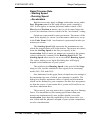
Rapid traverse rates apply to Stage motion that occurs under
Part Program control in the rapid traverse mode, instated by
G00. It also applies to motion performed under control of the
Move by and Position to menus, and joystick control when the
joystick acceleration selector switch is in the “accelerated” setting.
Speeds are represented in units per minute. The names of the
units in the display (in, cm etc.) are the names which were set up
in the Units Name fields. Acceleration is represented in units per
minute per second.
The Starting Speed field represents the instantaneous rate
which the stepper motor will begin motion. The motors accelerate
from the Starting Speed at the rate you specify in the
Acceleration field (in units per minute per second) to the plateau
velocity defined by contents of the Running Speed field. The
Starting Speed must never be set to exceed the Running Speed.
The values which you set up in this dialog box will largely
depend on the limitations of your system.
The rapid traverse Running Speed is the speed of the Stage
along its axis, not the combined vector speed (as in contouring
modes G01, G02 and GO3).
One limitation for the upper limits of rapid traverse settings is
the maximum step rate of which your computer is capable. The
dialog box displays maximum values of speed and acceleration
which can be attained by your computer, but this does not guarantee that the power of your motor drive system will be able to sustain these maximum rates.
The power of your step motor drive system may be a limiting
factor. You should not set the starting speed faster than your
motors can instantaneously start, neither should you set the
Acceleration faster than the capabilities of the motor drive system. Safety and the physical strength of your system components
are also considerations.
G Code Controller - Design Reference
Page 35
Limit Switch Seek Configuration
SYSTEM SET-UPS
Jog Options
- Jog Instantaneous Speed
This field sets up the speed for joystick control when the
acceleration select switch de-selects accelerated motion.
(“Instantaneous” rate means constant speed). Refer to the Indexer
LPT documentation for more information regarding the joystick
hard-wired options.
- Jog Nudge Distance
An optional joystick hard-wired option allows allows the
operator to switch select a “nudge” mode. In “nudge” mode, when
the operator uses the joystick the Stages move a small increment
every half second. The resulting motion appears to “nudge” the
Stage in small increments, allowing for very fine positioning.
This field sets up the incremental distance.
After selecting Ok the value is rounded off to the resolution
of the nearest step increment. To view the actual value being used
simply bring in the dialog again. Very small values will be presented in scientific notation. The decimal precision of the displayed values will correspond to the set-up entry in the Display
Position to Decimal Places field.
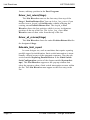
Limit Switch Seek Configuration
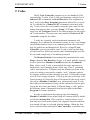
Snapping over this button in the Stage Configuration dialog
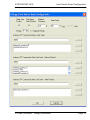
launches the dialog box shown on the following page, which is
used to set up the limit switch seeking parameters for the Stage.
Seek Low Limit Switch
This check box allows you to choose whether the Production
> Limit Switch Seek operation will seek the high or low limit
switch.
Note that in a drilling machine or a profile mill, since the
direction of travel to retract the tool is positive (plunge is negative), it is usually convenient to configure the Z Stage to seek the
high limit switch, as this cycles the stage away from the work.
The other stages (X and Y) are generally retracted into the low
limit switch.
Page 36
G Code Controller - Design Reference
SYSTEM SET-UPS
G Code Controller - Design Reference
Limit Switch Seek Configuration
Page 37
Limit Switch Seek Configuration
SYSTEM SET-UPS
Set Home After Retract
A check in this check box causes the program to automatically set the position counter of the associated axis to zero (home
position) after the Production > Limit Switch Seek sequence.
This selection is usually checked.
Retract Distance
This field specifies the distance the Stage will retract after
contacting its limit switch during the Production > Limit Switch
Seek operation.
Seek Rate
Motion during the Production > Limit Switch Seek operation will occur at an instantaneous rate specified by the value
entered into this field.
Priority
The Production > Limit Switch Seek control sequences one
Stage at a time. This field lets you specify the order of operation.
The lower number will sequence first.
Squaring Parallel Drives
Some profile cutting systems use two stepper motors (with
two tranlators) for a single Stage, controlling both motors synchronously from the same set of control signals. These systems
attain mechanical stiffness by driving both sides of a Stage in parallel instead of from only one driving point. In a concrete example, consider the X Stage of a profile cutter driven by two lead
screws situated parallel to each other on the extremities of the Y
beam. Each X lead screw is driven by its own stepper motor, and
each step motor is connected to its own translator. Both X Stage
step motor translators are controlled by the same “step” and
“direction” signals (one Indexer LPT axis), so that both lead
screws track as if directly coupled. In order to maintain accuracy
and system integrity in this design, the parallel X drives must be
“squared” before manufacturing is allowed to begin. The list
boxes provided in this dialog provides for an automatic squaring
procedure.
A simple circuit is necessary to accommodate the squaring
Page 38
G Code Controller - Design Reference
SYSTEM SET-UPS
Limit Switch Seek Configuration
sequence. Refer to the translators on each side as X1 and X2.
Limit switches are installed on both sides, XL1 and XL2. In this
example they are low limit switches. Two Indexer LPT discrete
outputs enable and disable each side. When a side is enabled, its
associated limit switch is also enabled. When it is disabled, its
limit switch also is disabled. When both sides are enabled, motion
is arrested by either limit switch. (See the #disable_limit_report
List Directive in the chapter entitled List Directives).
The squaring sequence is accomplished as follows.
Commands in the list Indexer LPT Commands Before Limit
Seek enable both sides, X1 and X2. The system then travels at
instantaneous rate towards the limit switches XL1 and XL2. The
first switch that makes contact arrests the motion. Commands in
the list, Indexer LPT Commands After Limit Seek - Before
Retract execute a squaring sequence, alternately enabling only
one side and moving towards and against its respective switch.
The squaring sequence in this list finishes by enabling both sides.
The system then retracts the distance specified in Retract
Distance, and sets the machine home reference position. Finally,
the list in Indexer LPT Commands After Limit Seek - After
Retract is executed. This list is handy to complete hardware initialization that may be necessary, set system variables or (for
example) initialize portions of a tool changer.
Indexer LPT Commands Before Limit Seek
This list will be executed at the beginning of the Production
> Limit Switch Seek sequence.
Indexer LPT Commands After Limit Seek - Before
Retract
This list will be executed immediately after the Production >
Limit Switch Seek action causes a limit switch interruption, and
before the sequence moves the Stage Retract Distance from the
point of interruption.
Indexer LPT Commands After Limit Seek - After
Retract
This list will be executed at the end of the Production >
Limit Switch Seek sequence.
G Code Controller - Design Reference
Page 39
Cycle Start Configuration
SYSTEM SET-UPS
Cycle Start Configuration
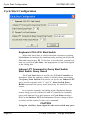
Keyboard <Ctrl><F2> Start Switch
When this check box is checked motion sequences requiring
Cycle Start are initiated by simultaneously pressing the keyboard
Ctrl and function key F2 . If this box is not checked, external signals are used for Cycle Start, and appropriate set-up fields appear
in the dialog box.
Indexer LPT Command to Query Start Switch
Start Switch Query Result
The Cycle Start input is used by the G Code Controller to
determine when the operator wishes to initiate motor movement.
The Query Start Switch field can be set up for any Indexer LPT
query which responds with “1” and “0”. Start Switch Query
Result represents the query result necessary for motion to commence.
In a concrete example, the dialog in the illustration demonstrates using joystick switches S6 and S7 (installed as normally
open push buttons) for a dual purpose as Cycle Start switches.
Refer to the Indexer LPT documentation for the wiring of these
switches and the syntax for the scan command.
CAUTION
Using the Auxiliary Input signal for the start switch may pres-
Page 40
G Code Controller - Design Reference
SYSTEM SET-UPS
Feed Hold Configuration
ent a safety hazard. Unless terminated to either ground or logic
1 (5 Volts), the Auxiliary Input signal may randomly fluctuate
and could possibly cause a spurious Cycle Start, a dangerous
condition. Even if properly terminated, an accidentally
unplugged cable could break external termination and present
this hazard. Using the Auxiliary Input for this purpose is therefore not recommended.
Require Two Start Switches
Indexer LPT Command to Query Second Start
Switch
Second Start Switch Query Result
In some applications it is prudent for safety to require the
operator to occupy both of his hands before motion is allowed to
commence. This option provides for a second switch input for
Cycle Start.
Feed Hold Configuration
The feed hold feature allows the operator to bring motion to a
decelerated and controlled stop. Since the keyboard is ineffective
while the motion is in progress, this feature must be installed in
all but the smallest and simplest applications. Refer to the
Indexer LPT documentation for a detailed explanation of the
feed hold feature, and how it can be wired.
Most installations support the feed hold feature with two
switches: a toggle switch, entitled “feed hold”, to effect a holding
state, and a pushbutton, entitled “abort” to be optionally activated
to release the system from the holding state. When the feed hold
switch is activated, Stage motion is brought to a decelerated and
controlled stop, and the system is frozen in a suspended state. If
G Code Controller - Design Reference
Page 41
Feed Hold Configuration
SYSTEM SET-UPS
the feed hold switch is released at this time, the system resumes
motion, accelerating to feed or rapid rate and completing the
geometry “as if” feed hold had not been activated. The feed hold
command is very robust, and for example, in a Dry Run it can be
activated and deactivated as an alternative to feed rate override to
slow motion around critical areas.
If the abort switch is activated when the system is suspended
in a feed hold state, the suspended state is terminated and the
operator is presented with recovery options, such as resuming the
Job from a previous point in the tool path. G Code Controller
also supports automatic sequencing following abort from feed
hold (typically used to automatically turn a spindle off. See the
section in this chapter entitled Special M Codes).
Recovery procedures when abort from feed hold occurs within a customized list (e.g. customized M or T codes) are not supported, so for example, if abort from a feed hold occurs within a
#rapid_to List Directive, G Code Controller will discontinue the
Job that is being run. However, Stage motion designed into M
and T codes can be designed to accommodate Job recovery by
either defeating the abort switch during the course of the motion
(if safety permits), and/or alerting the operator with a light indicating that the abort switch cannot be used at that time.
In a concrete example, the abort switch is wired in series
with a normally closed relay that is opened by the Indexer LPT
command winding_power:c,0. Another pole of the relay lights a
light on a panel, indicating that the abort switch has been disabled. The System > Startup Commands list includes the
Indexer LPT command winding_power:c,1 to make sure that the
relay is closed, permitting the abort switch to operate normally on
startup. In this example you are customizing M06 with a
sequence of commands that move the Stages to a tool change
position. Insert winding_power:c,0 in the list before the commands that cause Stage motion, disabling the abort switch. Insert
winding_power:c,1 at the end of the list, restoring the abort
switch to its normal function. In this design, if the operator activates the feed hold switch during the tool change cycle, he will be
able to toggle the feed hold switch off and on until the stages
move beyond the critical section and the light goes off. He can
then use the abort switch and Job recovery features built into G
Code Controller.
Page 42
G Code Controller - Design Reference
SYSTEM SET-UPS
Feed Rate Override
Feed-Hold Feature is Installed
This check box should be checked if the system is designed
to utilize the Indexer LPT feed hold feature.
Feed-Hold Axis
This field contains the Indexer LPT axis designator for the
feed hold feature. Allowable values are “a” through “h”, providing
you had not already assigned the selected axis to another function,
such as a Stage, joystick or spindle control. Recommended values
are “b”, “d”, “f” or “h” if you wish to consolidate wiring for the
joystick, feed hold and feed rate override to a single DB25 connector to the back of the Hardware Assist Module (HAM), since
the HAM does not wire through signals that would permit the joystick to be installed to pins 6, 7, 8 and 9.
In a concrete example, where the HAM is situated on a parallel port mapped to Indexer LPT axes “g” and “h”, joystick wiring
to the back of the HAM is supported for Indexer LPT axis “g”,
and feed hold wiring is supported on “h”. The feed rate override
feature can be wired to the same connector. The dialog for Cycle
Start shows how optional joystick switches can be used for a double purpose as Cycle Start switches - thus wiring can be conveniently extended to a control pendant with a single DB25 extender
cable. The feed hold abort switch can be used to serve a double
purpose as the joystick release switch, described below. In this
example the Indexer LPT Command to Query Release Switch
(described below) would be -limit?:h, and the Release Switch
Query Result would be 0.
Feed Rate Override
The Feed Rate Override control is a powerful method of
smoothly controlling the operational speeds of motion while the
Stages are actually in motion. If the hardware to support Feed
Rate Override (in most applications, a potentiometer connected
to the Indexer LPT Hardware Assist Module) is not installed,
this feature should be disabled here at a System level using the
Setup >Feed Rate Override dialog. Refer to the chapter entitled
Job Setups for selectively applying Feed Rate Override to rapid
traverse and feed operations.
G Code Controller - Design Reference
Page 43
Joystick
SYSTEM SET-UPS
Joystick
Wiring
See the chapter in the Indexer LPT user guide entitled
Switch Scanning and Joystick for a description of joystick features and wiring. The option to choose the set of signals inclusive
of parallel port pin numbers 2, 4, 5, 3, 14, and 1 in the diagram is
suggested. Switch S8, refered to in the Indexer LPT manual as
“Remain/Exit”, is refered to in this manual as the “Mark” switch.
Joystick-Jog Feature is Installed
This check box should be checked if the system is designed
to utilize the Indexer LPT joystick feature. When this box is
checked, fields which relate to setting up the joystick controls
appear in the dialog box.
Joystick-Jog Axis
This field contains the axis designator for the joystick jog feature. Allowable values are “a” through “f”. You cannot designate
the same axis for both joystick and feedhold. You cannot specify
here any axis which is being used for a Stage or spindle control.
For a more thorough explanation on the implementation and
wiring of the joystick and feedhold features, consult the Indexer
LPT documentation.
Indexer LPT Command to Query Release Switch
Release Switch Query Result
Page 44
G Code Controller - Design Reference
SYSTEM SET-UPS
Joystick
The release switch input is used by G Code Controller to
determine when the operator wishes to exit the joystick jog mode.
The release switch input can be set up for any Indexer LPT
query that responds with “1” and “0”.
The machine designer may consider using the feedhold abort
input for this purpose. Since feedhold abort releases the machine
from a suspended motion state, and since the feedhold feature is
never active in joystick jog mode, a single input entitled “release”
may be used to accomplish a dual purpose.
Assign Stages to Joystick
Snapping over this button invokes the Joystick Stage
Configuration dialog. The Indexer LPT joystick option can control up to four axes of motion from a single joystick. The
Joystick Stage Configuration dialog allows you to assign motion
stages to the joystick control switches. The switch numbers in the
dialog, S1-S4, refer to the schematic diagram in the Indexer LPT
documentation.
G Code Controller - Design Reference
Page 45
Startup Commands
SYSTEM SET-UPS
Startup Commands
This dialog provides for execution of a sequence of Indexer
LPT commands and List Directives when the program is started.
(List Directives are explained in the chapter entitled List
Dialogs). This list is typically used for initializing hardware components and setting machine variables.
When the power is first turned on to the computer, a period
of time passes when the parallel output signals are in an indeterminate state. These signals may even change values as the computer performs a power on self-test prior to loading G Code
Controller and Indexer LPT. In order to prevent spurious activation of components, hardware may need to be designed that
requires a specific signal sequence to make the component in
question ready to accept the signal that will ultimately turn it on
and off. This list provides a means to use a sequence of Indexer
LPT commands to provide for this type of component enabling.
List Directives can also be included in this sequence. For
example, it may be desirable to store Machine Variables that
designate the physical locations of tools in a tool tray, or at least
Page 46
G Code Controller - Design Reference
SYSTEM SET-UPS
S Code
an initial drop off location for the last tool that was used. (Tool
changing requires releasing a prior tool before positioning to
engage the selected tool. An initial drop off location would release
a tool that may be present at startup to a location chosen for tools
that had been inadvertently left in place when the machine was
shut down).
In a concrete example given in the illustration, the output
controlled by the Indexer LPT winding_power command is used
to bring the voltage that it controls on the Indexer LPT f axis
momentarily to ground for 25 hundreths of a second. Then this
voltage is brought to five volts. The next command saves the
value 10.123 to Machine Variable #10.
S Code
S Codes are typically used for spindle speed control, although
they may be used for other things on specialized machines. S
Codes are NOT effective during Production > Dry Run.
Spindle Control Axis
Active Axis
G Code Controller - Design Reference
Page 47
M Codes
SYSTEM SET-UPS
An Indexer LPT axis can be assigned to the spindle control
for the purpose of rapidly generating pulses. If the Active Axis
check box is not checked, the Spindle Control Axis is disabled
and the designated Indexer LPT axis is made available to the
system for use with other functions.
Pulses per Unit
Pulse Frequency
In the execution of the S command in a Part Program, the
argument of the S word is multiplied by the value of the Pulses
per Unit field and applied to the Indexer LPT jog command on
the Indexer LPT axis specified by the Spindle Control Axis at
the rate designated in the Pulse Frequency field. In a concrete
exmple, using the set-up values in the illustration, S50 would
send 500 pulses from the step output of the Indexer LPT “d” axis
at a rate of 1000 pulse per second.
Indexer LPT Lead In Commands
Indexer LPT commands in this list are executed with each S
command prior to any subsequent pulse generation, and regardless
of the condition of the Active Axis field.
M Codes
G Code Controller supports over one hundred (100) customizable M codes. Each M code can dispense a unique list of
Indexer LPT commands and List Directives. The argument to
the M word in the Part Program determines which customized
M code list is executed. To edit the list of Indexer LPTcommands associated with any M code, select the code number using
the spin control in the dialog that appears after you snap Setup >
M Codes. (The spin control will skip over system M codes, such
as M00, M01, M02, M98 and M99. System M codes cannot be
customized). When you snap over the Configure button a List
Dialog editor appears for the selected M code number. You may
enter any number of Indexer LPT commands and List Directives
using the list editor.
Description
This field provides the machine designer a place for a short
Page 48
G Code Controller - Design Reference
SYSTEM SET-UPS
“On the Fly “ Switching
written description of the function designed into the particular M
code.
Annotation
The sunken box that appears between the Description field
and the list editor displays a reminder of system effects for
Special M Codes, described below.
Disable these Indexer LPT Commands for Dry Run
When this check box is checked the list of Indexer LPT
commands associated with this M code are not executed for
Production > Dry Run.
“On the Fly” Switching
Prior to G Code Controller Version 2 the appearance of an
M code in a part program would temporarily interrupt continuous
G Code Controller - Design Reference
Page 49
“On the Fly” Switching
SYSTEM SET-UPS
contouring, execute the M code, then if followed by contouring
commands (mode G01, G02, G03), proceed loading the lookahead buffer for the next contour. Version 2 supports switching a
digital output signal while the motors are moving at speed, and
without interrupting smooth, contouring motion. This feature
accommodates applications that require motion to be at feed rate
and typically not while accelerating nor decelerating when a component is switched on or off. However, the part program determines the geometric point where switching occurs, so it is possible to perform “On the Fly” switching at a specific location even
while motion is accelerating or decelerating.
Backward Compatibility Warning
If you are upgrading from Version 1, and you had used an M
code that contained one or no entries in the Command List to
intentionally close the look-ahead contouring buffer, then you
will need to modify that M code so that it includes more than
one entry in order to preserve backward compatibility with
your existing Part Programs.
In order to customize an M code so that it does not interrupt
smooth motion, enter only one Indexer LPT command in the
Command List. This command can be one of the Indexer LPT
commands that control digital output, specifically the
reduced_current or the winding_power command. Also, within
the Part Program this M code must be the only delimiting command from Block to Block at any transitional point in a smooth
contour. So for example if M14 and M15 had only one Indexer
LPT digital output command (and presuming that Contouring is
turned on for the Job), the following part program code would
move smoothly through the transition, moving X and Y stages ten
(10) inches, but activating the digital output half way while the
motors remain at speed:
G91 G01 X5 Y5
M14
X5 Y5
Alternatively, the M code can appear in the same block as the
motion command. When this occurs, the M code will be executed
before the motion. The following sequence behaves the same as
the previous example, smoothly accelerating X and Y stages from
rest, decelerating to the destination point ten inches from the start,
but performing the switching action in the middle without affect-
Page 50
G Code Controller - Design Reference
SYSTEM SET-UPS
Special M Codes
ing the continuity of the motion.
G91 G01 X5 Y5
X5 Y5 M14
The following code, however, would decelerate motion to a
stop, execute each M code, then proceed:
G91 G01 X5 Y5
M14 M15
X5 Y5
Specifically (since two M codes delimit the contour), motion
decelerates to a stop in the middle, M14 and M15 are executed,
then motion accelerates and decelerates to a stop at the destination
point.
In another example, consider a machine that sprays a coating
at a carefully controlled density. M14 turns a spray nozzle on and
M14 turns the nozzle off. Since the speed of the spray nozzle
affects the density of the coating, it is important to activate the
nozzle only after the motors have accelerated to vector rate, and
to deactivate the nozzle before decelerating to a stop. Here is
example code for motion that activates the nozzle while the X
Stage is at speed and only within a specified region:
G91 G01 X1.0
X5.0 M14
X1.0 M15
In this example M14 is executed exactly 1.0 inches into the
motion and while the X Stage is at speed. Exactly six inches into
the motion M15 executes, also while the X Stage is at speed. The
remaining 1.0 inch that remains provides room for the Stage to
decelerate with the nozzle off. It should also be noted that this
feature is not limited in its performance to the number of stages
that are being moved, which in the example is only the X Stage.
“On the Fly” Switching can be performed while the maximum
number of Stages are being moved simultaneously.
Special M Codes
These M codes “special” in the sense that G Code
Controller adds features to them that are not present in the other
general purpose M codes.
G Code Controller - Design Reference
Page 51
Special M Codes
SYSTEM SET-UPS
Inclusive (M07, M08, M09)
We call M07 and M08 “inclusive” because they represent
functions that can be active simultaneously. M09 cancels both
M07 and M08.
In a concrete example, you may use M07 to execute an
Indexer LPT command or series of Indexer LPT commands that
activates a solenoid to turn on a mist coolant. You may use M08
to activate a different solenoid for a flood coolant. Sometimes
you may want both solenoids to be activated at the same time.
Other times you may want only one or the other. Indexer LPT
commands associated with M09 should be designed to deactivate
both solenoids. M09 cancels both M07 and M08.
G Code Controller program keeps track of the status of M07
and M08. The status of these M commands is important in handling program stop and resume sequences. However, it is up to
the machine designer to make sure that the Indexer LPT commands in the associated lists physically accomplish the desired
hardware responses.
The status M07 is set when the part program executes M07.
Likewise, the status of M08 is set when the part program executes
M08. The status of these commands governs certain machine
operations when the Part Program stops and when the operator
decides to resume from a stopped condition. When M09 is executed from within the Part Program, the status of both M07 and
M08 are cleared.
When the Part Program stops due to an M00 (Program
Stop), M30 (End of Program Stop), or Abort from Feed Hold
Stop, if the status of M07 or M08 is set, the list of Indexer LPT
commands stored under M09 will be executed.
If the program stops due to an M30, the status of M07 and
M08 will also be cleared.
When the operator decides to resume by means of a Cycle
Start after a program stop: if the status of M07 is set then the
Indexer LPT commands stored under M07 will be executed, and
if the status of M08 is set then the Indexer LPT commands
stored under M08 will be executed.
Using the example of the coolants, if the Part Program stops
Page 52
G Code Controller - Design Reference
SYSTEM SET-UPS
Special M Codes
as a result of M30, any coolant solenoid that may have been activated will be shut down. When the operator resumes, the coolants
will not be turned on until the Part Program turns them on. If the
program stops due to M00, M01, Abort from Feed Hold Stop or
Breakpoint Stop, any coolant solenoid that may have been activated will be shut down. However, when the operator resumes, the
coolants that were shut down will be automatically re-activated.
Exclusive (M03, M04, M05)
We call M03 and M04 “exclusive” because they represent
functions that cannot be active simultaneously. M05 cancels M03
and M04. However, when M03 is executed it cancels M04, and
when M04 is executed it cancels M03.
The exclusive nature of M03 and M04 make them useful not
only in stop and resume procedures, but also in Part Program
control that requires a reversal of a particular process, such as for
a spindle in the canned tapping cycle, G84.
For example, you may use M03 to execute Indexer LPT
commands that control relays in such a manner as to set up spindle rotation in the clockwise direction. Indexer LPT commands
to control relays in a manner to set up spindle rotation in the
counterclockwise direction can be set up under M04. The rotation
of the spindle represents an exclusive condition because the spindle can be turning clockwise or counterclockwise, but not both
directions at the same time.
The machine designer must make sure that the Indexer LPT
commands in M03 disable set-ups performed under M04.
Likewise, Indexer LPT commands set up under M04 must disable set-ups performed under M03. Indexer LPT commands in
M05 should disable set-ups performed under M03 and M04.
When the program stops due to an M00 (Program Stop),
M30 (End of Program Stop), or Abort from Feed Hold Stop, if
the status of M03 or M04 is set, the list of Indexer LPT commands stored under M05 will be executed.
If the program stops due to an M30, the status of M03 and
M04 will be cleared.
When the operator decides to resume by means of a Cycle
Start after a Part Program stop: if the status of M03 is set, then
G Code Controller - Design Reference
Page 53
Special M Codes
SYSTEM SET-UPS
the Indexer LPT commands stored under M03 will be executed.
If the status of M04 is set, then the Indexer LPT commands
stored under M04 will be executed.
Using the example of the spindle, if the Part Program stops
as a result of M30, the spindle will be turned off under control of
the Indexer LPT commands for M05. When the Part Program
resumes, the spindle will not be enabled until the Part Program
enables it, since its status had been cleared by the implicit execution of M05. If the Part Program stops due to M00, M01, Abort
from Feed Hold Stop or Breakpoint Stop, the spindle will be
turned off, but when the operator Resumes, the spindle will
immediately be enabled in the mode (M03 or M04) that it was in
before the Part Program was stopped.
In the tapping cycle, G84, if the status of M03 is set at the
beginning of the cycle, then at the bottom of the cycle (where the
spindle must be reversed to withdraw the tap) the Indexer LPT
commands associated with M04 are executed. At the end of the
G84 cycle, the commands for M03 are executed to prepare for the
next cycle.
Similarly, if the status for M04 is set at the beginning of an
M84 cycle, at the bottom of the cycle Indexer LPT commands
associated with M03 are executed. Commands associated with
M04 are subsequently executed at the end of the cycle in preparation for the next cycle.
Associated (M10)
The list of commands set up under M10 is automatically
executed under the canned cycle instated by G88.
In a concrete example, a sequence of commands are set up
under M10 to accomplish a punch press cycle. The commands: 1)
activate a solenoid to extend a hydraulic cylinder. 2) Wait for a
switch signal that indicates the cylinder is extended. 3) Deactivate
the solenoid to retract the cylinder and 4) wait for a switch signal
that indicates the cylinder is retracted. In this example, subsequent
to G88, the Part Program need only include rapid traversals to
the locations of the punch points. After each rapid traversal M10
will be executed, until G88 is cancelled with G80. (See the chapter entitled Part Programming for more on canned cycles).
Page 54
G Code Controller - Design Reference
SYSTEM SET-UPS
T Codes
T Codes
The G Code Controller supports up to one hundred (100)
customizable T codes. Each T code can dispense a unique list of
Indexer LPT commands and List Directives. The argument to
the T word in the Part Program determines which list is executed. To edit the list of Indexer LPT commands associated with
any T code, select the code number using the spin control in the
dialog that appears after you snap Setup > T Codes. When you
snap over the Configure button a list editor appears for the selected T code number. You may enter any number of Indexer LPT
commands using the list editor.
T codes are typically used to implement automatic tool
changing. It is common in automated systems to use a tool change
carousel that indexes tools to a common position where the tool
may be picked up and dropped off. However, using G Code
Controller you can customize each T code to pick up and drop
off each tool in a different location, thus eliminating the need for
the cost and complexity of an indexing carousel.
The Return Position list automatically maintained for each
Stage when the List Directive #rapid_to is used, and the capacity
to save and access Machine Variables within the Command
List, allows each T code to accomplish the tasks necessary to
implement a tool changing from a static tray. Each T command
can be customized to: 1) Depart from an arbitrary position in the
work area along a necessarily complex “safe” clearance path to
the storage location of the currently used tool. 2) Drop the current
tool off in its storage location. 3) Pick up the new tool from a different location. 4) Store the drop off location for the newly selected tool in a Machine Variables (so a subsequently used T code
has sufficient information to drop off the current tool before picking up the next one) and finally 5) Return along a “safe” path to
the arbitrary point of departure from the tool path in the Part
Program to resume operation.
In order to implement this strategy for tool changing,
Machine Variables for an initial drop off location must be initialized in the Startup List. This could be a location where a tool
that may have been inadvertently left engaged when the machine
was turned off may be released without damage. When the first
tool is selected after starting G Code Controller, a machine cus-
G Code Controller - Design Reference
Page 55
Display
SYSTEM SET-UPS
tomized according to this strategy will cycle through its tool
release sequence in a safe spot.
Display
Production Run
This portion of the dialog permits you to enter default settings for items in the Production > Run control dialog. (These
default settings will also apply to the Production > Dry Run dialog). Each of these items can be changed at run time.
Modal State and Block Position check boxes will make
information windows of the same names visible with the
Production Run dialog.
When the the Scroll Code check box is checked, each Block
of the Part Program is written to the screen as it is processed.
On very large Part Programs this is typically left unchecked, for
even though it may take only a fraction of a second to update the
screen for each Block, processing thousands of Blocks this way
can take a considerable amount of time.
The Graphic radio button selection field allows you choose
options None, Fast and Full. None shows the tool path graphic,
but does not update the color change to show the progression of
processing along the tool path. Fast updates the display after each
rapid traverse and each full contour is processed. Full updates the
Page 56
G Code Controller - Design Reference
SYSTEM SET-UPS
Passwords
graphic display as each element in every Block is processed. Fast
is the most commonly used option.
Refer to the chapter entitled Production Operations for a
more complete description of these settings and the Production >
Run control dialog.
Stage Position Readout
This portion of the dialog permits you to choose between a
small and large Position Readout window. A large Position
Readout is handy when it is more convenient to view the operational position of the Stages at a distance. The small Position
Readout is more convenient when you wish to customize screen
area to show other relevant information.
Reload and Redraw
The graphical display of the tool path is shown in the
Orthographic and 3D Windows in a position relative to the limit
switch boundaries. Manual motion of the Stages, as may be
accomplished by means of the Production > Move by, Position
to or Jog dialogs, changes the graphic display. Some users prefer
not to update the display for very large Part Programs in order to
conserve on the time that it may take to redraw the screen after
each manual motion.
This check box is usually left checked, especially on systems
where the joystick Jog option is used. Unlike the Production >
Move by and Position to method, small increments of manual
motion (typically used for setting up a Job’s starting position) can
be accomplished under the Production > Jog dialog without
automatically updating the display until the joystick option is
released. (See the chapter entitled Production Operations for
more details regarding joystick Jog, Job set-up, and manually
moving Stages).
This option can be easily selected or deselected at run time.
Passwords
Purpose for Passwords
Password access is provided to protect System and Job set-
G Code Controller - Design Reference
Page 57
Passwords
SYSTEM SET-UPS
ups from accidental modification. These passwords should be
used only to avoid accidental modification of setup values and
not as an iron-clad protection against access to certain features. The initial password which comes with the product is “abc”
for the System Setup and “def” for Job Setup. You may choose
not to use this feature, or temporarily restrict access without
changing the set-up.
Affect on System Menu
The Password setting affects the File > Access menu when
G Code Controller starts. The illustration shows a common con-
figuration as it may appear right after start-up, where the System
setup is password protected and the Job setup is not. The menu
entitled System is absent in the Main Menu, but the menu entitled
Page 58
G Code Controller - Design Reference
SYSTEM SET-UPS
Diagnostics
Job is visible and accessible. If you were to select Show System
Setup Menu from the fly-out, you will be prompted for the
System password. The System menu will then be visible and
accessible, and the fly-out will be changed to read Hide System
Setup Menu.
You can show or hide System and Job setup menus at any
time using the File > Access menu. If the check box requiring a
password is checked in the associated field in the Passwords dialog, then you will be prompted for a password when selecting the
menu to Show. Otherwise, the File > Access menu can be used to
alternately Show and Hide the menus without prompting.
Recovering Passwords
If you forget your password, you can find it by printing the
GIXA.INI file using Notepad. (Be very careful not to alter the
contents of GIXA.INI within Notepad). The passwords will
appear under the section:
[Password]
Save Setup File
This menu selection will only become visible after changes
have been made to the System setup. Use this menu to store
changes that you have made to the System configuration file,
GIXA.INI, which is located in the WINDOWS folder.
Diagnostics
A full range of diagnostic menus are available to assist you in
troubleshooting your System set-ups, and in diagnosing other
problems. Switch diagnostic menus, such as the one shown below,
continuously monitor switch inputs, giving you a live display of
the switch status.
The Error List dialog collects system and part programming
errors in a list format that can be easily reviewed.
Part programming errors are shown with the location of the
error, Block number (“N” number) and program number (“O”
number) preceding the description of the error. In cases where
G Code Controller - Design Reference
Page 59
SYSTEM SET-UPS
you optionally omit the Block number, the display shows the
number that was assigned to the block by the G Code Controller.
Page 60
G Code Controller - Design Reference
JOB SET-UPS
Job Set-Ups
Chapter 7
JOB SET-UPS
Job setups can be modified by means of the dialogs accessible from the Job menu, which becomes visible when you have
opened a Job by means of File > Open Job. As mentioned, in the
chapter entitled Important Files, CAM Files contain information
about the Job, including but not limited to the file name of the
Part Program file(s). For this reason File > Open Job is used to
read a CAM File, and NOT used to directly open a Part
G Code Controller - Design Reference
Page 61
Programs
JOB SET-UPS
Program file. Opening a CAM File reads the Job settings into G
Code Controller, which can then be used immediately, temporarily changed and used, changed and saved back to the original
CAM File using File > Save, or changed and saved under a different name using File > Save As. The name of the Job is the
name of the opened CAM File, and appears in the title bar.
CAM Files contain information which pertains to the individual part which is being manufactured, some of which will
change from Job to Job and some of which will not. It may be
convenient, therefore, to have a number of template, or “default”
CAM Files that contain information pertinent to different types of
Jobs that you may run. Using File > Save As saves you the trouble of entering information that will not change when creating
another Job.
The working directory, which the File > Open Job browser
initially displays is, the “Start in:” field which is set up under the
Windows Shortcut. (To change the working directory, right snap
over the G Code Controller’s icon and snap over the Properties
selection of the pop-up menu that appears. Snap over the
Shortcut tab, then enter the complete path to the location of your
CAM Files in the field entitled “Start in:”).
Programs
File Names and O Numbers
As per the chapter entitled Important Files, Part Program
files contain Gcode control scripts. Part Programs are “Text”
type files stored on the computer using path and file names. Each
line of text in the Part Program script is referred to as a Block.
Blocks can transfer control to other blocks within the same script
using N numbers. (See the chapter entitled Part Programming).
Blocks can also transfer control to Blocks in other Part
Programs by means of O (the letter O) numbers. This dialog
establishes the relationship between the Part Program file name
and the Onumber that represents it.
G Code Controller starts executing a Job in Part Program
O0 (the letter “O”, index Zero). Up to nine other part programs
can be accessed in the same Job, thus G Code Controller supports the use of up to ten Part Programs per Job, designated
Page 62
G Code Controller - Design Reference
JOB SET-UPS
Programs
from O0 through O9.
In the example Programs dialog, the file entitled “square.txt”
contains a Part Program that is stored on the computer’s disk
under the name and location C:\Gixw\square.txt This Part
Program would be referenced from other Part Programs in the
same Job by means of the code O3 (letter O index three), since
this dialog sets the file up under the Index (“O” Number) at a
value of 3. For example, to call a subroutine located in this Part
Program located on line N550, another Part Program in the Job
might use the following line of code:
M98 P550 O3 L1
Selecting a Program File
To bring an existing file into the Program File Specification
field you may snap over the Browse button to bring up a
Windows browse menu, then snap over the file that you desire.
Files with extensions “.txt”, “.tap” and “.nc” will be listed in the
files available for selection, as these extensions are commonly
appended to Part Program files generated by CAD/CAM post
processors. The extension “.txt” is handy because it is often automatically appended to new files by Notepad. As mentioned, and
G Code Controller - Design Reference
Page 63
Tool Offset Table
JOB SET-UPS
regardless of the file name extension that you are using, Program
Files are “Text” type files. The Browse window can alternatively
expose files of every extension if you use the All Files (*.*)
option in its Files of type field. If you use this option, only select
“Text” type files that contain Gcode scripts, and do NOT select a
file with “.CAM” as its extension.
Editing a Part Program
You can edit a Part Program selected into the Job by snapping the button entitled Edit Program Text in the Programs dialog. A text editor will pop up with the Part Program file read
into it, and you can begin editing. The text editor used in the
default installation of the G Code Controller is Notepad.
To create a new Part Program you can type a name for the
file in the Program File Specification field, then snap Edit
Program Text. The default path (e.g. C:\Gixa) will be used if you
do not specify the path name. If a file does not exist in the folder
path for the name you have chosen, Notepad will ask you if you
want to create a new file of that name. You may then snap Yes and
begin editing a newPart Program.
You are not constrained to use Notepad to edit your Part
Programs. You may use any editor capable of working with
“Text” type files, and capable of accepting a file name from a
command line argument.
Interacting with the Text Editor
After you finish editing the Part Program in the
text editor you must save it to disk to make it accessible to G Code Controller. In Notepad you would used File >
Save. Then snap to G Code Controller and use Job > Reload,
or its associated Toolbar button, to load the changes that you had
made into the Job. Reload will immediately display changes to
the Orthographic and 3 D windows as it makes the Job ready for
either running or simulating. You can work back and forth
between the text editing windows and the Simulator to verify the
Part Program(s) that you are developing or changing. See the
chapter entitled Job Simulation for more information about verifying Part Programs.
Page 64
G Code Controller - Design Reference
JOB SET-UPS
Tool Offset Table
Tool Offset Table
The Tool Offset Table is used to store values used for tool
length and tool radius compensation, and to make these values
accessible from within the Part Program. The values contained
in the Offset Table are stored to disk in a special type of file that
we call an Offset Table File. When the CAM File loads a Job,
values from the Offset Table File are read into the Tool Offset
Table. The Tool Offset Table can store diameters and lengths for
100 (one hundred) different tools.
Save (Save as) Entries to Offset Table File
Load New Offset Table File
These menus allow you to create new Offset Table Files and
to load different Offset Table Files into the Job. This feature is
convenient for machines with removable tool trays, making it easy
to save and retrieve all of the tool offsets together as part of the
Job.
Entries (H and D Offsets)
The tool index is the means by which the Part Program can
refer to the offset values via arguments to the H and D words. You
can select the particular D and H index for editing, (D1/H1,
D2/H2, D3/H3 etc.) using the spin buttons in the Offsets dialog
entitled Tool Table Index. See the chapter entitled Part
Programming for more information on how the Part Program
applies the values assigned to H and D words to the tool path.
G Code Controller - Design Reference
Page 65
Tool Offset Table
JOB SET-UPS
Setting D Offsets
D offsets are used in conjunction with G41 (left offset) and
G42 (right offset) to alter the cutting path and automatically compensate for cutting tool diameter or curf width. The value
assigned represents the diameter a circular cutting tool, or the
width of a flame cut (curf). Instating G41 or G42 offsets the path
of the tool from the contour by one half the amount of the D
entry. Using the D value in the illustration as an example, when
used with G41 or G42 the cutting path for D3 would be offset by
one half 0.375, or 0.1875.
When CAD/CAM software is used to generate the Part
Page 66
G Code Controller - Design Reference
JOB SET-UPS
Tool Offset Table
Program, this feature is often processed into the generation of the
tool path, obviating the need for this feature. However, D offset
compensation is often useful when manually generating simple
cutting paths, since the exact dimensions of the part can be more
easily used when manually composing the Part Program. D offset compensation can also be used in applications that must compensate for the wear of the tool without having to change the Part
Program.
Setting H Offsets
H offsets are used in conjunction with G43 to alter the cutting
path to automatically compensate for length of the cutting tool.
Length offset compensation is usually unnecessary unless more
than one tool is being used in a Job, since the tool length for a
single tool can be easily compensated for as a Fixture Offset.
(See the section of this chapter entitled Fixture Offsets). Tool
length compensation is less often applied by CAD/CAM software
when generating tool paths, since the actual length that a tool protrudes from its mount is more often determined at a later time,
when the Job is being set up to run on the machine.
The H value assigned to the tool represents the distance the
cutting end of the tool is from a reference position located along
its length. One method for determining the H value for each tool
is to select a reference location at the seat of the tool chuck, and
measure the distance from the seat to the end of each tool. The
values for each tool length can be subsequently typed into the D
field for the associated tool index.
A more convenient method and takes advantage of measurement capabilities built into G Code Controller. G Code
Controller’s context sensitive menus expose manual positioning
options when the Offsets dialog is active, similar to when the
Fixture Offsets dialog is up (see the section of this chapter entitled Fixture Offsets). Mount the first tool, and manually position
it so that it touches its reference location (the zero position) of its
Fixture Offset. The Fixture Offset menu allows you to automatically apply this position to the Job. Close the Fixture Offsets
dialog, and use the Offsets dialog to assign the value of 0.0 (zero)
to the H field of the first tool. Now you can physically mount subsequent tools, and for each tool manually “touch off” on the reference location. By snapping the Apply button, the length of the
G Code Controller - Design Reference
Page 67
Contour Tool Feed
JOB SET-UPS
tool is calculated and automatically applied to the H field.
In a concrete example, suppose your Job uses two or more
tools, situated in carriers so that they can be mounted and dismounted to consistent lengths, but you have not yet determined
the actual length of each tool in its carrier. Place the first tool in
the spindle, launch the Fixture Offsets dialog and manually position the tool along the Z Stage until its tip touches a reference
position. Snap the Apply button to transfer the machine position
to the Fixture Offset for the Z Stage. Snap OK to save, and drop
from the Fixture Offsets dialog. Now launch the Offsets dialog
and assign 0.0 to the H field of Tool Table Index 1. Manually
move the spindle (e.g. using the joystick Jog, Position to or
Move by control) to a point where you can replace the first tool
with the second one. Use the spin button to select Tool Table
Index 2. Now with the second tool seated in the spindle, manually
move the Z Stage to the position where the tool touches the reference position. Snapping Apply automatically transfers the calculated value for the tool length to the Hfield. For subsequent tools
you need only advance the Tool Table Index, manually touch the
tool, and Apply it to the H field.
If you are using the joystick Jog feature for manual motion,
pressing the Mark switch calculates the H value and displays it to
the dialog. Snap over the Apply button then press Mark to automatically apply the current position to the H field.
You can include into your design a feature that automatically
stops the Z Stage at the touch off location using a circuit that
activates the Z Stage low limit switch input when a tool contacts
the reference position. When incorporating this feature, however,
you must be sure that the joystick is operated in “Instantaneous”
mode, as position tracking cannot be maintained if a limit switch
interruption occurs in “Accelerated” mode. See the chapter in the
Indexer LPT manual entitled Joystick for more information on
joystick wiring and optional mode switching.
Contour Tool Feed
This selection allows you to enable and disable the advanced
look-ahead contouring feature. Look-ahead contouring, described
in detail in the Indexer LPT users guide, provides for exceptionally smooth speed modulation through complex contours, looking
Page 68
G Code Controller - Design Reference
JOB SET-UPS
Arc Translation
ahead as many Blocks as necessary to begin deceleration when
necessary to avoid over-stress.
Block Skip
This selection allows you to enable and disable the Block
Skip feature. If Block Skip is enabled, lines of the part programs
that begin with the slash character (/) will be ignored. Consider
this line (block) of code, for example:
/N325 G00 X5.200 Y3.00
If Block Skip is enabled, this block will not be interpreted.
Otherwise it will be read into program for execution.
Arc Translation (G02, G03)
The manner in which the G Code Controller interprets the
circular interpolation codes G02 and G03 is set-up using Arc
Translation dialog shown on the following page.
Center Point Location
It may be desirable to configure the G Code Controller to be
similar to other controllers that exist in the field in order to more
easily accommodate existing Part Programs, or CAD/CAM post
processors that are set up for other systems. One manner in which
controllers differ is the way that they interpret center point location values. (See the Circular Feed section in the chapter entitled
Part Programming). Some controllers always consider these values as an absolute location referenced to the Program Zero point
(Absolute). Others always consider the values to represent distances relative to the current location of the tool (Incremental).
Still others interpret the values as Absolute or Incremental
depending on the positioning mode of the machine at the time,
Absolute following G90, and Incremental following G91. The
radio button controls allow you to choose which interpretation to
use. Always Incremental is very commonly used, and recommended.
Segment Angle
G Code Controller approximates circular interpolation by
G Code Controller - Design Reference
Page 69
Arc Translation
JOB SET-UPS
means of line segments situated end to end across the path of the
true theoretical arc. As per the diagram on the next page, the
Segment Angle is the maximum subtended angle for each line. In
other words, as long as the geometry does not violate the
Segment Error, or the Maximum Segments per Arc, the arc
will be constructed in segments using Segment Angle or less.
It is important to note that Segment Angle is a maximum
angle, and that the total included angle of the arc is not limited to
resolve to this angle. In other words, if the Segment Angle is
specified as 5 degrees, an 8 degree arc will be drawn using two
segments subtended by 4 degrees. A ten degree arc will be drawn
using two segments subtended by five degrees.
This setup is useful in optimizing jobs where tolerances of
smaller radii arcs are held tighter than the Segment Error allows
for larger radii arcs.
Segment Error
This value is the maximum dimensional error due to linear
Page 70
G Code Controller - Design Reference
JOB SET-UPS
Reference Plane Selection
approximation. In other words, it is the farthest distance that the
segment deviates from the true theoretical arc.
This set-up over-rides Segment Angle. Smaller arcs subtended at Segment Angle may generate errors which are less than this
set-up value. Larger arcs are broken down into more segments so
that Segment Error is not violated.
If the destination point designated in a G02 or a G03 Block
deviates from the radius (established by the starting point and the
center point) by an amount greater than the Segment Error, a
warning is posted in the Diagnostic > Errors dialog.
Maximum Segments per Arc
This value over-rides both Segment Error and Segment
Angle. The number of segments used to approximate an arc is
limited by this value.
Accuracy Guidelines
Do NOT enter tolerance requirements that greatly exceed
your manufacturing requirement. In other words, use sensible values. A greater number of segments will result in greater memory
usage, slower screen updates and longer pre-calculation dwell at
run time. Excessively tight tolerance may even compromise the
quality of machine motion.
Reference Plane Selection (G17, G18, G19)
G Code Controller - Design Reference
Page 71
Feed Rates
JOB SET-UPS
The default reference plane that is in effect at the start of the
Job can be set with this menu: X-Y (G17), X-Z (G18) or Y-Z
(G19). The Part Program can change the reference plane by executing G17, G18 or G19.
Chip Break Cycle (G87)
This set-up dialog allows you to specify the tool retract distance that occurs after each peck plunge during the G87 chip
break cycle.
Positioning Mode (G90, G91)
The default positioning mode that is in effect when the Job
starts can be set with this menu: Absolute (G90) or Incremental
(G91). The Part Program can change the positioning mode by
executing G90 or G91.
Feed Rates
The mode of motion is either Rapid Traverse, instated by
G00, or Feed, which is instated by G01, G02 or G03. Rapid
Traverse dynamics are set up under the System > Stage
Configuration menus. This dialog allows you to set up the
default motion dynamics for Feed. Notice in the illustration on
the following page that there are two groups of similarly named
fields. The groups are entitled Production and Dry Run. The
group of values that are in effect depends on whether the Job is
being run under the Production > Run Tool Path or the
Production > Dry Run Tool Path control.
Starting Speed
The Starting Speed is the instantaneous rate at which motion
for tool feed starts from rest. This value is used to compute
Indexer LPT’s feed_lowspeed, described in the Indexer LPT
manual.
Vector Speed
Running Speed
Vector Speed is the speed of the tool across the work. This
Page 72
G Code Controller - Design Reference
JOB SET-UPS
Feed Rates
value is used to compute Indexer LPT’s feed_highspeed,
described in the Indexer LPT manual. The value in the Vector
Speed field is the default Feed rate. The Feed rate can be
changed within the Part Program using the F command.
In a concrete example, the value for Vector Speed in the
illustration defines the default feed rate at a value of 100 inches
per minute. If F80 occurs within a Part Program that is being
executed under the Production > Run menu, the Feed rate
changes from 100 to 80 inches per minute. When the Job reloaded (or rewinded via M30), the default feed rate of 100 is
reinstated.
Running Speed is nomenclature that we use to specify the
vector speed when a Job is run using the Production > Dry Run
menu. F commands within the part program have no effect during
a Dry Run.
Acceleration
G Code Controller - Design Reference
Page 73
Fixture Offsets
JOB SET-UPS
This is the rate of acceleration between Starting Speed and
Vector Speed (or Running Speed). It is used to compute Indexer
LPT’s feed_accel, described in the Indexer LPT manual.
Feed Shift
Feed Shift is the maximum instantaneous shift in velocity
that is permitted during contouring operations. This value is used
by G Code Controller to calculate Indexer LPT’s vshift parameter, described in detail in the Indexer LPT manual.
Increasing the value of Feed Shift increases the consistency
of velocity when negotiating transition points, and also increases
the stress on the motors. In stepper motor controlled systems.
Feed Shift is generally set as high as the system can stand without risking loss of steps. In servo motor controlled systems, motor
stress relates more closely to accuracy requirements, and Feed
Shift should be set accordingly. The value of Feed Shift cannot
exceed the numeric value of Starting Speed.
Fixture Offsets (G54, G55, G56, G57, G58, G59)
All absolute position references in the Part Program are distances from the currently instated Fixture Offset position. The
Fixture that is instated when a Job starts is G54. Part Program
commands G54 through G59 can be used to change the Fixture
references, instating the values that can be set up using this dialog.
The fields for each stage shown in this dialog contain distances from the Machine Home reference location, which is
either automatically set as part of the Production > Limit Seek
sequence, or manually set using Production > Set Home. See the
chapter entitled Part Programming for more information on
using Fixture Offsets.
Assigning Current Stage Position
The Fixture Offset menu can be useful in setting up the
Fixture Offsets. Using the Move by, Position to, or Jog methods
of manual positioning, the machinist can situate each Stage at the
Program Zero point for the particular Fixture Offset position.
The Apply Present Position button will read the current position
of the associated Stage, and automatically insert it into it’s Offset
Page 74
G Code Controller - Design Reference
JOB SET-UPS
Fixture Offsets
Position field in the dialog. Use of the Move by, Position to and
Jog dialogs is described in the chapter entitled Production
Operations.
Special Considerations for Apply using Jog
The Jog method of manual positioning is particularly useful
in assigning current stage positions to the Fixture Offsets. Here’s
how.
You can launch the Jog dialog from within the Fixture
Offset dialog by snapping over the Jog button in the Toolbar or
by using Production > Jog from the Main Menu. Before entering the Jog mode (by pressing the Mark and Release pushbutton
switches), drag the Jog dialog to the side so that it doesn’t overlap
the Fixture Offset dialog. Once you enter the the Jog mode, both
the joystick and the cursor will be active, but the mouse snap will
have no effect until you press the joystick Mark pushbutton.
(Consequently, to avoid inadvertent mouse selections, do not snap
the mouse button until you are immediately ready to apply it with
the joystick Mark pushbutton). You can rapidly set the fixture offsets for each Stage without leaving the Jog dialog by positioning
G Code Controller - Design Reference
Page 75
Simulate and Reload
JOB SET-UPS
each Stage with the joystick, snapping over the associated Apply
Present Position button in the Fixture Offset dialog, and then
pressing the joystick Mark pushbutton.
Simulate and Reload
Simulate and Reload are located in the Job
menu because they are closely related to Part
Program development. The chapter entitled Simulation
describes the features that are available to you under the
Simulation menu.
You will probably use Job > Reload frequently during Part
Program development. For this reason it is also accessible by
means of the curved arrow button on the Toolbar. This menu
selection reads the Part Programs from disk into G Code
Controller’s memory and updates the graphics displays.
Suppose you are changing one of the Part Programs in your
Job with Notepad. From Notepad select File > Save. When you
snap the Job > Reload icon on the G Code Controller’s
Toolbar, the changes you had saved from Notepad will be immediately loaded into your Job, and will be visible on the screen and
accessible for simulation. (See the heading in this chapter entitled
Interacting with the Text Editor under this chapter’s Programs
section).
Page 76
G Code Controller - Design Reference
JOB SIMULATION
The Main Window
Chapter 8
JOB SIMULATION
G Code Controller - Design Reference
Page 77
The Main Window
JOB SIMULATION
The Main Window
Orthographic Display
When you open a Job, or select a Part Program into an
existing Job, a static Orthographic Viewof the tool path is
drawn to the Main Window. The particular Orthographic View
(Top, Front or Left side view), as well as the zoom factor and pan
positions, conforms to the settings the last time the File > Save or
File > Save As menus were used. The name of the Orthographic
Viewappears next to the name of the Job in the Title Bar, and
selections for alternative views appear in the context sensitive
Viewmenu and Toolbar.
Line Types
The graphical display of the Rapid Traverse (G00) and Feed
(G01, G02 or G03) path represents the path of the tool’s reference
point. Rapid Traverse is shown in dotted lines. The Feed path is
shown in red. The Contour Path, which is (basically) subscribed
by a point on the radius of the tool normal to the tool path and
vertically offset by the tool height, is shown in dark grey. When
radius and length compensation are not instated, the Contour and
the Feed paths overlap.
The operational boundaries of the working volume, which is
to say the limit switch boundaries, are shown in dashed lines. The
dashed lines showing the X-Y plane in the most positive Z direction are displayed in a different color than the other boundaries.
Zoom and Pan
Zoom describes the magnification of the tool path image, and
Pan controls the portion of the image that is displayed. When
loading a new or revised Part Program into a Job, but especially
when opening a Job generated by previous versions of G Code
Controller, it may be necessary to use View > Zoom Full to
make all portions of the tool path visible within the Main
Window.
To magnify the image (Zoom In), locate the cursor over the
portion of the image that you want to appear in the center of the
screen after magnification, then press the Page Down key on the
Page 78
G Code Controller - Design Reference
JOB SIMULATION
The Main Window
keyboard. Magnification is increased each time you press Page
Down, and the Scroll Bars are automatically adjusted to according to the point that you had selected to appear in the center of the
screen. Press Page Down successively to increase magnification
(Zoom In). Press the Page Up key to decrease magnification
(Zoom Out). The cursor position has no effect when pressing
Page Up to Zoom Out.
You can change the Pan position using the Scroll Bars similar to most Windows programs. Panning over an irregular tool
path at higher magnifications can be cumbersome, since it
requires working back and forth between the vertical and horizontal Scroll Bars. Alternatively, you can locate the cursor over a any
point and bring it to the center of the screen by pressing the End
key on the keyboard. By successively locating the cursor over the
path that you are following and pressing End you can quickly pan
G Code Controller - Design Reference
Page 79
The Main Window
JOB SIMULATION
along an irregular shape. Each time you press End the Scroll
Bars are adjusted automatically.
Snapping File > Save saves the current Orthographic View,
the current magnification and its Pan positions. These settings
will be reflected in the display of Main Window the next time
you open the Job, or when you select View > Saved View.
Changing Views
You can rapidly change from one
Orthographic View to any other
Orthographic View by snapping over its button on the Toolbar,
or by selecting it via the Viewmenu.
Zooming in using the Page Down key automatically increases the magnification for all of the Orthographic Views, and
adjusts the Pan positions for the current Viewaccording to the
location of the cursor. The Pan position for the remaining axis in
the adjacent View, since it extends into the screen, is indeterminate. Panning to a suitable location in an adjacent View, however,
is very easy even at elevated magnification. Since the adjacent
view has one axis in common, you can use the Scroll Bar for the
uncommon axis to bring the visible portion of the tool path image
into the display.
In a concrete example, consider increasing magnification
(Zooming In) from the Top View. The horizontal (X Stage) and
vertical (Y Stage) Pan positions are automatically adjusted
according to the location of the cursor when you pressed Page
Down. The Pan position of the Z Stage, which extends into the
image, is indeterminate. The Front Viewhas the horizontal (X
Stage) in common. Consequently, when you switch from the Top
to the Front View, you can slide the image into the view using
only the vertical scroll bar, which in the Front Viewrepresents
the Z Stage. Similarly, when switching from the Top Viewto the
Left View, the vertical (Y Stage) Pan position is common, so
from the Left Viewyou can slide the image into the display using
only the horizontal scroll bar, which in the Left Viewmanipulates
the Pan position along the Z Stage.
Page 80
G Code Controller - Design Reference
JOB SIMULATION
The 3D Window
The 3D Window
Launching, Sizing and Placing
The 3D Windowcan be launched by selecting
View > Show 3D Windowfrom the Main Menu, or by snapping
over its button on the Toolbar. As its name implies, the 3 D
Windows shows the tool path in three dimensions. Line colors
and styles follow the same convention used for the Orthographic
Viewin the Main Window.
The Viewmenu and Toolbar are context sensitive, so after
the 3D Windowis launched the Viewmenu replaces its selection
item with a selection entitled View > Hide 3D
Window. Accordingly, the 3D button on the toolbar
changes to represent its new function of reversing the
former selection.
You can size and place the Orthographic Window on your
screen, or maximize it to cover the entire screen.(It is often handy,
G Code Controller - Design Reference
Page 81
The 3D Window
JOB SIMULATION
and easy, to maximize this window to more clearly show intricate
detail). If you remove the 3D Windowusing View > Hide 3D
Windowor its button on the Toobar, its size and position will be
preserved. The next time you launch the 3D Windowit will
appear in the same size, in the same place and with the same settings for Zoom, Pan and Rotation (described below). You can
save these settings for the next time you open the Job by snapping File > Save.
If you remove the 3D Windowusing the X on the upper right
corner of its title bar, then changes you may have made to this
window will not be preserved.
The 3D View Control Window
The 3D View Control window is automatically launched
with the 3D Window, and automatically closed when the 3 D
Windowis closed. You can place it anywhere on the screen by
dragging its title bar. You can closed it without removing the 3 D
Windowby snapping over the X on the right side of its title bar.
If you allow it to close with the 3D Window, any changes you
may have made to it will be preserved. Otherwise it will revert
back to its last preserved state the next time you launch the 3 D
Window. You can save its preserved state to the Job using File >
Save.
Page 82
G Code Controller - Design Reference
JOB SIMULATION
Errors
You can manipulate the 3 D display by dragging the sliders
with the mouse. You can also snap over a slider to select it, then
use the keyboard cursor keys to move it by small amounts.
The Scale slider manipulates the “Zoom” magnification of
the graphic. When the scale is made sufficiently small, the entire
volume within the operational boundaries is displayed, delimited
by dashed lines. When the scale increased, a “clipping region” is
established that only makes visible a range of depth into the
screen. The Clip slider allows you to move the visible depth
towards and away from the screen, allowing you to focus on a
particular portion of the tool path by clipping foreground and
background paths that may confuse the image
The sliders in the Rotate group control rotation of the image
around the respective axes. The sliders outside of the Rotate
group, situated along the bottom and right sides of the 3D View
Control window and entitled X and Y, are used for horizontal and
vertical panning.
Errors
System and Translation Errors are reported in
the Errors dialog, accessible from the Diagnostic >
Errors menu. (All System Errors should be resolved prior to
using the Simulator). The presence of a red exclamation point
button on the Toobar indicates one or more errors. Snapping this
button opens the Errors dialog, where each error is reported
according to type of error, Block Number (N number) and
Program Number (O0 - O9).
Block Numbers optionally included in the text of the Part
Program make finding errors within the text of the Part
Program easier to isolate. When Block Numbers are not included in the text, Errors are reported according to the Block
Number that was automatically assigned to the Block when it
was translated. In this case the Simulator may be helpful in locating the errant Block, since it prefixes each Block with its Block
Number in the text readout.
The absence of reported errors does not guarantee that errors
do not exist in the Part Program(s) or for the Job. Some errors
may prove to be inconsequential, and may have no effect on the
G Code Controller - Design Reference
Page 83
Simulation Control
JOB SIMULATION
Job. Other errors my be severe to the extent that the translation
process is aborted. Subtle errors that cause unexpected results are
of course the worst. Error reporting and Simulation tools in and
of themselves do not assure that the the Job is error free, but
instead provide additional resources to be used in alerting the
technician of potential problems before machine motion is initiated.
Simulation Control
The Simulation Control dialog is used to animate
your Part Program to the screen. You can use this
control to verify the integrity of the Job before it is used to effect
machine motion. You can also use this control to display the state
of a suspended Job and start or resume a Job from different locations within the Part Program(s).
The Simulation Control dialog is opened using the Job >
Simulate menu or by snapping over its button on the Toobar.
When the Simulation Control dialog is open, the Main Menu
context and Toobar changes to permit only visual operations that
are pertinent to the Simulation, as shown in this screen clip.
When the Simulation Control dialog is closed, the Main Menu
returns to its prior state.
Code Windows
Two “sunken” windows located in the upper part of the dialog display the part program code during the animation process.
The lower text window displays the block of code that is about to
be animated by the simulator. The larger text window scrolls
blocks of code that have been processed. If line numbers (N numbers) are absent from the original text of the Part Program, they
Page 84
G Code Controller - Design Reference
JOB SIMULATION
Simulation Control
are consecutively assigned and inserted in the display.
Display Graphic
The static simulation in the Orthographic and 3 D display
shows Rapid Traverse and Feed Paths in red. When the
Simulation Control dialog is opened these representations are
changed in color to light grey. The color is changed to back to red
as motion along its path is effected when each Block is processed
by the Simulator. The Full selection updates the screen with the
color change after each action. The Fast selection updates the
screen after each contour. The Fast selection is typically used to
save time when advancing very large Part Programs to a desired
stopping point.
G Code Controller - Design Reference
Page 85
Simulation Control
JOB SIMULATION
Cycle Start
Animation begins when you snap the button entitled Cycle
Start. Blocks of Part Program code are processed line by line,
and the resulting effect of each Block is consecutively displayed
in the graphic and information windows. Animation is stopped
when a stop condition is reached (such as M02 or M30) or if a
Breakpoint condition occurs. You can manually stop the animation at any time by pressing the Shift key on the keyboard.
Rewind
Snapping the Rewind button re-initializes the Simulator to
the starting point for the Job.
Breakpoint Group
Breakpoints can be set for verification or for actual production operations. A “breakpoint” is a condition that causes the Part
Program to be stopped. If multiple conditions are set, either within the program (e.g. M00) or on the screen control, the first breakpoint condition will arrest the Part Program. Execution is
resumed by snapping Cycle Start.
Each Action
Some Blocks of code contain multiple actions. For example,
a block that executes G02 or G03 (circular interpolation) is composed of many linear interpolation actions. Checking this check
box will stop program execution at each action.
Each Block
Check this check box if you wish to step through the Part
Program a block at a time.
Stop At ...
Checking this check box will set a breakpoint at the Block
Line Number (N Number) and Program Number (O Number)
that you specify in the adjacent fields.
Optional Stop (M01)
When this check box is checked the Part Program will stop
when it encounters an M01 command.
Page 86
G Code Controller - Design Reference
JOB SIMULATION
Simulation Control
Auxiliary Displays
We call Modal State and Block Position windows Auxiliary
Displays. These displays are launched by checking the associated
check box. You can place these displays anywhere on your screen
by dragging them by their title bar. You can remove these displays
by either snapping over the X in their title bar or by un-checking
the check box in the control dialog. The position is automatically
saved, so when you open the display again it will appear on the
screen in the same position it was in when it was last removed.
These displays are available from both Simulation and
Production operations. However, due to the space that they occupy on the screen, and the small amount of time that it takes to
refresh the display when processing each Block, they are usually
opened only to diagnose certain types of problems.
Modal State
The Modal State display (split in the illustration to fit on the
page) shows states of the machine that remain in effect as they are
controlled by the part program. (Commands that set a machine
state and remain in effect from Block to Block are called
“Modal”).
Block Position
G Code Controller - Design Reference
Page 87
Resuming a Job
JOB SIMULATION
The Block Position display shows the position of the tool
before and after the execution of each Block.
Resuming a Job
Starting Condition
When the Simulator is run from a newly opened Job, or run
when the Job is not Suspended from within a Production operation, nor being Resumed from within a prior simulation, simulation starts from the first Block of code in Program Number O0
(Letter O, Zero). Snapping the Rewind button restores the
Simulator to this condition.
Similar to its Production counterpart, an initializing Block
entitled N0 is always executed first. The initializing Block executes G00, making the default mode of motion Rapid Traverse.
It also executes either G90 or G91, depending on the Job setting
for default coordinate interpretation: Absolute or Incremental.
When the Simulator is run from a Suspended Job, the next
Block to be processed is displayed in the lower code window, and
processed Blocks are listed above. If resuming from a Production
feed hold condition, the Block of the interrupted segment of
motion is listed as the next Block to be processed.
Page 88
G Code Controller - Design Reference
JOB SIMULATION
Resuming a Job
Resuming from Within a Part Program
You can start or resume a Job from a location within a Part
Program by simulating to the Block, and checking the Apply
check box under Resume Location, than snapping Ok. The
Simulation Control dialog will close, and the Main Menu will
present options “as if” you had suspended a Production operation
from the Block you had advanced to in the Simulator.
Notice from partial image of the Toolbar that the Job is considered in progress, and options to Run (resume) or Cancel the
Run operation are available. Manual positioning options, including screen display options (not shown in this illustration) are also
available. The Simulator does not simulate through M, T or S
codes, so for example if you are turning on a spindle within the
Part Program by means of M03, and the spindle needs to be on
at the Block that you are resuming from within the Simulator,
you will need to execute M03 manually by means of the
Production > Instant Block dialog, or its button on the Toolbar
(BLK).
In a concrete example, suppose you are operating a three
dimensional milling cutter and you wish to start machining at
some point within a the Part Program(s). Use the Simulator to
advance to the Block that you want, then with the Apply check
box checked, snap Ok. Use manual positioning options
(Production > Move by or Position to) to make sure that the Z
Stage is at a clearance height above the work. The Simulator
records the positions that the Stages should be when resuming, so
if you want to Run the Job from the resuming location, first use
Production > Resume to (checking only X and Y Stages for
motion) to move the tool over the top of the resuming location.
(The resuming location is presented automatically by this dialog).
With the tool still above the work, turn the spindle on using
Production > Instant Block. Use Production > Resume to, now
with the Z Stage checked, to to plunge the active spindle into the
work. Finally, Run (resume) the automatic operation of the Job
from there.
G Code Controller - Design Reference
Page 89
Resuming a Job
JOB SIMULATION
If you had Suspended the Job from a feed hold condition,
then entering the Simulator immediately advances the simulation
up to the Block of the segment of motion that was interrupted. If
you immediately check Apply (Resume Position) from the
Simulation Control dialog and snap Ok, then the Resume to
position of the Stages and the resuming state of the Job will correspond to help you retrace the tool path leading into the point of
interruption. If you need to retrace from a point in the Part
Program prior to the interrupted Block, you can snap Rewind
and simulate to the Block that you want to resume from. Please
note that you are not constrained to retrace the tool path after feed
hold. You may resume from the interrupted location. Whatever
course of recovery that you choose, however, the Resume to dialog assists you in positioning the Stages to resume processing the
Job after interrupting the tool path.
You may defer using the manual positioning and Instant
Block dialogs until after you selected Production > Run to
resume the Job. Under control of the Production > Run dialog,
if the position of the stages do not correspond to their simulated
positions within the Part Program, you will be prompted for a
decision to proceed with an offset condition. If you respond “Yes”
to this prompt, the Job will proceed to subtend the geometry taking the current offset condition into account for both G91 (incremental) as well as G90 (absolute) motion prescribed within the
Part Program. Thus you can easily apply a geometric offset for a
resuming location within the Job without having to recalculate
Fixture Offset values.
Page 90
G Code Controller - Design Reference
PRODUCTION OPERATIONS
Chapter 9
PRODUCTION OPERATIONS
Context Sensitive
Similar to the Main Menu, the sub-menus that are accessible
from the Production menu depend on the context from which it
is accessed. The illustration on this page shows selections that are
available after a Job is opened, but before it is Run. Manual
Stage positioning options such as Jog, Move by and Position to
are accessible, but since a path had not been interrupted, the
Resume to positioning menu is absent. (Control dialogs for manual positioning are explained later in this chapter).
G Code Controller - Design Reference
Page 91
Limit Switch Seek
PRODUCTION OPERATIONS
This illustration shows how the Production menu may
appear after the Run (or Dry Run) Tool Path dialog has been
opened. Manual motion dialogs are accessible, including Resume
to, which provides assistance positioning the Stages to a resuming position along the tool path. Dialogs that affect initializing the
Machine Home position: Set Home and Limit Switch Seek, are
absent in this context.
If a Job is currently in progress, either by Apply(ing) a
resuming Block location from the Simulator, or Suspend(ing)
from a Production Run dialog, then options to Resume or
Cancel the Job also appear under the Production menu and in
the Toolbar. (Resume appears in the Toolbar as a button entitled
Page 92
G Code Controller - Design Reference
PRODUCTION OPERATIONS
Position to
RUN. Cancel appears as a button with X over greyed RUN).
Before a Job is Simulated or Run, manual positioning commands are available to use physical Stage positioning to help you
determine Fixture and Tool Offsets. When the dialogs to set
Fixture or Tool Offsets are opened (from the Job menu), only
manual motion dialogs for manipulating Stage position are accessible (Jog, Move by and Position to) from the Production menu,
as reflected by this picture of the Toolbar. Notice that when
dialogs to set Offsets are open, the Main Menu only presents this
abreviated Production menu. You can snap back and forth
between the controls in the Offsets dialog and the Main >
Production menu. The selections in the Production menu help
you manipulate the Stages, or “touch off” on desired positions.
The buttons in the Apply Current Position group help you use
actual Stage positions as setup offset values. Tool lengths can be
similarly sized. (For a more complete explanation for setting
Fixture and Tool Offsets, see corresponding sections in the chapter entitled Job Set-Ups).
Physically Setting up a Job
Controls available from the Production menu provide methods for positioning Stages to accommodate the Job that is being
run. This entails locating Machine and Fixture Offset locations
that are used to reference starting points for manual and automatic
tool motion, as well as sizing the length of tools that are being
G Code Controller - Design Reference
Page 93
Position to
PRODUCTION OPERATIONS
used. Manual methods for manipulating Stages are also used to
address recovery and resumption in cases where the Job has been
interrupted.
Reference locations for the Stages must be established before
automatic operations can proceed for a Job. These locations are
referred to as “0” (Zero) or “Machine Home”. It is also helpful
for the software to record the reference locations in relation to the
operational boundaries, typically delimited by Limit Switches.
This relation is typically determined shortly after the machine is
powered up by driving the Stages into their limit boundaries, and
from there traversing to the reference position where it establishes
“0” reference, Machine Home. The Production > Limit Switch
Seek menu is used for that purpose.
It is also possible to manually set the Machine Home position anywhere within the operational boundary of each Stage
using the Production > Set Home menu. If a Limit Switch Seek
operation had been formerly performed for that Stage, the change
in position is taken into account when using the Set Home control, and the integrity of operational boundaries is preserved. If
Set Home is used to establish Machine Home without using the
Limit Switch Seek operation, operational boundaries are estimated but unreliable. For some simplified applications this is acceptable, but most applications use the automatic Limit Switch Seek
sequence to establish Machine Home.
Limit Switch Seek
The Limit Switch Seek Sequence
This menu provides a means for the system to automatically
seek the operational limit switches on each or every Stage. The
set-up values in System > Limit Switch Seek Configuration setup dialog governs the motion, and operations that may occur during a Limit Switch Seek cycle. See the Limit Switch Seek section in the chapter entitled Job Setups for more detailed information on the things that can be set up to occur under this procedure.
Check boxes let you select which axes you wish to operate
on. If more than one axis is chosen, the Limit Seek Sequence
will complete one Stage at a time, proceeding from Stage to
Stage automatically according to the Priority that it was assigned
Page 94
G Code Controller - Design Reference
PRODUCTION OPERATIONS
Set Home
in its set-up dialog.
Snapping on Ok prompts the user for Cycle Start. Once the
operator activates Cycle Start, the Stage will seek its associated
limit switch until contact with the switch is made, or until it has
moved the distance specified in Setup > Stage Configuration >
Total Distance. If a limit switch closure is not encountered within
the specified distance, the Stage will stop moving and a message
will appear. If the limit switch is contacted, the Stage will immediately retract by the distance specified in System > Stage
Configuration > Limit Switch Seek Configuration > Retract
Distance. System > Stage Configuration > Rapid Traverse
Rates governs the speed of retraction. Machine Home position is
automatically set at the final position after retraction. If the Limit
Switch Seek operation fails to find the limit switch, Machine
Home position is not automatically set.
Graphic Display Considerations
The Limit Switch Seek sequence and the System > Stage
Configuration > Total Distance set-up value is used to determine
the operational boundaries shown on the graphical display. After
completion of the Limit Switch Seek sequence, the Machine
Home position can be relocated using Production > Set Home.
The graphical display will show the tool path in proper relation to
the operational boundaries. However, if Machine Home is located without first performing Limit Switch Seek, the graphics will
reflect the position of the tool path as if the initially assigned
Machine Home position was located at the Stage’s Retract
Distance from the limit switch boundary. It is therefore advisable
to always perform a Limit Switch Seek operation to establish the
initial Machine Home position.
Set Home
It is always necessary to specify a starting point
for automatic tool procedures. References to tool locations within
the Part Program are relative to the Fixture Offset position,
which is the distance the Fixture Offset is from the Machine
Home location. Since all references to Stage location refer back
to Machine Home, this location must be established before a Job
can be run. As described above, Machine Home can be automati-
G Code Controller - Design Reference
Page 95
Position Readout
PRODUCTION OPERATIONS
cally assigned from the Limit Switch Seek sequence, or it can be
applied to any position using the Production > Set Home control.
In certain simplified applications, where for example only
one Fixture is used and the Fixture Offsets for each Stage are
always zero (0), positions relative to Machine Home and Fixture
Offset are the same - so in this case the operator could move the
Stages to their reference positions, use this dialog to set the zero
points, then procede to Run the Job. This method, however, circumvents the usefulness in separating Machine coordinates from
Fixture coordinates. Customized M and T codes may require
locating Stage positions on the Machine, not the work, and so
using this menu to arbitrarily change the Machine’s reference
points may have negative effects. It is just as easy to apply the
reference home positions for the Part Program using the Job >
Fixture Offsets menu, which is the recommended procedure.
If the home position had been previously established by
means of a Seek Limit Switch sequence, the tool path display
will be updated to show the correct relation of the tool path to the
operational boundaries, since the relative position of the tool path
to the boundaries changes when the Machine Home position is
moved.
The actual relationship between the tool path and the operational boundaries can only be established by means of a Limit
Switch Seek sequence. If Set Home is used to establish position
tracking without first completing a Limit Switch sequence, then
the operational boundaries will not be displayed correctly. (Refer
to the precautions under the Limit Switch Seek section of this
chapter).
Move by
This option allows the operator to move the
Stages by incremental amounts relative to the present position.
Like the other controls, the size of this dialog is context sensitive,
and adjusts to the number of Stages that are checked Active in
the System > Stage Configuration dialogs.
The contents of the fields in the dialog box represent the
desired motion, and the check boxes are used to select which
Page 96
G Code Controller - Design Reference
PRODUCTION OPERATIONS
Dry Run and Run Tool Path
Stages are to be
moved. When the Ok
button is snapped, the
distances you entered
are rounded off to the
step resolution of the
system (The step resolution is the minimum distance which
can be moved, or the
distance which is
moved as a result of a
single control pulse.)
and the you are
prompted for Cycle
Start. Cycle Start
will initiate motion.
Holding Cycle Start
will automatically
repeat the motion. If
you snap away from this dialog before activating Cycle Start the
prompt will be removed and you will need to snap O K once
again.
This option does not require position tracking to be initialized. The field entries are persistent and remain effective until
over-typed by another value. The Clear buttons resets the values
to zero (0). Clear All resets all of the Stages. Leaving the Reload
and Redrawcheck box unchecked defeats the screen update after
each motion.
Position to
This control allows you to move the Stages to a
designated position. Like the other controls, the size
of this dialog is context sensitive, and adjusts to the number of
Stages that are checked Active in the System > Stage
Configuration dialogs.
Similar to the Move by control, this dialog also prompts for
Cycle Start and displays the selected values rounded off to the
step resolution of the system.
G Code Controller - Design Reference
Page 97
Dry Run and Run Tool Path
PRODUCTION OPERATIONS
Unlike the Move by dialog,
Position to requires position tracking to have been initialized via the
a completed Limit Switch Seek
Sequence or the Set Home control.
The default values in the
fields of the Position to menu represent the current Stage positions,
making it easier for you to move
each Stage individually. The radio
buttons allow you select between
Machine and Fixture relative
positioning.
For Fixture relative positioning, you may select one of the six
available fixtures by means of the
drop down list. The fixture that you select in this dialog will govern the View > Position window Fixture display when the
Position readout window is placed in the Fixture mode. The fixture you select in this dialog also determines the fixture that the H
Calculator in the Offsets dialog (Job > Tool Offset Table >
Entries) uses to automatically calculate tool length.
The Home buttons set the field values to zero (0). All Home
applies a desintation point of zero (0) to all of the Stages.
Similar to the Move by dialog, leaving the Reload and
Redrawcheck box unchecked defeats the screen update after
each motion
Jog
This option uses the Indexer LPT joystick control for manually controlled positioning. The joystick
options that are available will depend on the options that you
include in the system wiring. Refer to the Indexer LPT and the
Joystick section of this manual in the chapter entitled System
Set-Ups.
To enter Jog mode you must simultaneously press the Mark
Page 98
G Code Controller - Design Reference
PRODUCTION OPERATIONS
Dry Run and Run Tool Path
(which is the Indexer LPT joystick “exit” switch) and Release
switches.
If the Position display is active, the current position fields
will be masked when the joystick is active. To view the current
position press the switch entitled Mark. This momentarily deactivates the joystick and displays the current position.
To leave the Jog mode simultaneously press Mark and
Release.
Position Readout
The system Position window is launched by
snapping View > Position. The position that it displays reflects
the actual position read from Indexer LPT. Position tracking is
only in effect after a Limit Switch seek sequence, or after the Set
Home control has been used. Position tracking is lost after a limit
switch interruption. The large Position window, as its name
implies, presents a display large enough to be read at a distance,
and is useful when using a control pendant to set up Fixture or
tool length offsets. You can select between the larger display or
the smaller one to manage screen space with the set-up dialog
accessible from System > Display.
Similar to the control dialogs, the size of the Position readout
G Code Controller - Design Reference
Page 99
Dry Run and Run Tool Path
PRODUCTION OPERATIONS
is sensitive to the context of the Stages that are marked Active in
the System > Stage Configuration setups. Only Active Stages
are shown, and the window is sized accordingly.
When the Position readout is first launched it shows
Machine coordinate values, as indicated by the annotation in the
mode button, which reads “Machine”. In this case the readout displays distance from the Machine Home location.
Snapping over the mode button changes the readout mode to
fixture relative. The annotation in the button will indicate “Fixture
- “, followed by the name of the current fixture, e.g. “G54” as in
the illustration. In this case the readout displays distance from the
Fixture Offset location designated in the Job for the current fixture. (See the secton entitled Fixture Offsets in the chapter entitled Job Set-Ups). The current fixture can be changed by means
of the drop down selector in the Production > Position to control.
You can alter the location of the Position readout
by dragging its title bar. When the Position readout is
open the View menu and Toolbar changes to present
the option to close it. The screen location of the
Position readout is preserved, so when it is re-opened it will
return to its former location, even after the program has been
closed and re-started.
Instant Block
This control is used to exercise M, T and S codes
outside of the Part Program. It is a useful diagnostic
tool when used while customizing these codes. It is typically used
when needed to assure certain conditions (such as activating a
clamp or turning on a spindle) when resuming from a Job that has
been interrupted.
Type the command that you want to execute, for example
“M03”, then snap O K. The O K button will then grey, and you
will be prompted for Cycle Start. When you activate Cycle Start
the Block will be executed. If you snap the focus away from this
dialog and then return to it, you will need to snap O K once again.
The upper two sunken fields beneath the input field are used
Page 100
G Code Controller - Design Reference
PRODUCTION OPERATIONS
Dry Run and Run Tool Path
by this dialog for user prompts. The lowest sunken field provides
feedback annotation from List Directives such as #wait_for_one
and #wait_for_zero, as the feedback would appear in the
Production > Run control. See the section entitled List
Directives in the chapter entitled Command Lists for more information on annotations associated with these List Directives.
Dry Run and Run Tool Path
Differences between Dry Run and Run
Production > Run and Production > Dry Run operations
are essentially the same, with the following exceptions. During
Dry Run the feed rate does not respond to to the F command
words in the Part Program. Instead, feed rate is governed by the
Dry Run settings in the Job > Feed Rates dialog. The user definable M codes can optionally be disabled during Dry Run. Spindle
S codes have no effect under Dry Run.
Similarities to the Simulate Control Dialog
The Code Windows and all the controls in the Breakpoint
group are identical in function their counterparts in the Simulate
Control dialog, and are explained in the previous chapter. Also
like the Simulate control, the Modal State and Block Position
auxiliary displays can be opened and closed by means of check
boxes located in the Display group.
Main Menu Context
G Code Controller - Design Reference
Page 101
Dry Run and Run Tool Path
PRODUCTION OPERATIONS
The Run control cannot be launched unless position tracking
is in effect. (Postion tracking is instated automatically via a Seek
Limit Switch sequence, or manually using the Set Home control). You can open the Run control from its entry in the
Production menu or from its associated button on the Toolbar.
When the Run dialog is active the Main Menu and associated
Toolbar options change according to context, as shown in the
illustration. Manual positioning, Instant Block and display
options are available. Job and System set-up options will not be
available until you close the Run control, and Manual motion
will not be possible if the Job is interrupted at a time when the
look-ahead Queue Buffer is being loaded.
Automatic Control
This group consists of buttons entitled Ok, Cancel and
Suspend situated next to three “sunken” text annotation windows,
as shown in the following illustration.
As its name implies, the Cancel button cancels the automatic
operation. The Ok button is active when the dialog is first
invoked. After the Ok button is pressed, the middle annotation
window prompts the operator for Cycle Start to commence automatic operation, which is to say, sequential execution of the
Blocks in the Job’s Part Program(s). After automatic operations
begin, Cycle Start is generally used to commence and repeat
operations, freeing the operator from the mouse and keyboard
(providing, of course, that Cycle Start is not set up to be activated with the keyboard).
Automatic operation can be halted from a number of sources,
including this dialog’s Breakpoints, M codes within the Part
Program or external feed hold. From a halted condition, you can
snap to the Main Menu to use positioning or display options,
then snap back to restore focus to the Run control window. When
you restore focus to the Run control you will need to snap OK
once again before you will be prompted for Cycle Start.
Page 102
G Code Controller - Design Reference
PRODUCTION OPERATIONS
The Suspend button temporarily closes the Run control
while preserving the state of automatic operation. The Main
Menu reflects the context of a suspended Job, offering additional
capability to use the Simulator to recover and resume from any
place in the Job. (Using the Simulator to recover from an interrupted Job is explained later in this chapter). Select Production >
Run or its counterpart on the Toolbar to reopen the Run control
from a suspended condition. You can easily determine if the autoG Code Controller - Design Reference
Page 103
PRODUCTION OPERATIONS
matic operation is being suspended by
observing the Main Menu’s Production >
Cancel Run Operation menu or its button
on the Toolbar.
The lower annotation windows provides the operator with
useful information as the Job is being processed, such as when
the look-ahead queue buffer is being loaded, halt conditions and
annotations customized to M or T Codes with List Directives.
(See the chapter entitled List Directives for more information on
customized annotations).
Danger of Calculation Dwell
With the the massive look-ahead capability of Indexer LPT,
the time to pre-calculate a very large contour can be long enough
to deceive an operator or bystander into thinking that the machine
is either not in operation or malfunctioning. This may be dangerous if unexpected motion occurs at an inopportune time.
Consequently, in installations where pre-calculation dwell times
may constitute a safety hazard, it is recommended that appropriate
measures be designed into the machine, such as annunciator lights
and/or lock-out mechanisms.
From an operational standpoint, however, calculation dwell,
as well dwell introduced by other aspects of processing introduced by the display options, should not affect the tool motion
when it is in contact with the work. In other words, you can
arrange your Part Program so that ALL calculation dwell occurs
while the tool is not in contact with the work. Using look-ahead
processing techniques, the G Code Controller allows you to
change feed rates after the entry feed into the work, and pre-calculate subsequent complex contouring before the entry feed is initiated. The result is that there is no calculation dwell between the
entry feed and the complex contour. All is accomplished with
continuous, smooth motion.
Display Options
The G Code Controller provides information relative to the
state of the automatic process by means of a variety of displays.
These displays are especially useful in developing and verifying
your Part Program, as well as tracking the progress of the Job
during production operations. However, a small amount of time is
Page 104
G Code Controller - Design Reference
PRODUCTION OPERATIONS
necessary to update the displays. In operations that involve large
Part Programs and/or many machine cycles, the time to update
the displays as the machine is running can accumulate significantly. For this reason, elements of the display can be activated or
deactivated as needed.
The Modal State and Block Position check boxes open the
Modal State and Block Position display windows, just as in the
Simulator. The contents of these windows are updated after the
execution of each Block.
When the Scroll Code check box is checked, the Part
Program code is displayed in the text windows as it is executed,
just as in the Simulator.
The static display, shown in the Main Window, can be used
to show the progress of the Job similar to the Simulator. The
static display shows rapid traverse motion with grey dotted lines,
contour paths with black lines and offset tool paths with grey
lines. Progress is shown by changing colors of the rapid traverse
and offset tool paths from grey to red.
The radio buttons in the Graphic group determine how the
Main Windowgraphic displays the progress of the Job.
When the None radio button is selected the progress of the
tool path is not followed by the Main Windowgraphic.
When Contouring is turned off, there is no difference
between the Full and the Fast Graphic radio button selection. In
both Full and Fast modes, the graphics are updated after each
tool motion is communicated to Indexer LPT. The Full and Fast
modes differ in the way the graphics update during Contouring
operations.
In the Full mode, each tool path motion is displayed after it
is communicated to Indexer LPT. Progress along feed paths will
be highlighted in red as the Indexer LPT look-ahead buffer is
being filled, and before actual motion begins.
The Fast mode, as the name implies, uses considerably less
time to update the display for long and complex feed paths. In
this mode screen updating is postponed until after the look-ahead
buffer is loaded and executed. The offset path is updated in red
after the completion of each complex motion, .
G Code Controller - Design Reference
Page 105
PRODUCTION OPERATIONS
Status
This group displays useful information about the Part
Program as it is running. The Feed Rate annotation reflects the
last value set by the F command. The H and D numbers show the
last selected indexes into the Tool Offset Table for H and D, and
the respective H and D values at those selections.
Starting from a Resuming Location
You can start a Job or resume from a suspended condition
from any Block in the Job’s Part Program(s). For more detailed
information concerning this see the section Resuming from
Within a Part Program in the chapter entitled Job Simulation.
If the actual position of the Stages align with the Resuming
Location, when you snap OK to start the Job you will be prompted for Cycle Start to proceed. Otherwise a pop up dialog will
alert you to the offset condition, and ask if you want to proceed
from the current location. If you select “Yes”, the offset condition
will be preserved for the remainder of the Job. If you select “No”
you will have opportunity to correct the condition using manual
motion controls accessible from the Main Menu. The Production
> Resume to control, described later in this chapter, was designed
specifically for that purpose.
In a concrete example, suppose in a milling operation your
Job uses only one tool, and the tool breaks somewhere during the
course of running the Job. You stop the Job using feed hold, and
use manual positioning controls to move the spindle to a position
where you can replace the tool, but the extension of the tool in the
Z direction does not accurately replicate the position of the former
Page 106
G Code Controller - Design Reference
PRODUCTION OPERATIONS
one. In this case, you Suspend the Run operation, and snap to the
Simulator. The Simulator preserves the halted operation, making
it easier to Rewind and simulate to a known position close to the
Block where the tool was broken. Checking Apply, then OK from
the Simulator moves the Resuming Location to the Stage positions specified at this point in the Part Program. Using the
Resume to dialog, you quickly locate the X and Y Stages over
their resuming coordinates. From there, you precisely lower the Z
Stage until the tool touches the work. When finally you snap OK
from within the Run control, you are asked if you wish to proceed from an offset location, since the new position of the Z
Stage no longer corresponds to its ideal location due to the different length of the replacement tool. Snapping “Yes” preserves the
offset, and the Job is completed “as if” the tool length was the
same for the replacement tool.
In another concrete example, suppose you stopped a Job
because you needed to relocate a clamp. Using manual positioning controls you move the spindle out of the way, but before
resuming you forgot to restore it to its Resuming Location.
When you snap OK from the Run control you are warned of an
offset condition, and asked if you want to proceed from the current location. You snap “No”, then use the Resume to control to
correct the condition. With the actual Stages aligning with their
expected position in the Part Program, the next time you snap
OK from the Run control you are immediately prompted for
Cycle Start to proceed.
Stopping
There is No Keyboard Stop!!!
All but the smallest and simplest applications of this program
require the feed hold feature to be installed. The feed hold switch
is the method used to accomplish immediate and controlled stopping.
Breakpoint Stop
The Run control’s Breakpoint group include options that
stop automatic execution similar to the Simulator. Use Cycle
Start to continue.
G Code Controller - Design Reference
Page 107
PRODUCTION OPERATIONS
The Each Action check box halts operations that may happen within a particular Block. For example, G02 and G03 subtend
an arc by means of approximating linear segments. When Each
Action is checked, automatic execution is halted before each segment is processed. When Each Block is checked, processing is
halted after the completion of the entire Block. You can stop at
any Block by checking the Stop at Line check box and specifying the line number (N number) and Program Number (O number) where you want the Job to halt. Automatic processing will
proceed to, and stop after the specified Block. Checking Optional
Stop (M01) stops after encountering M01 in the Part Program.
Limit Switch Stop
If motion is arrested by means of Indexer LPT end limit
switches, a Program Stop sequence will be executed (as set up
under M03, M04, M05 and M07, M08, M09), automatic processing is discontinued and the Job must be cancelled. A pop up window alerts you to the occurance, and reports the Stage and switch
(high or low) that generated the interruption. Abrupt limit switch
interruption destroys position tracking, so the Home Position
must be reestablished for the affected Stages before the Job can
be started again.
Feed-hold Stop
Installation of the feed hold feature, as explained in the
Indexer LPTusers guide, comprises two external switches: the
feed hold switch, which is typically a normally closed switch contact to ground, and the abort switch, which is typically a normally
open pushbutton. When feed hold is activated by opening the
contacts of the feed hold switch, motion immediately decelerates
to a controlled stop. All control activity is suspended as long as
feed hold is activated. If feed hold is deactivated by releasing the
feed hold switch, then the Job will resume. However, if contact
closure of the abort input is made to ground via the abort switch,
a Program Stop sequence will be executed (as set up under M03,
M04, M05 and M07, M08, M09), and recovery options are made
available to the operator. The lower text annotation window in the
Run control will indicate that the machine was stopped by means
of feed hold.
The Resume Position for each Stage is set at its location
Page 108
G Code Controller - Design Reference
PRODUCTION OPERATIONS
Resume to
immediately following abort from feed hold. Manual positioning
options from the Main Menu can be used to reposition the Stages
as necessary, depending on the reason the machine was stopped.
The Resume to control (described below)l, also available from
the Main Menu, can be used to restore the Stages to the
Resuming Position prior to continuing the Job.
As mentioned earlier in this chapter, by suspending the Job
and entering the Simulator the Resume Position can be changed
to correspond to any Block within the Job. If the Resume
Position is changed, reentering the Run control will resume the
operation as if the Job was started from the designated Block.
Only M codes associated with stop and resume sequencing are
automatically handled. You must make sure conditions set by
other M codes are suitable for resuming from the point in your
Job that you specified in the Simulator. You can do this using the
Instant Block control.
Resume to
The Resume to control moves Stages selected by
associated check boxes to destination positions at the
current Feed rate. The destination is specified relative to the current Fixture. (The current Fixture is the Fixture that was last
selected within the Part Program, but it can be changed using
the Position to control). When the control is launched, the default
destination positions reflect the current Resume Position. This
position can always be restored to the dialog by snapping the
G Code Controller - Design Reference
Page 109
PRODUCTION OPERATIONS
adjacent buttons. If the Resume Position was established by an
abort from feed hold, the buttons will be entitled Feed Hold
Location. Otherwise, the buttons will be entitled Resume
Location.
In a concrete example, you had interrupted a Job and used
the Simulator to retrace over a tool path to a Block earlier in the
Part Program. You retract the tool to a safe height by checking
the Z Stage, and type its temporary destination, leaving the other
stages unchecked. Snap Ok and Cycle Start to move. Now by
checking the X and Y Stages, you can move the tool over the top
of the Resume Position. Snap Ok and Cycle Start to move.
Snapping the Resume Location button for the Z Stage restores
the value of its Resume Position to the destination point field.
Snap Ok and Cycle Start to complete positioning to the point
where you may resume automatic operations.
Page 110
G Code Controller - Design Reference
PART PROGRAMMING
Composing a Job
Chapter 10
PART PROGRAMMING
The Programming Environment
As described in the Part Program Files section in the chapter entitled Important Files, Part Programs are scripts (of text)
that contain the automatic sequence of operations. Part Programs
are often created by means of CAD/CAM software, such as
MasterCAM, BobCAD, Pro Engineer etc. They can also be
manually composed using a text editor (like Notepad), and verified using G Code Controller’s Simulator. See the Programs
section in the chapter Job Set-ups for more information on interacting with the contents of Part Programs. See the chapter entitled Job Simulation for more on the use the Simulator.
Composing a Job
Start a new Job by duplicating the settings of a previous Job.
The initial software Setup of G Code Controller installs a Job
entitled Sample.cam to the working directory. You can open
Sample.cam using File > Open Job from the Main Menu. Use
File > Save As to duplicate the settings under another name, such
as Default.cam. Use the Job menus in the Main Menu to make
modifications and establish settings appropriate to the Job that
you are composing.
G Code Controller - Design Reference
Page 111
Line Numbers
PART PROGRAMMING
You may use Default.cam as a template to subsequently create other Jobs. Open Default.cam, and use File > Save As to
replicate it under another name. You may have many “default”
CAM files, representing the set-ups for different types of Jobs. It
is recommended that you do not save settings under Sample.cam,
as this file is likely to be over-written when you upgrade or reinstall the G Code Controller.
As mentioned in the chapter entitled Important Files, the
Part Program is NOT the CAM File. Instead, it is a text file that
contains the programming code. The Job specifies the name and
location of the Part Program file(s), and stores this file name
information to the CAM File.
The remainder of this chapter explains the syntax and format
of programming code that G Code Controller supports. The
word “line”, meaning “line of text”, is used synonymously with
“Block”.
Line Numbers
Line numbers with the prefix N can be optionally begin each
Block of program text. G Code Controller will use the line number that you specify. Otherwise, it will assign line numbers in
sequential order after the last specified line number. The initializing line number is assigned a value of 0 (Zero). Consequently,
automatic line numbering for unassigned Blocks begins at 1
(“One”, meaning it starts with N1). All lines, including comments, either have or are assigned line numbers.
If you are assigning line numbers you must observe the following precautions:
The N prefix to the line number must appear as the first character in the line.
Line numbers can only be assigned in ascending order within
each Part Program file. When assigning a line number after lines
that have no line numbers, you must be careful not to use a smaller number than the next incremental value that would have been
automatically assigned to it.
The screen clip in the following illustration shows how both
automatic and assigned line numbers are handled. The Notepad
Page 112
G Code Controller - Design Reference
PART PROGRAMMING
Comments
window shows the original text of the Part Program. Blocks preceding the line assigned a number, N200 are automatically
assigned and incremented. After N200, unassigned lines are
assigned incrementally higher values.
Comments
The semicolon character, ” ;”, is used to insert comments into
the Part Program. Be careful to follow the following rules when
applying comments:
If you wish to insert an entire line as a comment, make sure
that the semicolon occurs as the first character in the line.
Otherwise, you may place a comment for a Block of code on
the same line as shown in the previous illustration. Everything to
G Code Controller - Design Reference
Page 113
Command Word Arguments
PART PROGRAMMING
the right of the semicolon will be ignored in translation.
You MAY NOT use the comment character in Blocks that
contain procedural statements, such as M98 (Jump to Subroutine)
and M99 (Return from Subroutine).
Optional Block Skip
If the slash character, “/”, appears as the first character in the
Block, and Block Skip is enabled for the Job, the entire block
will be ignored. Line numbering, however, will not be affected.
See the Block Skip section of the chapter entitled Job Set-Ups
for more information on enabling and disabling Block Skip.
In a concrete example, the following Block is ignored when
Block Skip is enabled in the Job:
/N200 Y2.0 X1.5
If the next Block in the Part Program is not numbered within the Part Program (with an N number), the next line number
N201 will be assigned to it whether or not Block Skip is enabled
for.
Command Word Arguments
Line Number N Words
N words accept whole number arguments.
G Words
Arguments to the G code prefix must be at least two digits in
length.
G01 X1.0 Y2.3; Correct
Do not abbreviate the G code by eliminating the leading zero.
G1 X1.0 Y2.3; Wrong!!!!
Be especially careful not to use the letter “O” instead of the
leading zero.
GO1 X1.0 Y2.3; Wrong - O instead of 0
Page 114
G Code Controller - Design Reference
PART PROGRAMMING
G00 - Rapid Traverse
M, T, D, H, P, O Words
These words accept whole number arguments with or without
leading zeros.
Position Words
Words designating Stage positions , such as X, Y,
Z...A,B,C...I, J, K, are followed by decimal numbers. For whole
number values the decimal point is optional.
Rate Control - F and S Words
The Rate Control words F and S are followed by a decimal
number. For whole number values the decimal point is optional.
G00 - Rapid Traverse
This command word is used to move rapidly from point to
point using the Rapid Traverse rates set up under System >
Stage Configuration > (Stage) > Rapid Traverse Rate. After
G00 is executed, rapid traverse remains in effect until it is cancelled by G01, G02 or G03.
When Rapid Traverse is in effect, if multiple positioning
words appear in the same block motion will occur along the shortest path to the destination point. All stages will start motion
together, finish motion together, and remain in linear proportion
along the way. The Stage that requires the greatest number of
control pulses to reach the destination point will automatically
master the motion. Other Stages will “slave” as if connected by
gears.
Example:
G00 G91 X8.66 Y5.0
This Block of code will execute motion from the current
position (incremental motion is specified by G91) to a location
8.66 inches (or other units, as per the System set-up) in the positive direction along the X Stage and 5.0 inches along the Y
Stage. If the step resolution is the same for the X and Y Stages,
the speed of the motion will be governed by the values set up
under the X Stage’s Rapid Traverse Rate.
G Code Controller - Design Reference
Page 115
G01 - Linear Feed
PART PROGRAMMING
Rapid Traverse motion is graphically displayed with dotted
lines. During Simulation and Run operations the path is shown
in grey, and the tool traverses over the path, the path graphic is
changed to red.
G01 - Linear Feed
Syntax
This command word is used to traverse from point to point at
vector feed rate. The vector speed is either the value set up under
Job > Feed Rates or the last value established by the F command
word if automatic operations are in operation under Production >
Run. (The F command has no effect under Production > Dry
Run). The starting speed and acceleration rate will be governed
by the values set up under Job > Feed Rates. After G01 is executed, feed traverse remains in effect until it is cancelled by G00
or G28.
When Feed Traverse is in effect and multiple positioning
words appear in the same Block, motion will occur along the
shortest path to the destination point. All Stages will start motion
together, finish motion together, and remain in linear proportion
along the way. The Stage that requires the greatest number of
control pulses to reach the destination point will automatically
master the motion. Other Stages will “slave” as if connected by
gears.
The vector rate is the speed of the tool across the work
according to a square root of the sum of squares calculation. The
master axis will accelerate to a speed that establishes the speed
rate across the work.
Example:
G01 G91 X86.6 Y50.0 F10.0
This Block will cause the tool to subscribe a 30 degree path.
The X Stage, which dominates the movement, will automatically
accelerate to 8.66 inches per minute to establish the speed across
the surface of the work at 10 inches per minute, which is the cutting speed established by F10.0
The speed of the master axis is calculated by dividing the
Page 116
G Code Controller - Design Reference
PART PROGRAMMING
G01 - Linear Feed
number of control pulses required by the master axis by the
square root of the sum of the squares of all participating axes.
This establishes the scaling factor which is multiplied times the
desired feed rate and applied to the master axis to establish the
feed rate across the work. This calculation is accurate in up to
three dimensions if the step resolution of all three stages is the
same. If the step resolution between stages differ, the accuracy of
the calculation will vary accordingly. It is therefore preferable to
design the step resolution of all Stages to be the same, or as close
to each other as possible. (Please note that the inaccuracies
involved here relate to SPEED and NOT to position or path).
Also consider that the same method of motion is applied to
rotational Stages as linear stages. In fact, the square root of the
sum of squares calculation is performed across all axes that are
being moved simultaneously. Consequently, if your machine is
designed to rotate a fourth axis while simultaneously contouring
in three dimensions, you can expect the actual vector rate in three
dimensions to be somewhat slower when using the rotational axis.
Designing the step resolution of the linear Stages to be small in
relation to the step resolution of the rotational Stages minimizes
this effect.
The G Code Controller graphically shows feed traversal as
solid lines, showing both the contour path that is specified by the
Stage positioning commands and the actual tool path when offset
compensation applies. When there is no offset compensation, the
contour path and the actual tool path coincide.
The graphical display shows the contour path in black and the
actual tool path in red. When the two coincide, the path is shown
in red. During Simulation and Run operations, the actual tool
path is shown in grey, and as the tool traverses over the path the
path it is changed to red.
Smooth Contouring
When Contouring is turned off, feed traverse motion is executed immediately as each Block is processed. In this case, feed
traverse is executed immediately from Indexer LPT, and each
motion accelerates from rest to vector velocity and decelerates to
a stop at the completion of each Block. Although this mode is
acceptable for rectangles and other sharp angular shapes, abrupt
G Code Controller - Design Reference
Page 117
G01 - Linear Feed
PART PROGRAMMING
stopping and starting is not suitable for tool paths that follow segments defining a smooth, contoured path.
G Code Controller is designed to take advantage of the
advanced look-ahead contouring feature of Indexer LPT
(described in the Indexer LPT users guide in the chapter entitled
“Queue Processing”). When Contouring is turned on, feed traverse motion is loaded into and executed from the Indexer LPT
look-ahead buffer. Indexer LPT pre-processes the motion dynamics involved in the contour, and then executes the motion in a
smooth, continuous manner, modulating acceleration as needed to
avoid over-stress through the transition points.
When multiple points are used to describe a contour path by
means of many Blocks of code in the Part Program, considerations must be made for the time that it takes to process. This time
is called “calculation dwell”. It is often not desirable for the tool
to be in contact with the work during the calculation dwell.
It easy to construct a Part Program so that calculation dwell
does not occur while the tool is in contact with the work. Simply
begin the contour at a point where the tool is not in contact with
the work. As long as the state of the Part Program is in a feed
traverse mode, and as long as subsequent blocks of code only
contain positioning information, G Code Controller will automatically load motion commands into the look-ahead (queue)
buffer instead of executing them immediately. Once a condition is
encountered that cannot be executed from the look-ahead buffer,
the current buffer is executed as if it were a single, complex
motion command. The comment in the following code fragment
indicates where calculation dwell will occur:
G00 X1.0; Rapid Traverse
;Calculation dwell occurs here
G01 Z-1.75; Begins loading queue
X1.0 Y.25
X1.5 Y.37
;Many more feed traverses may be here
X2.3 7.75
Z1.75; Executes motion queue here
G00 X1.0 Y1.5; Next Rapid Traverse
The programmer should note that any command that cannot
be loaded into the Indexer LPT look-ahead buffer will force G
Page 118
G Code Controller - Design Reference
PART PROGRAMMING
F - Change Feed Rate
Code Controller to stop loading the queue, and immediately execute the buffer that it was loading.
Rapid traverse G00, as well as T and S commands, cannot be
loaded into the look-ahead buffer, and will force an end to queue
loading. M codes can either be accepted into the queue or not,
depending on how the particular M code is customized. See the
“On the Fly” Switching section in chapter entitled System Setups for detailed information on how M codes can be executed
during smooth, contoured motion.
F - Change Feed Rate
Initial Entry Feed Rate
The Part Program can change the feed rate, which is the
vector velocity (speed across the work) along a path defined under
the feed modes G01, G02 and G03. (G02 and G03 are explained
in the next section of this chapter).
In most machining operations it is highly desirable to feed
the tool into the work at one traverse rate, then subtend a contour
path at another rate. G Code Controller makes special provision
for changing feed rate after an initial entry into a contour, and
absorbing calculation dwell before the initial entry while the tool
is not in contact with the work.
The F command is used by the part program to change feed
traverse rate. The following code fragment shows the relation that
the F command has to calculation dwell:
G00 X1.0; Rapid Traverse
;Calculation dwell occurs here
;Initial entry at existing feed rate
G01 Z-1.75 F10; Plunge feed rate
X1.0 Y.25 F50; Feed rate changed here
X1.5 Y.37
;Many more feed traverses may be here
X2.3 7.75
Z1.75; Executes motion queue here
G00 X1.0 Y1.5; Next Rapid Traverse
Other commands that cannot be executed from the queue can
be inserted in the second block of a contour, such as S, T and
G Code Controller - Design Reference
Page 119
G02, G03 - Circular Feed
PART PROGRAMMING
some M codes. Similar to processing the F command, the Code
Controller will process the queue so that all of the calculation
dwell that occurs when the queue is loading is absorbed before
the entry Block is executed. However, the part programmer
should be aware that there may be dwell times connected to the
particular M, S or T code that is used, depending how it is customized in System set-ups. Immediately following the first linear
segment into a contour, the F command can set the feed rate for
the contour to any value within the machine’s operational range.
Changing in Feed Rate Within a Smooth Contour
In some machining operations it is desirable to change the
contouring feed rate while the tool is in motion, and without stopping. The F command can be used for this within a contour.
However, the effective range of acceptable values is constrained to
the range of variation that is set up for Indexer LPT’s feed rate
override control. (See the chapter in the Indexer LPT manual
entitled Feed Rate Override for more information on setting
override range).
In a concrete example, consider the following code fragment:
N200 G01 Z-1.0 F50
N201 X10.0 F100
N202 G02 X2.0 Y2.0 I0.0 J2.0 F75
N203 Y5.0 F100
In this example the tool plunges into the work at a speed of
50 at N200, and starts cutting the contour at 100 through N201.
Without stopping it enters into the arc at N202, where it smoothly
decelerates to 75. At N203, and without stopping, it accelerates
back to 100.
If in this example Indexer LPT’s fro_high register was set to
130 (representing 130 percent high limit), and the fro_low register
was set to 30 (representing 30 percent low limit), then the F command used in N202 could not be used to change the feed rate
lower than 30 (30% of 100), nor higher than 130 (130% of 100).
The change in feed rate specified going into the contour at N201,
however, can be any value within the machine’s operational limits.
G02, G03 - Circular Feed
Page 120
G Code Controller - Design Reference
PART PROGRAMMING
G02, G03 - Circular Feed
Orientation
The G Code Controller is capable of circular interpolation
within three reference planes: X-Y, the default which is also
instated by G17, X-Z, which is instated by G18, and Y-Z, which is
instated by G19. Circular interpolation is approximated by means
of linear segments, which are generated according to accuracy
G Code Controller - Design Reference
Page 121
G02, G03 - Circular Feed
PART PROGRAMMING
requirements that you set up for the Job under Job > G02, G03.
(See the Arc Translation section of the chapter entitled Job
Setups).
G02 effects clockwise circular feed, and G03 effects counterclockwise. The direction of rotation, clockwise and counterclockwise, is determined by viewing the plane from the positive direction of the remaining axis. For example, the direction of circular
feed in the X-Y plane is determined by viewing the rotation from
the positive Z direction. On a gantry type milling machine, this
would be looking down on the work in the direction that the cutter would plunge into the material.
By far, the easiest way to visualize the implementation of
G02 and G03 is from the Simulator, which not only provides
views that you can scale and rotate, but also allows you to animate the progress of the tool along its path, showing you the relationship between the Part Program code and the direction of the
path that it produces. Setting the Each Action check box in the
Breakpoint group of the Simulation Control allows you to step
through each segment of the arc - although this is seldom necessary, as even running the simulation without breakpoints is usually adequate to determine tool direction.
Syntax
The geometry of the arc is defined by the current location of
the tool, the center point of the arc and the destination of the tool
after the arc has been subtended.
Page 122
G Code Controller - Design Reference
PART PROGRAMMING
G17, G18, G19 - Reference Plane Select
Stage position words are used to specify destination points
according to the plane of operation. For the (G17) X-Y plane use
X and Y, for the (G18) X-Z plane use X and Z, and for the (G19)
Y-Z plane use Y and Z.
Arguments to the Stage position words are used according to
the current positioning mode. If the current positioning mode is
(G90) Absolute, then the arguments to the stage positioning
words represent the distance of the destination point from
Program Zero. If the current positioning mode is (G91)
Incremental, then the arguments to the stage positioning words
represent the distance of the destination point from the current
location of the tool.
The words used to specify the center point of the arc are I
and J. I is used to specify the center point along the X axis except
for plane (G19) Y-Z, in which case I represents a Y axis position.
J is used to specify the center point position in the Y axis for
plane (G17) X-Y, otherwise it is used to specify Z axis position.
Arguments to the center point location words are used
according to the method set up for the job under Job > Defaults
> G02, G03. (See the Arc Translation section of the chapter entitled Job Set-ups).
If the Job set-up specifies the arc center points to be Always
Incremental, then the arguments to center point location words
will always be the distance from the current location of the tool.
If the Job set-up specifies the arc center points to be Always
Absolute, then the arguments to the center point location words
will always reflect the distance from Program Zero.
Otherwise, if the Job set-up specifies Follows G90, G91,
then the arguments to the center point location words will reflect
the current positioning mode, absolute or incremental.
The example Part Programs in the screen clip are set up in
the Job using the Follows G90, G91 to govern the interpretation
of I and J. The screen clip shows two Part Programs that produce the same result. The Part Program shown in the left-most
window, named ArcsR.txt, defines arcs in three different planes
using incremental positioning. The Part Program on the right,
named ArcsA.txt, uses absolute positioning.
G Code Controller - Design Reference
Page 123
G40, G41, G42 - Radius Offset Compensation
PART PROGRAMMING
G17, G18, G19 - Reference Plane Select
These commands select the reference plane used in interpreting commands that assume a reference plane selection, such as
G02, G03 and canned cycles G81 through G89.
G17 selects the plane in X-Y, G18 selects the plane in X-Z
and G19 selects the plane in Y-Z. The screen clip in the previous
section shows a concrete example of the effect changing reference
planes has on G02 and G03.
The default reference plane is determined by the Job set-up
under Job > G17, G18, G19.
G04 - Set Dwell Time
The G04 command is used to set up the delay time that is
used by other commands that require a time delay in part of their
execution cycle. G04 is used only to set up the value of the delay,
and does not perform the delay itself.
The P word is used to designate the delay time in hundreths
of a second. The argument to the P word must be a whole number
value.
The following code sets up a dwell time of 1/4 second (25
hundreths of a second).
G04 P25
G40, G41, G42 - Radius Offset Compensation
Radius Offset Compensation (sometimes called “Curf
Width Compensation”) automatically adjusts the path of the tool
away from the work so that the contour described by G01, G02
and G03 commands can represent the dimensions of the finished
part. Offset compensation occurs in the X-Y plane, and assumes
that the tool enters the work from the Z direction.
Retrieving Offset Values
The actual diameter of the tool is stored in the Tool Offset
Table, and read into the Part Program using the index into the
Tool Offset Table as an argument to the D word. (To edit the
Page 124
G Code Controller - Design Reference
PART PROGRAMMING
G40, G41, G42 - Radius Offset Compensation
Tool Offset Table refer to the chapter entitled Job Set-Ups).
For example, suppose the diameter 1.00 is stored under
index 3 in the Tool Offset Table. To retrieve this value for use in
Radius Offset Compensation, D3 would be used by the Part
Program. The amount of offset applied to the tool path in this
case would be 0.500, which is one half of the diameter.
Left and Right Offset
With the of the diameter of the tool read by means of the D
word, G41 or G42 can be used to automatically offset the tool
path. Looking in the direction of tool motion, use G41 to offset
the path to the left or G42 to offset the tool path to the right.
Radius Offset Compensation is instated after G41 or G42
is executed. It will remain in effect until it is cancelled by means
of G40.
Only Applies to Tool Feed
Offset Compensation only applies to contours, which is to
say, tool paths defined G01, G02 or G03. The destination of
G Code Controller - Design Reference
Page 125
G40, G41, G42 - Radius Offset Compensation
PART PROGRAMMING
Rapid Traverse (G00) entering into and leaving a contour is
automatically adjusted, as illustrated in the screen clip. (The part
programmer should be aware that in some circumstances it is necessary to insert an intermediate rapid traverse movement to keep
the automatically adjusted rapid path clear of the material).
Optimized Path Around Outside Corners
The offset tool path around outside corners is optimized by
using the best intermediate straight line across the vertex, also
shown in the accompanying screen clip.
Open Contours
An open contour is a feed path that does not end at the same
location in the X-Y plane as it starts, as the one shown in the previous screen clip. The entry point into the offset tool path is a
point located a distance of one half the diameter of the tool on a
perpendicular projection from the starting segment of the contour.
Closed Contours
A closed contour is a feed path that finishes at the same posi-
Page 126
G Code Controller - Design Reference
PART PROGRAMMING
G43, G49 - Tool Length Compensation
tion in the X-Y plane as it starts, as shown in the illustration. For
closed contours the best offset path needed to cut the entire
perimeter of the contour is used. The offset point into a closed
contour is located at a point on the optimized tool path, also
shown in the screen clip.
Vertical Entry and Exit
Any segment of motion that does not contain movement in X
or Y directions does not contain enough information to apply
Radius Offset Compensation. However, it is often desirable to
plunge the tool vertically into the work along the Z axis at the
start of a contoured tool path. In the same manner, it is often
desirable to retract the tool vertically at the completion of a contour.
The G Code Controller accomplishes this by applying the
offset entry point of the first segment containing motion in the X
or Y direction to the X-Y coordinates of the entry and exit vertical
segments, as shown in the screen clip.
G Code Controller - Design Reference
Page 127
G43, 49 - Tool Length Compensation
PART PROGRAMMING
G43, G49 - Tool Length Compensation
Tool Length Compensation adjusts for the extension of the
tool from the tool reference (zero) location in the negative Z
direction. As its name implies, it compensates for the length of of
the tool.
The extension of the tool from the tool zero position is stored
in the Tool Offset Table, and read into the Part Program using
the index into the Tool Offset Table as an argument to the H
word. (To edit the Tool Offset Table refer to the chapter entitled
CAM Set-Ups).
Tool Length Compensation is instated using G43 and cancelled with G49.
For example, suppose the length 0.75 is stored under index 3
in the Tool Offset Table. To retrieve this value for use in tool
Page 128
G Code Controller - Design Reference
PART PROGRAMMING
Fixture Offsets
length compensation, H3 would be used in the Part Program.
The amount of Tool Length offset applied to the tool path in this
example is 0.75. The red path in the graphic represents the zero
point on the tool. The black represents the point of contact along
the contour, which in the illustration accounts for both Tool
Radius and Tool Length Compensation.
Adjusts Destination of Rapid
If G43 it is instated in the rapid traverse (G00) mode, it will
adjust the destination of the current rapid. If it is instated in a feed
mode (G01, G02 or G03), it will adjust the destination of the preceding rapid. It will have no effect on the current feed contour if
it is instated after the first interpolation. It will also compensate
for tool length in the canned plunge cycles G80 - G87, G89.
G54, G55, G56, G57, G58, G59 - Fixture Offsets
All absolute positions referenced in the part program represent distances from the current fixture offset position, otherwise
known as Program Zero. The fixture offset position is specified
as a distance from the Machine Home position, which is either
automatically set after a Limit Switch Seek sequence, or reset by
means of the Production > Set Home dialog (Refer to the section
G Code Controller - Design Reference
Page 129
Canned Cycles
PART PROGRAMMING
entitled Fixture Offsets in the chapter entitled Job Set-Ups).
The current fixture offset can be changed under program control by calling its associated command word. In the example
screen clip, the fixture offset position for G54 is X=0, Y=0, Z=0,
and for G55 is X=3, Y=0, Z=0. Although G54 appears in the first
programming line, it is not necessary since it is the start-up
default. The same program code is used for each fixture to simplify this example. In an actual Job it is often convenient to change
the fixture in one portion of the program and call the repeated
operation using a subroutine.
Canned Cycles
Canned cycles are commonly used machining sequences that
can be more easily programmed using a single Block of code.
This section describes some common terms used in the canned
plunge cycles G81through G89.
Drill Axis and Positioning Plane
The most common type drilling operation requires positioning in the X-Y axis and drilling along the Z axis. Canned cycles
operate according to this mode when the current reference plane
is X-Y, as selected by default or by G17. When the current reference plane is X-Z, as selected by G18, then positioning occurs in
the X-Z axes and drilling along the Y axis. When the current reference plane is Y-Z, as selected by G19, positioning occurs in the
Y-Z axes and drilling along the X axis.
The examples in this book assume that the current reference
plane is X-Y (G17). Explanations will reference the Z axis as the
drilling axis, and X-Y axes as positioning axes.
Initial Level
This is the position of the Z axis before the beginning of the
first operation in a canned cycle or sequence of canned cycles.
R Level
Sometimes called the “gage height”, this is a point along the
Z axes located below the Initial Level, but above the work.
Typically, the first motion of the Z axis in a canned cycle is a
Page 130
G Code Controller - Design Reference
PART PROGRAMMING
Canned Cycles
rapid traverse from the Initial Level to the R Level.
Tool Length Compensation, if instated by G43, is applied
during this portion of the canned cycle.
R Level in Absolute Mode
If the Part Program is in absolute positioning mode (instated
by G90) then the argument to the R word is the position of the R
Level with respect to Program Zero on the Z axis.
The R Level is determined by the R word used in the Block
that instates the canned cycle. If the R word is not included in the
Block its value is assumed to be 0.0. For this reason it is good
G Code Controller - Design Reference
Page 131
Canned Cycle Return Point Level
PART PROGRAMMING
practice to always include the R word in the Block that instates
the canned cycle when in absolute positioning mode.
R Level in Incremental Mode
If the Part Program is in incremental positioning mode
(instated by G91) then the argument to the R word is the unsigned
distance of the R Level from the Initial Level.
In other words, in incremental mode the argument to the R
word will always be interpreted as a positive value (an unsigned
distance) and subtracted from the value of the Initial Level to
establish the absolute position of the R Level.
Z Level
The Z Level is the position along the Z axis at the bottom of
the hole. It is the furthest distance into the work along the drill
axis.
Z Level in Absolute Mode
If the Part Program is in absolute positioning mode (instated
by G90) then the argument to the Z word is the position of the Z
Level with respect to Program Zero.
Z Level in Incremental Mode
If the part program is in incremental positioning mode
(instated by G91) then the argument to the Z word is the unsigned
distance of the Z Level from the R Level.
In other words, in incremental mode the argument to the Z
word will always be interpreted as a positive value (an unsigned
distance) and subtracted from the value of the R Level to establish the position of the Z Level.
G98, G99 Canned Cycle Return Point Level
These G codes allow you to select the Z axis position at the
completion of a canned cycle. Each command is in effect until it
is cancelled by the other.
If G99 is in effect, at the completion of a canned cycle the Z
axis will be retracted to the R Level. This mode is used to save
Page 132
G Code Controller - Design Reference
PART PROGRAMMING
G81 - Canned Drill Cycle
time, and is typically instated at the beginning of a sequence of
canned cycles.
If G98 is in effect, at the completion of a canned cycle the Z
axis will be retracted to the Initial Level. This command is typically used in the last of a sequence of canned cycles.
The programmer should note the the Initial Level is stored
before the first Block of a sequence of canned cycles, and can
only be changed after the canned cycle mode is cancelled by
means of G80 (Cancel Canned Cycle).
G80 - Cancel Canned Cycle
This command should be used in a the Block after the canned
cycle. After this command, the traverse mode of the machine is
returned to the mode prior to the instating the canned cycle.
This command clears the Initial Height stored by the canned
cycle.
G81 - Canned Drill Cycle
This command is used for normal drilling operations.
Traverse is performed at feed rate from the R Level to the Z
Level, then retracted to the finish position at rapid rate.
Rapid traverse is first performed to the X-Y positioning point
to initiate the cycle. For example:
N200 G81 X1.5 Y2.0 R.5 Z2 F20 M3 G99 G91
N201 X1 G98
N202 G80 M05
The G91 in block N200 instates incremental positioning
mode. The machine then rapid traverses in the X-Y plane to a
point located 1.5 inches in the X direction and 2.0 inches in the Y
direction. M3 turns the spindle on, and a Rapid Traverse plunges
the Z axis 0.5 inches in the negative direction, from the Initial
Level to the R Level. A Feed Traverse at 20 inches per minute
(set up by F20) continues to plunge the Z axis an additional two
inches to the Z Level, which is 2.5 inches beneath the Initial
Level.. G99 establishes the finish point at theR Level.
Consequently, a final Rapid Traverse lifts the Z axis 2.0 inches
G Code Controller - Design Reference
Page 133
G85 - Canned Boring
PART PROGRAMMING
in the positive direction to complete N200.
Block N201 rapid traverses to a location 1.0 inches from the
current position in the X direction, and thereafter immediately
plunges the Z axis from its existing position at the R Level to the
Z level, 2.0 inches negative, at feed rate. G99 in N200 had established that the finish point should be the Initial Level.
Consequently, a final rapid traverse lifts the Z axis 2.5 inches in
the positive direction to complete N201.
N202 cancels the canned cycle and turns off the spindle.
G82 - Canned Spotfacing (Drilling with Dwell)
This command is commonly used for spotfacing operations,
where the tool must dwell at the Z Level for a specified length of
time. G82 is identical to the Drilling Cycle, G81, except that
dwell is introduced after the Feed Traverse to the Z Level. The
extent of the dwell is set up by G04.
For example:
N200 G04 P25
N201 G82 X2.0 R.5 Z.050 F10 G91
Block N202 rapid traverses to 2.0 inches in the X direction,
then rapid traverses 0.5 inches in the negative Z direction to the R
Level. From there, Feed Traverse plunges the Z axis an additional 0.050 inches to the Z Level at 10 inches per minute. At the Z
Level the tool dwells for 25 hundreths of a second (1/4 second),
which is the amount that was set-up by the G04 command in
block N200. Finally, the Z axis is retracted to the finish position
at Rapid Traverse rate.
G86 - Canned Drilling with Operator Interaction
This command is used in drilling operations where adjustments must be made when the drilling Stage is fully extended.
This command identical to the Canned Drilling cycle G81,
except the operation stops at the Z Level, prompting the operator
for Cycle Start to resume operation.
G85 - Canned Boring
Page 134
G Code Controller - Design Reference
PART PROGRAMMING
G83 - Canned Deep Hole
This command is used in boring operations where cutting
feed rate must be maintained while withdrawing the tool from the
work. It differs from the Canned Drilling cycle (G81) only in the
manner that the drilling axis is withdrawn from the Z Level to the
R Level. The Canned Drilling cycle (G81) withdraws drilling
axis at rapid rate, while this command withdraws it at feed rate.
G88 - Canned Punch Press
This command simply executes M10, which can be customized to implement a punch press cycle.
G89 - Canned Boring with Dwell
This command is identical to the Canned Boring cycle G85,
except this command dwells when the Z axis reaches the Z Level,
similar to the Canned Spotfacing cycle (G82).
G84 - Canned Tapping
This command accommodates tapping operations where the
drilling axis is extended at feed rate, spindle rotation is reversed at
the Z Level, dwell permits the spindle enough time to reverse,
and the tool is retracted to the R Level at feed rate. At the completion of the cycle, the spindle is restored to its original direction
of rotation.
This command operates in conjunction with special miscellaneous functions M3 and M4. If M3 is in effect at the beginning of
the cycle, then M4 will be executed when the Z axis reaches the Z
Level. After M4 is executed, the machine will dwell for the
amount of time set up by the previous G04 command. At the completion of the cycle, M3 will be executed to restore original rotation.
In a similar manner, if M4 is in effect at the beginning of the
cycle, then M3 will be executed when the Z axis reaches the Z
Level, and M4 will be executed at the completion of the cycle.
G83 - Canned Deep Hole
This command is used in drilling operations where the tool
G Code Controller - Design Reference
Page 135
M00 Program Stop
PART PROGRAMMING
must be repeatedly removed from the work to clear the accumulation of debris in the hole. Each time the tool is removed drilling
proceeds to an incrementally deeper depth. The operation is complete when drilling finally reaches the Z Level, .
The incremental distance is specified in the G83 Block by an
unsigned argument to the Q word.
For example:
G83 X1 Y1 R1.0 Q0.5 Z1.062 F20 G91
This command rapid traverses to the X and Y location, followed by a rapid traverse 1.0 inches in the negative Z direction to
the R Level. After that the Z axis feeds an additional 0.5 inches in
the negative direction at 20 inches per minute, then rapid traverses
0.5 inches in the positive direction back up to the R Level. After
that a Rapid Traverse 0.5 inches in the negative direction occurs,
bringing the Z axis down to the depth that it had previously fed
to. It continues in the negative direction at feed rate for an additional 0.5 inches, then retracts 1.0 inches in the positive direction,
again bringing it to the R Level. This is followed by a Rapid
Traverse 1.00 inches in the negative Z direction to the depth that
it had previously fed to, followed by an additional 0.062 of movement at feed velocity to the Z level, 1.062 beneath the R Level.
Finally, the Z axis rapid traverses to the finish position.
G87 - Canned Chip Breaking
This command differs from the Canned Deep Hole cycle
G83 only by the distance that the Z axis is retracted after each
incremental plunge. Instead of retracting all the way to the R
Level, this command only retracts by the amount set up for the
Job in the Job > G87 > Partial Retract Distance field.
The part programmer must assure the incremental distance
specified by the argument to the Q word exceeds the value set up
in the Job’s G87 > Partial Retract Distance field.
M00 - Program Stop
This command causes the Part Program to stop. Program
execution can resume when the operator presses Cycle Start.
Page 136
G Code Controller - Design Reference
PART PROGRAMMING
M03, M04, M05 - Spindle Control
Unlike the user definable M codes, you MUST INCLUDE
THE LEADING ZERO with this M code.
M0; **** WRONG ****
M00; CORRECT!
A Program Stop conditionally executes special commands
M05 and M09..
M01 - Optional Stop
This command causes the Part Program to stop only when
the check box entitled Optional Stop (M01) in the Breakpoint
group of the Control dialog is checked.
Unlike the user definable M codes, you MUST INCLUDE
THE LEADING ZERO with this M code.
M1; **** WRONG ****
M01; CORRECT!
A Program Stop conditionally executes special commands
M05 and M09.
M30 - End of Program Stop and Rewind
This command should appear at the end of the Part
Program. It causes automatic operation to stop, and it re-initializes (rewinds) the Part Program.
Re-initializing occurs for Production > Run and Production
> Dry Run, but not during Job > Simulate. (If you wish to reinitialize any time during a simulation session, simply snap the
control’s Rewind button).
A Program Stop conditionally executes special commands
M05 and M09. (Refer to the section explaining these commands).
Cycle Start resumes automatic execution of the Part
Program. In this case, program execution will be re-initialized
and repeated. This is especially useful in the production of multiple pieces, as the operator need only press Cycle Start to repeat
the Part Program.
M03, M04, M05- Spindle Control
G Code Controller - Design Reference
Page 137
M98, M99 - Subroutine Call/Return
PART PROGRAMMING
These user definable M codes are typically set up to be used
for spindle control, where M03 turns the spindle on in the clockwise direction, M03 turns the spindle on in the counterclockwise
direction and M05 stops the spindle.
These M codes are uniquely handled by the system, and
interact with Program Stop and Resume, as well as the Canned
Tapping cycle (G84). Refer to the explanation under Special M
Codes in the chapter entitled System Set-Ups.
M07, M08, M09 - Coolant Control
These user definable M codes are typically used for coolant
control, where M06 turns a mist coolant on, M07 turns a flood
coolant on, and M09 turns all coolants off.
These M codes are uniquely handled by the system, and
interact with Program Stop and Resume. Refer to the explanation under Special M Codes in the chapter entitled System SetUps.
M98, M99 - Subroutine Call/Return
The Part Program normally executes from Block to Block
in sequential order. When portions of the Part Program are
repeated, rather than duplicating these portions within the Part
Program it is often desirable to call them in when needed. This
not only reduces the size of the Part Program, but also helps in
program organization and maintenance.
Subroutine Call Within a File
Code that is called from another location within the Part
Program is called a “subroutine”. Subroutines are identified by
the line number of the first block in the subroutine. The last block
in the subroutine must be M99.
M98 causes program execution to leave its normal sequence,
and begin executing at the subroutine that it identifies. M99,
located at the end of the subroutine, causes the program to return
execution to the Block where it departed from in M98.
M98 uses the P word to identify the location of the subrou-
Page 138
G Code Controller - Design Reference
PART PROGRAMMING
M98, M99 - Subroutine Call/Return
tine. The argument to the P word corresponds to the N line number of the subroutine.
For example:
N200 G00
N201 M98
N202 G00
;
N500 G01
X2
X-1 Y1
X-1 Y-1
M99
Y2 G91
P500; Calls N500
Y2.0
Z-0.25
In this example program execution normally proceeds from
N200 to N201. Then it jumps to N500 where it executes Blocks
of code sequentially until it reaches M99, after which it resumes
execution at N202.
Subroutine Call to Another File
M98 uses the O word to locate a subroutine in a different file.
The argument to the O word is the index assigned to the Part
Program file set up for the Job under Job > Programs. In other
words, the argument to the O word associates one Part Program
to another Part Program by its O number, while the Job set-up
correlates each O number to the Windows file name. If the O
word is missing from the M98 block, then the subroutine called is
assumed to exist within the current file as in the previous example.
Example:
N201 M98 P500 O1
This Block calls a subroutine starting at line N500 in a Part
Program file stored in the Job under index 1 of the Job >
Programs dialog.
Multiple Calls to a Subroutine
M98 uses the argument to the L word to designate how many
times a subroutine is called. If the L word is missing from the
M98 block it is assumed to be one (1).
G Code Controller - Design Reference
Page 139
M98, M99 - Subroutine Call/Return
PART PROGRAMMING
Example:
N201 M98 P500 L4
In this example the subroutine located at line N500 of the
same file as N201 is executed four (4) times.
Page 140
G Code Controller - Design Reference
PART PROGRAMMING
M98, M99 - Subroutine Call/Return
Nested Subroutines
The practice of calling a subroutine from within another subroutine is called “nesting”. The called subroutine, in turn, can
call another subroutine and so forth. The number of times this
occurs is called the “level” of nesting. G Code Controller supports leveled nesting of subroutines.
G Code Controller - Design Reference
Page 141
PART PROGRAMMING
Page 142
G Code Controller - Design Reference
GETTING STARTED
System Settings
Chapter 11
GETTING STARTED
Before Starting
Before starting read and understand the terms and conditions of the Program License Agreement. If you do not agree
with the terms and conditions do not use the software, and
return it to the place of purchase for full credit allowance.
Be sure to read the notes in the README file for important
information regarding the latest software release.
System Settings
CAUTION
There is no short-cut to getting started. You are the machine
designer. G Code Controller can help you automate tool path
control, but you must think through every implication of your
design, especially safety factors. ALWAYS PLAN FOR THE
UNEXPECTED WHEN USING SOFTWARE! Build adequate
electrical and mechanical safeguards into your system. If you
think that adequate safeguards are impractical, then do not use
this product!
In order to get the G Code Controller to run, you must have
Indexer LPT installed correctly. Refer to the Indexer LPT man-
G Code Controller - Design Reference
Page 143
System Settings
GETTING STARTED
ual for installation instructions. You must have a good working
knowledge of Indexer LPT before setting up your machine with
the G Code Controller. Use the diagnostic program,
IXDIAG.EXE (supplied with Indexer LPT) to exercise Indexer
LPT and to become familiar with its features.
To copy the G Code Controller files on to your system from
a distribution diskette, place the G Code Controller diskette in
drive A, Snap Start > Run, then type
A:\SETUP
Alternately, if you were provided an installation image via
Email, unzip the image to a directory on your hard drive and run
SETUP from there.
Follow the menus in the SETUP program to install the appropriate files onto your hard disk. After running the SETUP program, installation of G Code Controller is still NOT COMPLETE. You must first review every field in every dialog of G
Code Controller’s System menu, then make an appropriate
CAM File template by reviewing every field in every dialog in
the Job menu.
The best way to get started with this software is to become
familiar with the menu structure and the meanings of all of the
set-ups. Since many of the set-ups are dependent on other set-ups,
there is no quick way to configure a system without learning the
implications of each set-up field. Fortunately, the menus are logically arranged and easily accessible. This manual is organized
according to the appearance of the menus. A good method of
completing the installation is to systematically review each
System dialog, changing parametric set-up values as per the
instructions in this manual.
The initial values which appear in the Setup dialogs are arbitrary. Since each machine design can vary in substantial ways,
and each set-up field can potentially affect others, there are NO
default set-up values. Each and every field must be reviewed by
the designer and replaced by a meaningful value.
After the first change is made, the System > Save System
Setup menu becomes available. The first time this selection is
chosen G Code Controller creates the system set-up file entitled
GIXA.INI in the WINDOWS directory.
Page 144
G Code Controller - Design Reference
GETTING STARTED
Upgrading
When changing System values you may find the Diagnostic
menu to be very helpful. This menu makes screens available
which give a live display of the state of configured limit and control switches. Also, it is useful to periodically check the
Diagnostic > Errors dialog, which helpful to use while troubleshooting different kinds of set-up and run-time problems.
If you are unable to get satisfactory results using G Code
Controller’s built in diagnostics you can use Indexer LPT‘s
diagnostic program, IXDIAG.EXE, to troubleshoot your system at
a lower level. All physical input and output performed by G Code
Controller goes through Indexer LPT.
Upgrading
Contouring
Maintaining backward compatibility with previous versions
has always been a priority for Ability Systems software. With the
addition of the “On the Fly” Switching feature, however, Part
Programs that used an M code to force the look-ahead buffer to
execute and start reloading may not run the same on this version
as previously. If you had used an M code for this purpose, you
may need to modify it as per the “On the Fly” Switching section
in the chapter entitled System Set-ups.
In prior versions an F command that occurred more than one
segment into a contour would force the look-ahead buffer to execute and start reloading. This version can use the F command anywhere within a contour to modulate the feed rate continuously
without interrupting motion. See the F - Change Feed Rate section in the chapter entitled Part Programming for a more
detailed description.
Menus
In prior versions inaccessible menus were displayed, but disabled and grayed. Menus in the current version are context sensitive, and so only the menus that are appropriate to the current
state of the machine appear at any one time. For example, the Job
menu doesn’t appear until a Job is opened, and the System >
Save System Setup menu doesn’t appear unless changes are
made to the System set-ups.
G Code Controller - Design Reference
Page 145
Upgrading
GETTING STARTED
File > Open was changed to File > Open Job to be more
descriptive. Main Menu “Edit” was changed to “Job” to be
more descriptive of its function in changing Job specific settings,
and to remove name redundancy that might be confused with
changing (“editing”) a Part Program. Similarly, Main Menu
“Setup” was changed to “System” to remove name redundancy
that might be confused with the SETUP program used to install G
Code Controller.
Toolbar icons follow the same theme as previous versions,
but they have been colorized and made larger to enhance visibility
and ease of access. Some icons have been added to support additional features.
Display
The Main Windownow displays an orthographic image
instead of the 3D image, as in previous versions. Top, front and
end views are now quickly accessible from the Toolbar. A 3 D
image is also quickly accessible from the Toolbar.
When opening a CAM File created with a prior version you
may need to snap View > Zoom Full to make the images visible.
Once adjusted to your liking, use File > Save to save your new
Viewsettings to the Job.
Folder and File Names
The executable file name for G Code Controller was
changed from GIXW.EXE to GIXA.EXE.
The default installation folder created by the SETUP program
for prior versions was C:\Gixw. The default installation folder is
nowC:\Gixa. You can change the installation folder to C:\Gixw
when you run SETUP. SAMPLE.CAM and SAMPTOOL.OFF
will be overwritten, but you will be able to run both the older version and the newer version of G Code Controller from the same
folder. As an alternative to running SETUP you can obtain
GIXA.EXE from Ability Systems and manually copy it your
working folder.
The name of the System Configuration File in older versions was GIXW.INI. The new name for this file is GIXA.INI.
Upgrading Using SETUP
Page 146
G Code Controller - Design Reference
GETTING STARTED
Upgrading
The quickest way to upgrade is to run SETUP from the new
installation image. You may prefer NOT to use the default installation folder, and instead install to the path of your existing installation e.g. C:\Gixw.
Making a copy of your System Configuration File and
renaming the copy GIXA.INI transfers all of your System settings
from the older version to the new.
The older version will remain usable. The Shortcut icon for
the upgraded version is visibly different from the old, making it
easy to distinguish between them.
Once again, please be mindful (if you install to the existing
installation folder) that SAMPLE.CAM and SAMPTOOL.OFF
will be overwritten and any information that you may have saved
to these files will be lost.
Manual Upgrade
Manually upgrading gives you the most control over how you
want to transition from the older version to the new, especially if
you want to keep your older version intact until you are sure that
any potential backward compatibility issues have been addressed.
Consider, for example, that you had installed your older version to
the default folder C:\Gixw. Proceed as follows:
Step 1 - Install the new program.
Copy GIXA.EXE to C:\Gixw.
Step 2 - Transfer your existing system settings.
Use Windows Explorer to make a copy of GIXW.INI, and
rename the copy to GIXA.INI. Locate GIXW.INI in the C:\WINDOWS folder. Highlight it, then press Ctrl-C. Pressing Ctrl-V will
create a file entitled “Copy of GIXW.INI”. Rename this file
GIXA.INI
Step 3 - Make a new shortcut.
Right snap on the Desktop, and select New > Shortcut. Snap
Browse and locate C:\GIXW\GIXA.EXE. Follow the menus to
complete the Shortcut. You can access the new version from the
Desktop, or drag its Shortcut to the Program Files group if you
prefer to see it there.
G Code Controller - Design Reference
Page 147
Setting the Look-Ahead Queue Buffer
GETTING STARTED
Setting the Look-Ahead Queue Buffer
If you expect your application to accommodate smooth contouring (most application do), then you will need to set the size of
Indexer LPT’s look-ahead queue buffer. Refer to the chapter
entitled Queue Processing in the Indexer LPT manual for more
detailed technical information.
The Indexer LPTcommand set_q_memis used to set the
size of the buffer. The Indexer LPT command command_mem?
can be helpful to determine how much memory you wish to set
aside for this purpose. Both of these commands are described in
detail in the chapter entitled Commands in the Indexer LPT
manual.
Look-ahead memory is only used for continuous contours
(“feeds”: G01, G02, G03). At the end of each contour (such as
the occurrence of G00), the queue buffer is emptied and re-used.
Consequently, it is not generally necessary to fit the entire Part
Program into the queue buffer.
The object of this section is to arrive at a reasonable figure
that meets your performance expectations. If you expect at any
time that a contour within your Part Program may exceed the
amount of memory your system is capable of, you may insert
code that cannot be buffered, such as G00, which would force the
buffer at that juncture to automatically execute, making buffer
memory once again available. Even so, the amount of look-ahead
memory available to most systems is usually more than adequate,
as the following example illustrates.
Use the Command Motor dialog in the Indexer LPT’s Diag
program to query how many bytes a feed command occupies in
the look-ahead buffer:
command_mem?:feed
At the time of this writing the reported number of bytes a
feed command occupies in the look-ahead buffer (for the current
version of Indexer LPT) is 724. This represents the memory
required for each segment in a smooth contour. (The number of
segments used for arcs depends on Job settings for arc accuracy.)
For the sake of this example, select fifty megabytes for the
size of the queue buffer. Use Command Motor in the Diag pro-
Page 148
G Code Controller - Design Reference
GETTING STARTED
CAM File Settings
gram to set the value like this:
set_q_mem:50000000
Indexer LPT will report back the actual amount of memory
that was set aside. Usually it is the number that you requested or a
number close to it. You must then re-boot the computer.
In this example the number of segments that your Part
Program is capable of smoothly executing from the look-ahead
buffer for each contour is 50000000 / 724 = 69,060. With this setting roughly sixty nine thousand facets are available to accurately
approximate the smooth shape of a single contour!
The look-ahead buffer size is stored by Indexer LPT to the
Registry, so you need only set it once. If you re-install Indexer
LPT at any time, however, you will need to go through this procedure again.
CAM File Settings
Making “default” CAM Files
As described in the chapters entitled Important Files and
Job Set-ups, CAM Files contain information which pertains to
the individual part which is being manufactured. The CAM File
not only contains the file specification of the Part Program(s),
but also other vital information necessary to control your
machine. Some of this information will change from one Job to
the next. Other information will remain the same. For this reason,
G Code Controller makes CAM Files easy to change and replicate.
One CAM File is provided in the installation image entitled
SAMPLE.CAM. This file must be modified to accommodate the
design of your machine and the type of manufacturing operations
which you are anticipating. After the SAMPLE.CAM file has
been read by means of the File > Open Job menu, you can modify it by means of the Job menus. You can then save your modified
Job under another name (leaving the original intact) using File >
Save As.
You can change set-up values by means of dialogs in the Job
menu. Make sure each set-up is appropriate. When you are finished editing SAMPLE.CAM, it can be easily saved and/or dupliG Code Controller - Design Reference
Page 149
CAM File Settings
GETTING STARTED
cated under a different name, such as DEFAULT.CAM. You may
wish to have several “default” CAM Files, one for each general
type of operation which you anticipate. Save your files under
descriptive names.
As you carefully edit your first “default” CAM File, make
sure that each dialog box has reasonable entries, even if you do
not immediately foresee a use for a particular function.
Making “default” Tool Offset Table File
When you make your “default” CAM File, don’t forget to
replicate the installed Tool Offset Table file under another file
name using Job > Tool Offset Table > Save (Save As). Change
the name from SAMPTOOL.OFF to something like TOOLS.OFF
DO NOT USE SAMPLE.CAM OR SAMPTOOL.OFF TO
SAVE YOUR DEFAULT SETUPS. SAMPLE.CAM and SAMPTOOL.OFF may be overwritten by the installation SETUP program, should you need to re-install the software, or when you perform subsequent upgrades. Files that are not part of the initial
installation will not be automatically removed by the installation
SETUP program during the de-installation procedure, nor overwritten during upgrades. You should nevertheless make backup
copies of all your work.
Page 150
G Code Controller - Design Reference