1
JOB SET-UPS
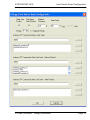
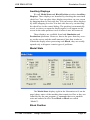
Tool Offset Table
Tool Offset Table
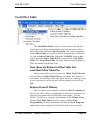
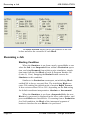
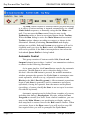
The Tool Offset Table is used to store values used for tool
length and tool radius compensation, and to make these values
accessible from within the Part Program. The values contained
in the Offset Table are stored to disk in a special type of file that
we call an Offset Table File. When the CAM File loads a Job,
values from the Offset Table File are read into the Tool Offset
Table. The Tool Offset Table can store diameters and lengths for
100 (one hundred) different tools.
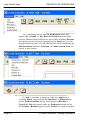
Save (Save as) Entries to Offset Table File
Load New Offset Table File
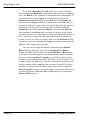
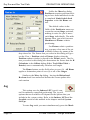
These menus allow you to create new Offset Table Files and
to load different Offset Table Files into the Job. This feature is
convenient for machines with removable tool trays, making it easy
to save and retrieve all of the tool offsets together as part of the
Job.
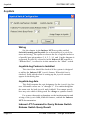
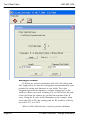
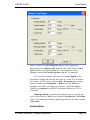
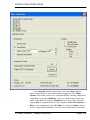
Entries (H and D Offsets)
The tool index is the means by which the Part Program can
refer to the offset values via arguments to the H and D words. You
can select the particular D and H index for editing, (D1/H1,
D2/H2, D3/H3 etc.) using the spin buttons in the Offsets dialog
entitled Tool Table Index. See the chapter entitled Part
Programming for more information on how the Part Program
applies the values assigned to H and D words to the tool path.
G Code Controller - Design Reference
Page 65