1
5.1 Core Components
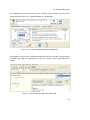
is displayed on the left side. The resulting graph reflects the generic questionnaire model
(from section 4.2) and is automatically transformed into the required PAIS format by using
interfaces provided by the PAIS (as described in section 4.3).
With the Preview component an overview of a selected simple or complex element is provided. Especially questions with a large number of answer items or a text in several languages benefit from a fast preview (during the creation of the element) to check, if the
created element is complete. Moreover, decisions regarding the style, like the font or font
size, require an immediate feedback for the user.
Feedback of the system is provided by dialogues as well. The Dialogue component therefore offers a collection of necessary dialogues and dialogue templates. Furthermore, status
and tool bars provide relevant information throughout the entire application.
All in all the user interface components are designed to guide the user in four steps through
the creation of a questionnaire. First of all a workspace, which defines the general topic,
is set up with the Workspace Management component. Afterwards a new questionnaire is
created in this workspace with the use of the Questionnaire Management component. Required languages are adjusted, navigation instruments are labelled and general information
are entered. Then, elements and pages are created, which should occur in the new questionnaire by using the Element Builder. Finally, this pages and elements are assembled to
an executable questionnaire with the functionality provided by the Questionnaire Builder.
Each of these components require background components to process and store the data
of the user input, which are therefore described in section 5.1.2.
5.1.2 Background Components
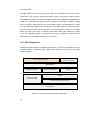
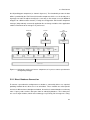
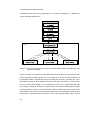
The Dialogue Handler, Version Control, Perspective Handler, Protocol, Element Placer,
Connector Creator, Graph Operations, Status Information Updater, Multi-language Support
component and the persistence components belong to the background components (as
shown in figure 5.1).
The Dialogue Handler component is responsible for the management of dialogues (see
the Dialogue component in section 5.1.1). Because of the wide variety of dialogues, the
Dialogue Handler provides comprehensive functionality regarding the creation of necessary objects (e.g., another window), for calculations for the required dialogue position (e.g.,
43