1
Quick Operation Guide of Network Video Recorder
2)
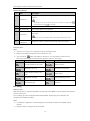
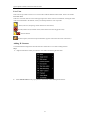
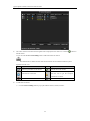
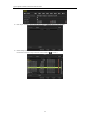
You can edit the IP address, protocol, management port, and other information of the IP camera to be
added.
3)
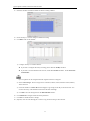
Click Add to add the camera.
4)
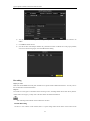
(For the encoders with multiple channels only) check the checkbox of Channel No. in the pop-up window,
as shown in the following figure, and click OK to finish adding.
Recording
Before you start:
Make sure that the HDD has already been installed. If not, please install a HDD and initialize it. You may refer to
the user manual for detailed information.
Purpose:
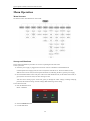
Two kinds of record types are introduced in the following section, including Instant Record and All-day Record.
And for other record types, you may refer to the user manual for detailed information.
After rebooting all the manual records enabled are canceled.
Instant Recording
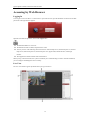
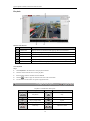
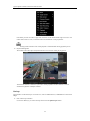
On the live view window of each channel, there is a quick setting toolbar which shows on the bottom of the
23