1
USER MANUAL Xsquare 3.2
Procedure
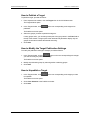
To add a target in Xsquare, proceed as follows:
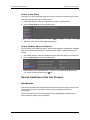
1. Select Targets in the Job Initiators menu.
2. Click the + button at the bottom of the window to add a row for a new target.
3. Type a name for the target in the Target Name field.
4. Select a label from the list in the Label field.
5. Select a template from the list.
If the available templates do not meet your needs, you can create a new template
based on an existing one by clicking the Edit button.
See section "Creating a Customized Job Template" on page 47 for more information
on creating a customized job template.
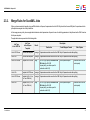
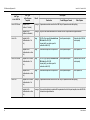
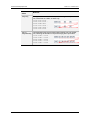
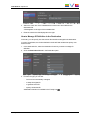
6. In the Destination field, do one of the following according to the selected job
template:
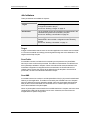
◦
If you have not yet connected to that computer, you have to type the Windows
user and password to gain access to the shared folders on that computer.
◦
If the destination is an EVS server, type one or both GigE address of the EVS
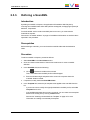
server. It is recommended to click the
icon and specify the username,
password to access the EVS server, as well as the requested location, that is
page, bank, and first position.
◦
If the destination is an Avid Transfer Engine, specify the name of the Avid
Transfer Engine.
7. Click the Save button displayed below the target definition.
The new target is defined and is directly operational in the client applications.
2.2.3.
Publishing a Target
Introduction
By publishing a target, a user can share the target with users who would otherwise not be
able to see the given target thanks to their user rights only.
Depending solely on their rights, users can indeed see and modify their own targets, and
possibly targets created by other users belonging to their group(s). They cannot see or edit
targets created by users who do not belong their group(s).
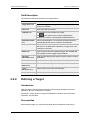
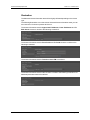
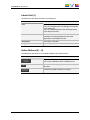
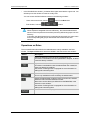
If you have the right to publish a target, you will see the following elements in the Target
window:
•
a Publish button for each target
•
the group(s) each target is currently published to.
Note
You can only publish a target when it has been saved.
2. Job Initiators
11