1
PAGE 6
DIAGENODE SX-8G IP-STAR USER MANUAL
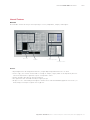
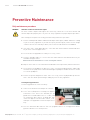
1. Workstation door
The workstation door can be manually opened by the user in order to gain access to the worktable. If the workstation
door is open, an interlock activates and prevents movement of the pipettor head.
If executing a protocol under these circumstances, the software will display an error message. To continue, close the
workstation door and click the “Retry” button in the software.
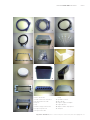
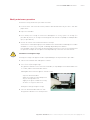
2. Waste chute
The waste chute is a metal slide that receives disposable tips ejected from the pipettor head and diverts them into an
attached tip waste bag. The waste chute can be removed for cleaning and autoclaving.
Waste tips are automatically discarded into plastic bag that are set on a waste tip slide. Before starting a run, a user
has to confirm if the Waste tip slide is set with a plastic bag. Waste tip slide is removable and autoclavable.
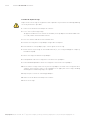
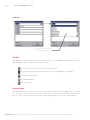
3. Status LEDs
There are 2 light-emitting diodes (LEDs) at the front of the SX-8G IP-Star:
• Green LED — indicates that the instrument is receiving power
• Red LED — indicates that an error has occurred
4. Light switch
The light switch is for switching on and off the white light inside the SX-8G IP-Star.
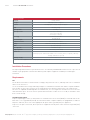
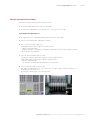
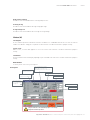
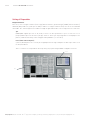
5. Personal Computer
Computer
User Interface
Graphical User Interface on Windows
Software
SX-8G V52
Computer
AMD ATHLON 5400B (2.8GHz, 512KBX2)
Genuine Windows Vista Business Bonus-Windows XP Professional downgrade
1.0GB DDR2 Non-ECC SDRAM, 800MHz, (1DIMM)
80GB SATA, 7200 RPM Hard Drive with Data Burst Cache.
1024 x 768 monitor (65535)
6. Connector panel (right side of workstation)
The connector panel contains the power switch, the socket for the power cord, the fuse box, and the connectors for
the computer cables.
Europe Diagenode sa / CHU - Tour GIGA - B34 - 3e étage // Avenue de l’Hôpital, 1 // 4000 Liège (Sart Tilman) // Belgium // Phone: (+32) 4 364 20 50 // Mail: [email protected]