1
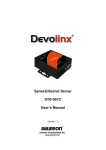
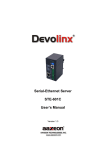
User’s Manual Version 1.2
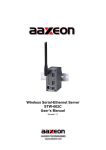
Devolinx Serial-Ethernet Server
STE-502C
IMPORTANT ANNOUNCEMENT
The information contained in this document is the property of Aaxeon Technologies, LLC and is supplied for
the sole purpose of operation and maintenance of products of Aaxeon Technologies, LLC No part of this
publication is to be used for any other purposes, and it is not to be reproduced, copied, disclosed,
transmitted, stored in a retrieval system, or translated into any human or computer language, in any form, by
any means, in whole or in part, without the prior explicit written consent of Aaxeon Technologies, LLC.
Published by
Aaxeon Technologies, LLC
Toll-Free: 1-877-AAXEON-5
1-877-229-3665
e-Mail: [email protected]
Website: www.aaxeon.com
Copyright © 2007 Aaxeon Technologies, LLC. All rights reserved.
All other product names referenced herein are registered trademarks of their respective companies.
Copyright © 2007 Aaxeon Technologies, LLC
All rights reserved.
-1-